
Call us: +86-137-2353-4866
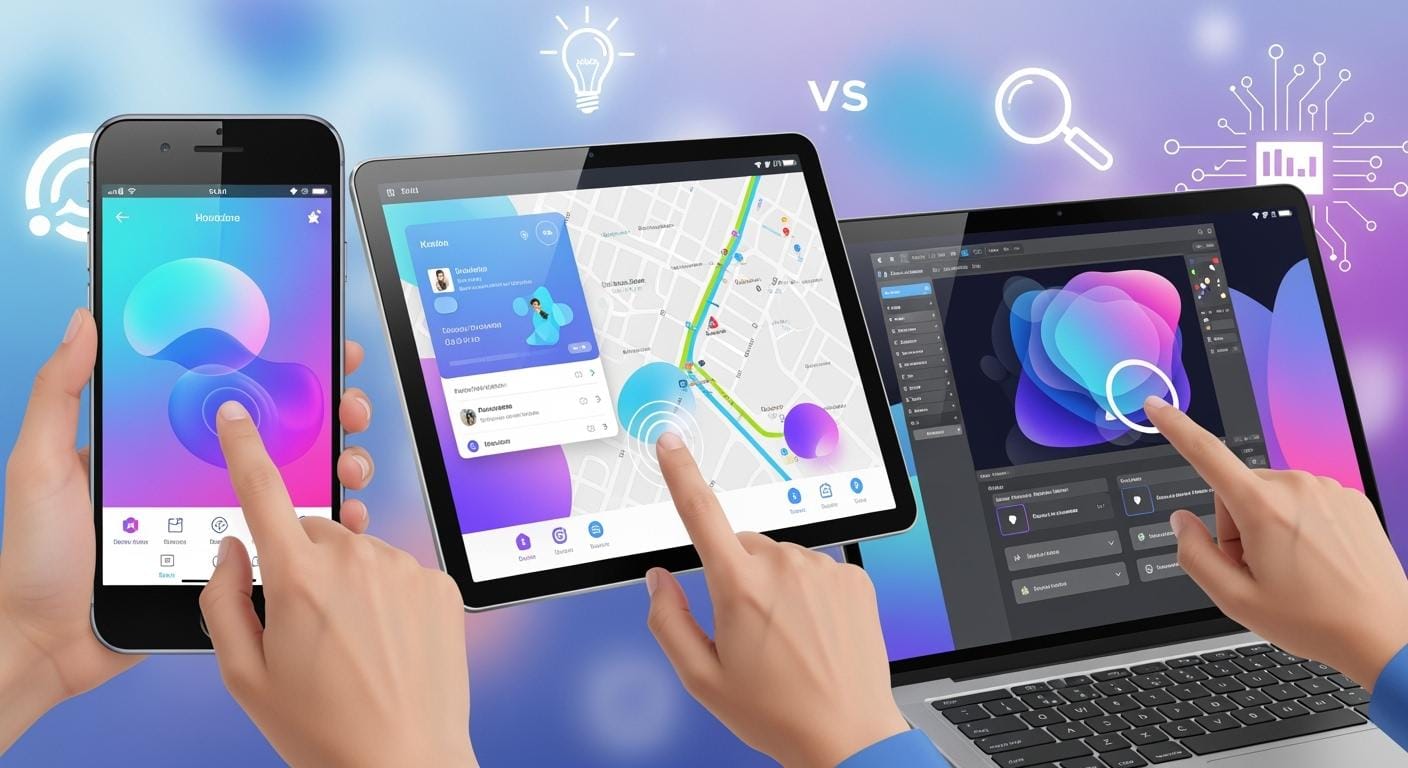

Capacitive touch screen technology is the top choice in 2025. It has more than 70% of the world’s market. People like it because it responds fast and looks clear. It also lets you use many fingers at once. Picking the best touch screen is important everywhere. You need good screens for things like kiosks and medical tools. Some brands, like SOUSHINE, are known for their smart touch panels. New things like bendable screens and tougher glass help a lot. These features make using touch screens more fun and safe.
| Feature | User Benefit |
|---|---|
| Flexible displays | More natural, immersive interactions |
| Improved durability | Greater confidence in device longevity |
Table of Contents
Key Takeaways
- Projected capacitive (PCAP) touch screens are very popular in 2025. They respond quickly and show clear pictures.
- Resistive touch screens cost less and work with gloves or styluses. This makes them great for factories and work sites.
- Infrared touch screens are tough and show clear images. They are good for outside and public places.
- InGlass touch screens are very exact and can handle many touches. They work well for teamwork in classrooms.
- Surface Acoustic Wave (SAW) screens are very clear and accurate. They are good for kiosks and medical devices.
- When picking a touch screen, think about how tough it is. Also look at how clear it is and if it can handle many touches. Pick what fits your needs.
- SOUSHINE Touch Panels use advanced technology. They are a good choice for many uses.
- To keep your screen useful, choose one with strong materials. Also, pick one with software that can be updated for new tech.
Touch Screens in 2025
Market Trends
Touch screens are changing a lot in 2025. Companies use borderless touchscreens now. This gives you a bigger and better display. New display types like Micro-LED and E-Ink use less power. Your devices last longer on one charge. Many touch screens work with 5G and IoT. This helps your devices connect faster. It is easier to use smart homes and stores.
| Trend | Description |
|---|---|
| Borderless Touchscreens | Ultra-narrow bezels give you a better view and make devices look modern. |
| Energy Efficiency Gains | New displays like Micro-LED and E-Ink use less power, so your devices run longer. |
| 5G and IoT Integration | Fast connections let your devices talk to each other easily in smart environments. |
These trends change how you use touch screens. Devices feel quicker and look nicer. They also work smarter every day.
Key Applications
Touch screens are found almost everywhere in 2025. Here are some main places you use them:
- Consumer electronics like smartphones and tablets are very common.
- Cars use touch screens for maps and music.
- Hospitals use touch screens for clean and easy medical devices.
- Stores and kiosks let you check out or get info fast.
- Factories use tough touch screens to help things run well.
- Smart home devices like thermostats make life easier.
You use touch screens in many parts of your day. You check your phone or use a kiosk at the store.
Leading Brands and Products
You have many choices for touch screen brands in 2025. Some top brands are:
- ELO Touch
- TouchWo
- Geekland
- Gigaipc
- TV Liquidator
- DMC
- Eagle
SOUSHINE is also a top brand in 2025. SOUSHINE makes advanced touch panels with projected capacitive technology. These panels respond quickly and show clear images. They are strong and last a long time. You find SOUSHINE screens in many places, like stores and factories.
When you pick a touch screen, you want a good brand. You want one that keeps up with new trends. SOUSHINE gives you modern and reliable products for your needs.
Touch Screen Technology Overview
How Touch Screens Work
You use touch screens all the time. Have you thought about how they know you touched them? Most touch screens have a special layer on top. This layer can feel when you press, tap, or swipe. When you touch the screen, it senses your finger or stylus. It sends a signal to the device. The device reacts by opening an app or typing a letter. It can also zoom in on a photo.
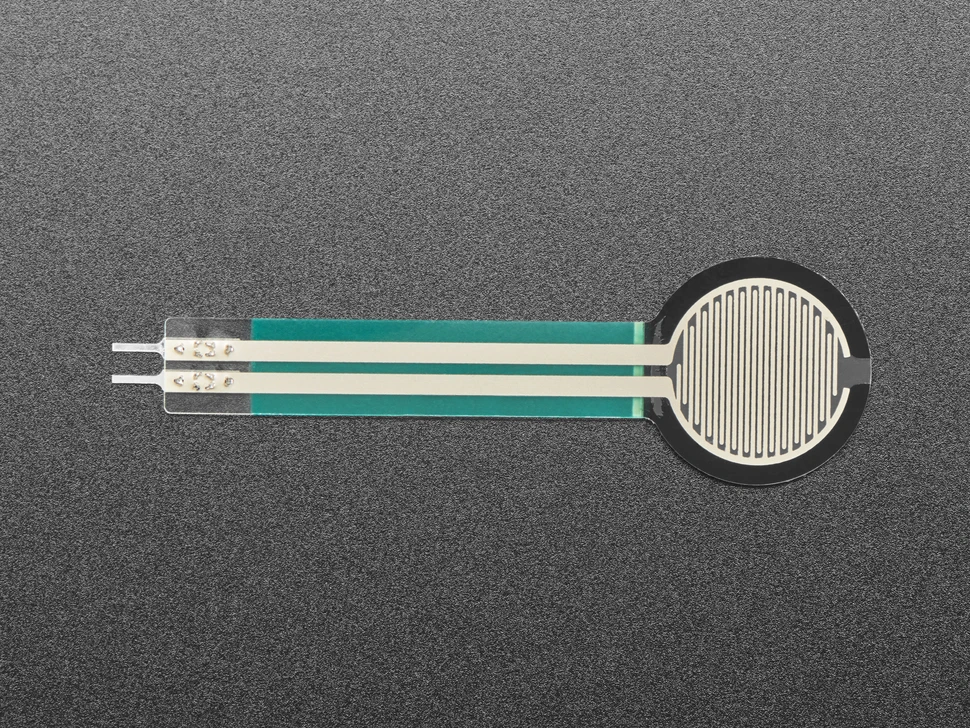
Touch screens use different ways to sense your touch. Some use pressure to find where you pressed. Others sense changes in electricity or light. Resistive touch screens work when you press two thin layers together. Projected capacitive touch screens sense changes in electric fields. These are used in many smartphones. Infrared touch screens use light beams across the screen. When you touch the screen, you block some beams. The system then knows where you touched. InGlass and Surface Acoustic Wave screens use light or sound waves. These waves help the screen find your finger.
Tip: The kind of touch screen changes how fast and well your device reacts.
Main Types in 2025
You can pick from many types of touch screens in 2025. Each type works in its own way. Each one fits different needs. Here is a table to help you compare them:
| Technology Type | Operation Description | Key Features |
|---|---|---|
| Resistive Touch Screens | Works when you press two flexible layers together. | Accepts any input (finger, glove, stylus), but has lower clarity. |
| Projected Capacitive (PCAP) | Senses changes in electrical fields through transparent electrodes. | Supports multi-touch, high clarity, durable glass, anti-glare coatings. |
| Infrared Touch Screens | Uses invisible light beams across the screen. | Good clarity, works with many objects, but can be affected by dust or sunlight. |
| InGlass Touch Screens | Uses light inside the glass to sense touch. | Allows edge-to-edge design, supports multi-touch, very accurate. |
| Surface Acoustic Wave (SAW) | Sends sound waves across the glass surface. | High clarity and touch accuracy, but sensitive to dirt and water. |
Resistive screens are used in places like factories or ATMs. You can use gloves or a stylus with them. Projected capacitive screens are found in most smartphones and tablets. They are also in modern kiosks. Infrared screens work well for big displays and public boards. InGlass screens look sleek and are very precise. They are used in fancy displays. SAW screens are clear and accurate. They are good for things that need detailed touch.
Think about where and how you will use your screen. Some types last longer and respond faster. Some work better with gloves or in bright light. Touch screen technology keeps getting better. You get more choices and better performance every year.
Resistive Touch Screens
Technology Basics
Resistive touch screens have a simple design. You use them by pressing down on the screen. The screen has two thin layers with a gap between them. When you press, the layers touch and send a signal. This tells the device where you touched.
You can use almost anything to touch these screens. Your finger, a pen, or a gloved hand will work. This makes resistive screens good for places where gloves or tools are used. Factories, ATMs, and hospitals use this technology a lot. These screens work well even if it is dirty or wet. They can handle dust, water, and chemicals. You can trust them to keep working in tough places. They do not have problems with other machines nearby.
Pros of Resistive
Cost and Compatibility
Resistive touch screens cost less than other types. They are cheaper to make than capacitive screens. If you need many screens or want to save money, pick resistive.
| Advantage | Description |
|---|---|
| Cost-effectiveness | Resistive touchscreens are usually cheaper to make than capacitive touchscreens. |
| Versatility in input methods | You can use any object as a stylus, not just special ones. |
| Durability in harsh environments | They work well even if there is water or dust. |
| Lower sensitivity to inadvertent touches | They do not pick up accidental touches easily, so they are good in hard places. |
You can use resistive screens in many places. They are tough, reliable, and do not cost much.
Stylus and Glove Use
You do not need to use your bare finger. Any object, like a pen or gloved hand, works. This helps people who must wear gloves for work. Doctors and nurses can use medical devices with gloves on. Factory workers can use machines with tools or gloves.
- Any stylus works, even plastic or metal ones.
- Thin styluses let you press small buttons or draw lines.
- The screen does not react to light touches, so you avoid mistakes.
Cons of Resistive
Limited Multi-Touch
Resistive screens only notice one touch at a time. You cannot zoom or use more than one finger. This makes them less good for apps that need multi-touch. If you want to use gestures, you may not like resistive screens.
Lower Clarity
Resistive screens use plastic, so the display is less clear. The screen can look dim or blurry, especially in bright light. The plastic can scratch, making it look cloudy. You may need to clean and fix the screen more often.
| Disadvantage | Impact on User Experience |
|---|---|
| Limited sensitivity | You must press harder, which can be annoying if you are used to capacitive screens. |
| Durability concerns | The plastic can scratch or get damaged, making it look worse over time. |
| Single touch input limitation | You cannot use more than one finger, so some apps will not work as well. |
| Lower light transmission | The screen can look dim, so it is hard to see in bright places. |
Note: Resistive touch screens are best when you need a tough and cheap screen. They work with many tools, but the display may not look as clear and you cannot use multi-touch.
Best Uses
Resistive touch screens are used in many places. They work well in tough spots. These screens can handle dust and water. You can use gloves or any stylus with them. This makes them good for jobs needing protection or careful work.
Here are some common ways people use resistive touch screens in 2025:
| Application | Description |
|---|---|
| Industrial Control Panels | Factories use these screens for control panels. They work with dust and chemicals. You can use gloves to stay safe and work fast. |
| Medical Devices and Equipment | Hospitals use resistive screens for machines and monitors. Gloves keep things clean. You get precise control with these screens. |
| Retail and Point-of-Sale Terminals | Stores and restaurants use these screens at checkout. They handle spills and rough use. You can use many kinds of input. |
| Transportation and Vehicle Displays | Buses and trains use resistive screens for displays. They work even when vehicles shake or get hot or cold. Passengers get clear info every time. |
| Outdoor Kiosks and Vending Machines | You see these screens in parks and stations. They work in sunlight and with gloves. They last long, even with lots of use. |
Tip: Pick resistive touch screens for harsh places or glove use.
You see resistive touch screens where reliability is most important. In factories, you press buttons with gloves. In hospitals, you need clean screens for medical gloves. At bus stops, ticket machines work in rain or sun.
Resistive touch screens help with detailed work using a stylus. Artists and doctors can draw or write with care. These screens do not pick up accidental touches. You make fewer mistakes.
Choose resistive touch screens if you want:
- A screen for gloves or any stylus
- A display that handles dirt and water
- A cheap choice for busy places
Resistive touch screens do not have fancy features. But they work well when you need them most. You get a screen that keeps working in any environment.
Infrared Touch Screens
Technology Basics
Infrared touch screens use a smart system to detect your touch. You do not need to press down hard or use a special pen. These screens have a grid of tiny infrared lights and sensors around the edges. When you touch the screen, your finger blocks some of these invisible beams. The system quickly figures out where you touched by seeing which beams you interrupted.
Here is how the main parts work together:
| Component | Function |
|---|---|
| Infrared emitting elements | Send out invisible infrared rays across the screen surface. |
| Infrared receiving elements | Pick up the rays and notice when something blocks them. |
| Touching object (e.g., finger) | Blocks the rays at the spot you touch, helping the system find your exact touch location. |
You can use your finger, a gloved hand, or even a stylus. The screen does not need pressure. It just needs something to break the light beams.
Pros of Infrared
Durability
Infrared touch screens last a long time. You do not have to worry about the screen wearing out from lots of touches. The glass stays strong because you never press directly on sensors. These screens work well in busy places like airports, malls, and museums. You can count on them to handle heavy use every day.
- The sensors sit outside the display, so the glass does not get damaged easily.
- You can clean the screen often without hurting the touch system.
- These screens resist scratches and bumps.
Clarity
You get a clear and bright picture with infrared touch screens. The system does not need extra layers on top of the glass. This means you see sharp images and bright colors. The display looks just as good as a regular monitor.
| Benefit | Description |
|---|---|
| High Touch Accuracy and Precision | The screen finds your touch point exactly, which helps with drawing or picking small items. |
| Excellent Durability and Resistance | The screen stands up to lots of use and keeps working in public places. |
| Multi-touch Capabilities | You can use two or more fingers for gestures like zooming or rotating. |
Tip: Infrared touch screens work even if you wear gloves or if the screen gets a little wet. This makes them great for outdoor use or in places where people need to keep things clean.
Cons of Infrared
Environmental Sensitivity
Infrared touch screens can have trouble in some environments. Dust, dirt, or direct sunlight can block or confuse the infrared beams. If the sensors get dirty, the screen might not notice your touch. Bright sunlight can also make it harder for the system to see the beams.
| Drawback | Description |
|---|---|
| Sensitivity to Environmental Factors | Dust, dirt, or sunlight can interfere with the infrared beams and affect touch accuracy. |
You need to keep the edges of the screen clean for the best results. In very bright or dusty places, you may see some problems with touch response.
Cost
Infrared touch screens usually cost more than other types. The special sensors and lights add to the price. If you want a big screen or need many screens, the cost can go up quickly.
| Drawback | Description |
|---|---|
| Higher Cost | Infrared touch screens often cost more than capacitive screens because of their advanced parts. |
Note: You get great durability and clarity with infrared touch screens, but you should think about the environment and your budget before choosing this technology.
Best Uses
You see infrared touch screens in many places in 2025. These screens work well in busy spots where many people interact with devices every day. You find them in schools, stores, and public spaces. Their design makes them strong and easy to use, even when you wear gloves or use a stylus.
Infrared touch screens shine in environments where you need both durability and flexibility. You do not have to press hard or use a special tool. The screen senses your touch quickly and accurately. This makes them a smart choice for large displays and public installations.
Here is a table that shows where infrared touch screens work best and why:
| Industry/Application | Benefits of Infrared Touch Screens |
|---|---|
| Interactive Whiteboards | Durable and versatile for educational settings |
| Outdoor Kiosks | Functionality in various weather conditions |
| Retail Displays | Engaging customer interactions without direct touch |
| Public Info Boards | Accessible information in public spaces |
Interactive Whiteboards
You use these screens in classrooms and meeting rooms. Teachers and students can write, draw, and move objects on the board. The screen responds to fingers, pens, or pointers. You do not worry about scratches or heavy use. The board stays clear and bright, even after many lessons.
Outdoor Kiosks
You find these screens at bus stops, parks, and city centers. They work in rain, snow, or bright sunlight. You can use them with gloves or any object. The screen keeps working, even when the weather changes. People get information or buy tickets quickly.
Retail Displays
Stores use infrared touch screens to help you find products or check prices. You do not need to touch the screen directly. The system can sense your hand or a stylus. This keeps the display clean and reduces wear. Shoppers enjoy a smooth and interactive experience.
Public Info Boards
You see these screens in airports, museums, and malls. They show maps, schedules, or news. Anyone can use them, even with gloves or in a hurry. The screen stays clear and easy to read. Many people can use the board each day without problems.
Tip: Choose infrared touch screens for places where many people interact with the device, or where you need a tough and reliable screen.
You get the most value from infrared touch screens in public and high-traffic areas. Their strong build and easy use make them a top pick for schools, outdoor spaces, and busy stores. You help people get information fast and keep devices working longer.
InGlass Touch Screens
Technology Basics
You see InGlass touch screens in many modern devices. This technology uses light signals inside the glass to detect your touch. When you place your finger, pen, or even your palm on the screen, the system senses the exact spot. You get a crisp and pixel-perfect interactive display every time you use it. InGlass screens stand out because they can recognize different objects. The screen knows if you use a finger, a stylus, or your palm. This feature helps you avoid mistakes, like unwanted marks from your hand while writing or drawing.
You often find InGlass touch screens in meeting rooms and classrooms. They make collaboration easy. You can write, draw, and move objects smoothly. The screen responds quickly and accurately. InGlass technology also works well in tough environments. The assembly resists dust, dirt, and even some mechanical stress. You can rely on these screens in places where other touch technologies might fail.
- InGlass screens provide a clear and sharp image.
- They support object recognition and palm rejection.
- The design works well in harsh conditions.
Pros of InGlass
Multi-Touch
You can use several fingers at once on an InGlass touch screen. This feature lets you zoom, rotate, and move objects easily. The screen detects each finger separately. You can also use a pen for handwriting or drawing. The system knows the difference between your pen, your finger, and your palm. This makes your experience smooth and accurate.
| Advantage Type | Description |
|---|---|
| Precision | InGlass technology offers high precision. You can write or draw with fine detail. |
| Input Differentiation | The screen tells the difference between pen, palm, and finger. You get fewer mistakes. |
Tip: InGlass screens help you work faster and more accurately, especially when you need to write or draw.
Edge-to-Edge Design
You notice that InGlass touch screens look modern and stylish. The bezel, or border, around the screen is very thin. This edge-to-edge design gives you more space to work and makes the device look sleek. You get a bigger display area without making the device larger. The thin bezel also helps when you use the screen in groups. Everyone can see and reach the display easily.
- Edge-to-edge glass creates a seamless look.
- The thin bezel makes the device feel more advanced.
Cons of InGlass
Price
You may find that InGlass touch screens cost more than other types. For example, some interactive screens with InGlass technology can cost over $12,000. The advanced features and modern design add to the price. If you need many screens or have a tight budget, you might need to consider this cost.
- InGlass screens often have a higher price tag.
- The technology is still new, so prices remain high.
Availability
You might have trouble finding InGlass touch screens in every store. Not all brands offer this technology yet. Some users also report that using the screen for a long time can cause eye strain. Typing on a flat glass surface may feel less comfortable because you do not get tactile feedback.
- InGlass screens are not as common as other types.
- Some users experience eye strain or find typing less comfortable.
Note: InGlass touch screens give you a premium experience, but you should think about the price and availability before choosing this technology.
Best Uses
You see InGlass touch screens in many places where people need clear, accurate, and fast touch response. These screens work best in settings that demand both precision and a modern look. You benefit from their advanced features in classrooms, offices, hospitals, and stores.
Here is a table that shows where InGlass touch screens shine and how you gain from them:
| Application Area | How You Benefit with InGlass Touch |
|---|---|
| Education | Fun lessons and group work |
| Corporate | Easy whiteboarding and hybrid meetings |
| Healthcare | Better talks with patients and sharing info |
| Retail | Fast, clear shopping and help |
Education
You use InGlass touch screens in schools for interactive lessons. Teachers and students can write, draw, and move objects on the screen. You work together on group projects. The screen responds quickly, so you do not wait for your actions to show up. You see bright colors and clear images, which make learning more fun.
Corporate
In offices, you use InGlass touch screens for meetings and brainstorming. You write notes, draw diagrams, and share ideas with your team. Hybrid meetings become easier because everyone can see and interact with the screen, whether they are in the room or joining online. You save time and work better as a group.
Healthcare
Doctors and nurses use InGlass touch screens to talk with patients and show information. You see clear charts and images. Medical staff can write notes or highlight important details right on the screen. This helps you understand your health better and makes visits smoother.
Retail
Stores use InGlass touch screens to help you shop faster. You find products, check prices, and get help with just a touch. The screen looks bright and responds right away. You enjoy a smooth shopping experience, and staff can help you more easily.
Tip: Choose InGlass touch screens when you want a device that looks modern and works well for teamwork or sharing information.
You also find InGlass touch screens in museums, libraries, and public spaces. These screens help you explore maps, learn new facts, or get directions. The edge-to-edge design makes them easy to clean and keeps them looking new.
Key reasons to pick InGlass touch screens:
- You need precise touch for writing or drawing.
- You want a screen that many people can use at once.
- You like a modern, borderless look.
- You need a display that stays clear and bright all day.
InGlass touch screens help you work, learn, and shop better. You get a reliable and stylish tool that fits many needs.
Projected Capacitive (PCAP) Touch Screen Display
Technology Basics
You use projected capacitive (PCAP) touch screens a lot. This technology has a grid of see-through electrodes under the glass. These are usually made from indium tin oxide. The grid makes an electric field across the screen. When your finger gets close, it changes the field at that spot. The controller checks for this change and finds where you touched. PCAP screens do not need you to press down. They sense your touch by noticing changes in capacitance. This way, the screen finds your touch fast and accurately. Advanced signal processing helps block out extra noise. The main parts are a conductive layer and a tough cover glass. These work together to make a clear and strong touch screen.
Pros of PCAP
Responsiveness
Your device reacts fast when you touch the screen. PCAP technology gives you quick touch response. Even a light tap or swipe is picked up. You do not have to press hard. The screen senses your finger right away. This makes games, drawing, and typing feel easy.
Multi-Touch
You can use more than one finger at once. PCAP screens let you zoom, rotate, or play games with friends. Many devices let you use ten or more fingers at the same time. This helps you work faster and makes apps more fun.
| Advantage | Description |
|---|---|
| Multi-Touch Capability | Lets you use 10 or more fingers at once for easy gestures and teamwork. |
| High Sensitivity | Picks up even the lightest touches for smooth and accurate use. |
| Superior Optical Performance | Lets lots of light through, so images look bright and clear anywhere. |
SOUSHINE Touch Panels
SOUSHINE makes advanced PCAP touch panels for many uses. You get great multi-touch and clear images. The panels use strong glass that resists scratches. You can clean them easily, and they last a long time. SOUSHINE panels work in electronics, kiosks, machines, and building controls. The edge-to-edge design looks modern and lets you add your own borders. With SOUSHINE, you get a ready-to-use panel that makes your product better.
Tip: Pick SOUSHINE touch panels if you want a strong, stylish, and high-quality touch screen for your next project.
Cons of PCAP
Cost
PCAP touch screens usually cost more than other types. The special materials and technology make them pricier. If you need a lot of screens or have a small budget, think about this.
Water Sensitivity
PCAP screens can react to water drops or wet fingers. Sometimes, water causes false touches or makes the screen less accurate. Regular gloves may not work unless they are made for touch screens.
- Costs more than resistive or infrared screens.
- Sensitive to water, which can cause wrong touches.
- Regular gloves may not work well, especially if the screen is wet.
Note: PCAP screens are best in dry, clean places where you want fast and accurate touch.
Best Uses
You see projected capacitive (PCAP) touch screens in lots of places. They work fast and look very clear. These screens are used in new devices and public spots. You get a smooth time when you shop, travel, or work.
PCAP touch screens help you in stores. At self-checkout, the screen reacts quickly. You finish shopping faster and make fewer mistakes. Stores say these kiosks cut wait times by 30%. Shoppers leave happy because it feels easy.
Hospitals use PCAP screens for check-in. You touch the screen to enter your info or find your way. Hospitals see 15% more happy patients and fewer mistakes. Nurses and doctors use these screens for patient records. The screens stay clean and work well after many uses.
Factories use PCAP touch screens for control panels. You watch machines and change settings with a tap. These screens help workers do jobs faster. Companies see 25% more work done and less waiting. The strong glass stands up to dust and heavy use.
You also see PCAP screens in digital signs. These show maps, ads, or news in public places. When you touch the screen, it reacts right away. People use these signs longer and remember more. Visitor use can go up by 35%.
Cars use PCAP touch screens for music, maps, and air controls. You see things clearly and get quick answers. Drivers feel safer and happier, with 40% more user smiles and fewer problems.
Here is a table that shows where PCAP touch screens help you most:
| Industry | How You Use PCAP Touch Screens | What Improves for You |
|---|---|---|
| Retail | Self-checkout, product finders | Faster shopping, fewer mistakes |
| Healthcare | Patient check-in, info kiosks | Easier visits, better information |
| Industrial Control | Machine monitoring, process control | Quicker work, less downtime |
| Digital Signage | Interactive maps, public info displays | More engagement, better recall |
| Automotive | Car infotainment, navigation | Safer driving, easier controls |
Tip: Pick PCAP screens if you want a display that works well in busy places and gives you a great experience.
You can trust PCAP screens where speed, clear images, and strength matter. Whether you shop, travel, or work, these screens help you finish tasks quickly and easily.
Surface Acoustic Wave (SAW) Touch Screens
Technology Basics
You interact with a Surface Acoustic Wave (SAW) touch screen in a unique way. This technology uses sound waves that move across the glass surface. Here is how the process works:
- Transducers along the edges of the glass send out ultrasonic sound waves.
- These waves travel evenly across the glass, creating a field of energy.
- When you touch the screen, your finger absorbs some of the ultrasonic energy at that spot.
- Sensors detect the change in the wave pattern caused by your touch.
- The system calculates the exact spot where you touched by analyzing the disruption.
- The device translates this information into digital coordinates and responds to your action.
You do not need to press hard. Even a light touch can trigger a response. This makes SAW screens easy and comfortable to use.
Pros of SAW
Clarity
SAW touch screens give you excellent image clarity. The glass surface does not have extra layers, so you see bright and sharp images. You enjoy high transparency, which means the screen does not block or dull the display. The design also resists scratches, so the screen stays clear over time.
| Benefit | Description |
|---|---|
| High Clarity | SAW touch screens use pure glass, so you get high transparency and true image quality. |
| Durability | The glass resists scratches and damage, helping the screen last longer in many settings. |
- You see clear images because nothing blocks the display.
- The screen stays bright, even after lots of use.
- Scratches do not easily ruin the surface.
Touch Accuracy
You get precise touch response with SAW technology. The system detects even the lightest touch, so you do not need to press hard. This high sensitivity helps you select small icons or draw fine lines. The screen responds quickly and accurately to your finger or a soft stylus.
Tip: SAW screens work well for tasks that need careful control, like drawing or selecting small items.
- The screen picks up gentle touches.
- You can use your finger or a soft stylus for detailed work.
- The system reacts fast, making your experience smooth.
Cons of SAW
Fragility
SAW touch screens use glass, which can break if you drop or hit the device. The glass is strong against scratches but not against hard impacts. You need to handle these screens with care, especially in busy or rough environments.
Environmental Sensitivity
Dust, dirt, or moisture can affect how well a SAW screen works. If something blocks the sound waves, the screen may not detect your touch correctly. You need to keep the screen clean for the best performance.
| Disadvantage | Description |
|---|---|
| Environmental Sensitivity | Dust, moisture, or other contaminants can interfere with touch detection. |
| Fragility | Glass can break if dropped or hit hard, so you must handle with care. |
Note: SAW touch screens give you clear images and accurate touch, but you should use them in clean, safe places for the best results.
Best Uses
You find Surface Acoustic Wave (SAW) touch screens in many important places in 2025. These screens work best where you need clear images and accurate touch. SAW technology gives you a smooth and reliable experience. Here are the top ways you use SAW touch screens today:
- Public Information Kiosks
You see SAW touch screens in airports, malls, and museums. These kiosks help you find directions, check flight times, or learn about exhibits. The screens stay bright and easy to read, even after many people use them each day. You get fast and accurate responses when you touch the screen. - Industrial Control Panels
Factories use SAW touch screens to control machines and monitor systems. You can trust these screens to work in tough places with dust or vibrations. The glass surface resists scratches, so you get a clear view of controls and data. Workers use these panels to keep machines running safely and smoothly. - Healthcare Devices
Hospitals and clinics use SAW touch screens for patient monitoring and diagnostics. You see these screens on medical equipment where clear images and precise touch matter. Doctors and nurses use them to check patient data or adjust settings quickly. The easy-to-clean glass helps keep things sanitary. - Retail and Hospitality
Stores and hotels use SAW touch screens in point-of-sale (POS) systems and interactive displays. You can check out, order food, or get information with just a touch. The screens respond quickly, making your shopping or dining experience better. Staff can clean the screens often without losing clarity. - Educational and Interactive Exhibits
Museums and science centers use SAW touch screens for fun and engaging displays. You can explore maps, play games, or watch videos by touching the screen. The high clarity and fast response make learning more exciting. Groups of students or visitors can use the screens together.
Tip: Choose SAW touch screens when you want a display that stays clear, works accurately, and stands up to lots of use. These screens help you in busy public spaces, tough work areas, and places where clean and precise touch matters most.
Touch Screen Comparison
Performance
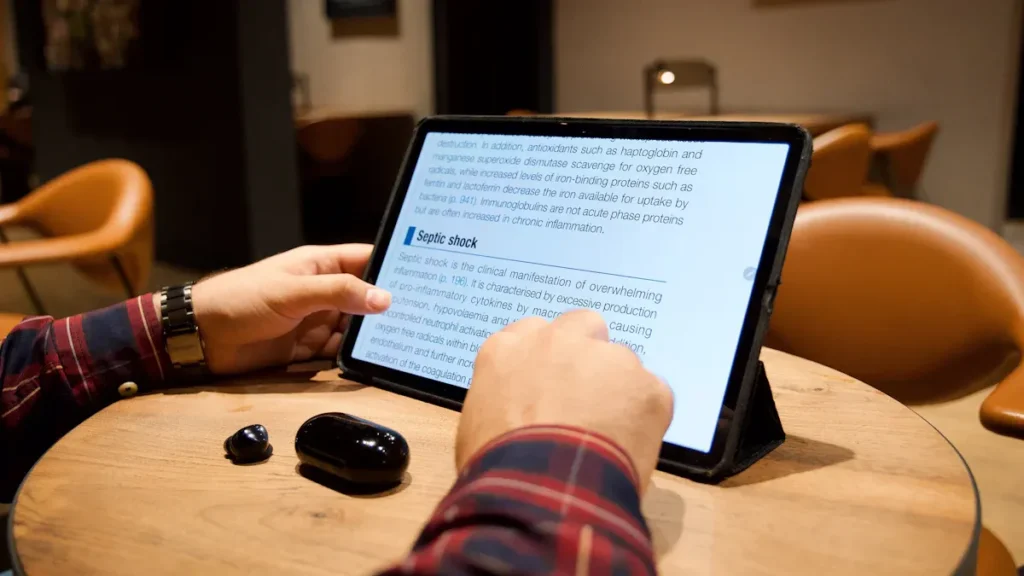
You want a touch screen that reacts quickly and accurately. Performance means how fast and precise the screen responds to your touch. Projected capacitive (PCAP) screens lead in speed and accuracy. You can use many fingers at once, and the screen keeps up with every move. InGlass screens also give you smooth and detailed control, which helps when you draw or write. Infrared screens work well for large displays. They sense your touch even if you use gloves or a stylus. Resistive screens need more pressure and only notice one touch at a time. Surface Acoustic Wave (SAW) screens offer high accuracy, but dust or water can slow them down.
Here is a table to help you compare performance:
| Technology Type | Speed | Multi-Touch | Precision | Best For |
|---|---|---|---|---|
| PCAP | Very High | Yes | Excellent | Phones, kiosks, tablets |
| InGlass | High | Yes | Excellent | Whiteboards, offices |
| Infrared | High | Yes | Good | Large displays |
| Resistive | Medium | No | Fair | ATMs, factories |
| SAW | High | Yes | Excellent | Info kiosks, hospitals |
Tip: If you want the best performance, choose PCAP or InGlass touch screens for your device.
Durability
Durability tells you how long your touch screen will last and how well it stands up to daily use. PCAP screens use tough glass that resists scratches and cracks. You can clean them often, and they keep working. Infrared screens also last a long time because the sensors sit outside the glass. You do not wear out the touch system by using it. Resistive screens handle dust and water, but the plastic layer can scratch or wear down. SAW screens use strong glass, but you need to keep them clean. Dirt or water can affect how they work. InGlass screens resist dust and stress, so you can use them in busy places.
You can see the differences in this list:
- PCAP: Strong glass, scratch-resistant, easy to clean
- Infrared: Durable, sensors outside glass, good for public spaces
- Resistive: Handles dirt and water, plastic can wear out
- SAW: Clear glass, needs clean surface, can break if dropped
- InGlass: Resists dust, works in tough spots
Note: For the longest-lasting touch screen display, look for PCAP or infrared technology.
Cost
Cost matters when you pick a touch screen system. Resistive screens cost the least. You can use them in many places without spending much. PCAP screens cost more, but you get better performance and longer life. Infrared and InGlass screens usually cost the most. They have special parts and features. SAW screens fall in the middle. You pay more than resistive, but less than InGlass.
Here is a quick cost guide:
| Technology Type | Cost Level | Where You Save or Spend |
|---|---|---|
| Resistive | Low | Budget projects, simple needs |
| PCAP | Medium-High | Quality, long-term use |
| Infrared | High | Large displays, public places |
| SAW | Medium | Info kiosks, retail |
| InGlass | High | Premium offices, education |
If you need many touch screen monitors for a business, resistive screens help you save money. For high-end touch screen systems, PCAP or InGlass give you more features.
User Experience
You want a touch screen that feels natural and easy to use. Each technology gives you a different experience. When you use a projected capacitive touch screen display, you notice how quickly it reacts. Even a gentle tap or swipe gets a response. You can use several fingers at once. This makes it simple to zoom in on photos or play games with friends. The glass feels smooth under your fingers. You see bright colors and sharp images.
Resistive touch screens work well if you use gloves or a stylus. You press down a bit harder, but you get steady results. These screens help you avoid mistakes from accidental touches. You might see a dimmer display, but you get reliable control in tough places.
Infrared touch screens let you use almost anything to interact. You do not need to press hard. The screen senses your finger, a pen, or even a gloved hand. You see clear images because nothing covers the glass. Sometimes, sunlight or dust can affect how well the screen works.
InGlass touch screens give you a premium feel. You can write, draw, or move objects with high accuracy. The screen knows if you use your finger, a pen, or your palm. You get a modern look with edge-to-edge glass. Many people can use the screen at the same time, which helps in classrooms or meetings.
Surface Acoustic Wave (SAW) touch screens offer a smooth and accurate touch. You see clear images and get fast feedback. You need to keep the screen clean for the best results. These screens work well in places where you want both clarity and precision.
Tip: Think about how you plan to use your device. If you want fast, multi-touch actions, choose a projected capacitive screen. If you need to use gloves or a stylus, resistive or infrared screens might suit you better.
Here is a table to help you compare user experience across different touch screen technologies:
| Technology Type | Touch Sensation | Visual Quality | Multi-Touch | Best For |
|---|---|---|---|---|
| PCAP | Light, smooth, quick | Bright, sharp | Yes | Phones, kiosks, tablets |
| Resistive | Firm, steady | Dimmer, less sharp | No | Factories, ATMs |
| Infrared | Soft, flexible | Clear, bright | Yes | Large displays, outdoors |
| InGlass | Precise, premium | Very clear, modern | Yes | Offices, classrooms |
| SAW | Smooth, accurate | High clarity | Yes | Info kiosks, hospitals |
You get the best user experience when you match the technology to your needs. Touch screens today make your daily tasks easier, faster, and more fun.
Accessory Compatibility
You often use accessories with your touch screen monitors. The right technology helps you work with gloves, styluses, or other tools. Each type of touch screen supports different accessories.
- Projected Capacitive (PCAP): You use your fingers for the best results. Some special gloves and styluses work, but not all. Most smartphones and tablets use this technology.
- Resistive: You can use almost anything. Your finger, a regular pen, or thick gloves all work. This makes resistive screens great for factories or medical settings.
- Infrared: You use your finger, gloves, or any object. The screen senses anything that breaks the light beams. This helps in public places or outdoor kiosks.
- InGlass: You get support for both fingers and special pens. The screen can tell the difference between your palm and a stylus. This helps you write or draw with precision.
- SAW: You use your finger or a soft stylus. Hard or sharp objects might not work well. The screen gives you accurate results if you use the right accessory.
Note: Always check which accessories work with your touch screen before you buy. The right match helps you get the most from your device.
Here is a quick guide to accessory compatibility:
| Technology Type | Finger | Glove | Stylus | Other Objects |
|---|---|---|---|---|
| PCAP | Yes | Some | Some | No |
| Resistive | Yes | Yes | Yes | Yes |
| Infrared | Yes | Yes | Yes | Yes |
| InGlass | Yes | Some | Yes | No |
| SAW | Yes | Some | Yes | No |
You get more value from your touch screen when you use the right accessories. Choose the technology that fits your work style and the tools you need.
Choosing the Best Touch Screen Technology
Top Choice for 2025
You want the best experience when you use a device. In 2025, projected capacitive (PCAP) stands out as the top choice for most users. This touch screen technology gives you fast response, clear images, and smooth multi-touch actions. You can swipe, zoom, and tap with ease. Many smartphones, tablets, and kiosks use PCAP because it feels natural and works well in many places.
SOUSHINE leads the way with advanced PCAP touch panels. These panels offer strong glass, edge-to-edge design, and high clarity. You get a screen that looks modern and lasts a long time. If you need a touch screen for a new product or public kiosk, PCAP gives you the best mix of speed, style, and durability.
Tip: Choose PCAP if you want a screen that feels quick and looks sharp in any setting.
Best for Budget
You may need a touch screen that saves money but still works well. Resistive touch screens give you a solid choice for tight budgets. These screens cost less to make and buy. You can use them with gloves, pens, or any object. Many factories, ATMs, and simple kiosks use resistive screens because they handle rough use and do not break the bank.
If you want to keep costs low, look for resistive screens in places where you do not need fancy features. You get a reliable screen that works in tough spots. You may not get multi-touch or the brightest display, but you save money and get the job done.
Note: Resistive screens work best when you need a tough, low-cost solution for basic tasks.
Best for Industry
Industrial settings need screens that last and work in harsh places. You want a touch screen that stands up to dust, water, and heavy use. PCAP and infrared screens both work well in these environments. PCAP screens, like those from SOUSHINE, use strong glass and support multi-touch. They resist scratches and stay clear after many cleanings. You can use them in factories, control rooms, and public kiosks.
Infrared screens also fit well in industry. They sense touch without needing pressure. You can use gloves or tools, and the screen stays bright and clear. These screens work well for large displays and outdoor kiosks.
When you choose a touch screen for industry, think about these factors:
| Factor | Description |
|---|---|
| Ergonomics and Placement | Pick a screen that fits the workspace and reduces strain. |
| Durability and Environmental Factors | Make sure the screen can handle dust, water, and heavy use. |
| Software Compatibility | Check that the screen works with your current systems. |
| User Training | Train workers so they use all the features. |
| Maintenance and Support | Choose screens that are easy to clean and have good support. |
Tip: For the toughest jobs, pick PCAP or infrared screens. They last longer and keep working in hard conditions.
Best for Multi-Touch
You want a screen that lets you use many fingers at once. Multi-touch helps you zoom, rotate, and draw with both hands. It also lets more than one person use the screen at the same time. This feature is important for games, teamwork, and creative work.
Projected capacitive (PCAP) screens lead in multi-touch. You find this technology in most smartphones, tablets, and modern kiosks. PCAP screens can sense ten or more fingers at once. They react fast and show your actions right away. You can pinch to zoom, swipe, and use special gestures. The screen feels smooth and easy to use.
InGlass screens also support multi-touch. They work well for big displays, like whiteboards in classrooms or offices. You can write, draw, and move objects with several fingers. The screen knows if you use a pen, your finger, or your palm. This helps you avoid mistakes when you write or draw.
Infrared screens allow multi-touch too. You can use your fingers, gloves, or even a stylus. These screens work well for large public displays. They sense many touches at once, but sometimes dust or sunlight can affect them.
Here is a table to help you compare multi-touch features:
| Technology Type | Multi-Touch Support | Best Use Cases |
|---|---|---|
| PCAP | 10+ fingers | Phones, tablets, kiosks |
| InGlass | 10+ fingers | Whiteboards, meeting rooms |
| Infrared | 6-10 fingers | Public displays, info boards |
| Resistive | Single touch | ATMs, factories |
| SAW | 2-4 fingers | Info kiosks, retail |
Tip: If you want the best multi-touch experience, choose a projected capacitive screen. You get fast, smooth, and accurate touch every time.
Notable Products
You have many choices when you look for the best touch screen products in 2025. Some brands stand out because they use the latest touch screen technology and offer strong, clear, and reliable screens.
SOUSHINE Touch Panels
SOUSHINE makes advanced projected capacitive (PCAP) touch panels. You get a screen that reacts quickly and supports many fingers at once. The glass is strong and resists scratches. You see bright, clear images every time you use it. SOUSHINE panels work well in many places, such as:
- Retail kiosks
- Industrial machines
- Smart home controls
- Medical devices
- Automotive displays
You can trust SOUSHINE panels for both public and private spaces. The panels come ready to install and fit many designs. You can even add your own logo or border to match your brand.
Other Leading Products
You also find strong products from other brands:
- ELO Touch offers PCAP and infrared screens for stores and hospitals.
- TouchWo makes screens for education and business.
- Geekland and Gigaipc provide touch displays for factories and kiosks.
- DMC and Eagle focus on industrial and public use.
Here is a quick guide to help you pick the right product:
| Brand | Main Technology | Best For |
|---|---|---|
| SOUSHINE | PCAP | Retail, industry, smart homes |
| ELO Touch | PCAP, Infrared | Healthcare, retail, kiosks |
| TouchWo | PCAP, InGlass | Education, offices |
| Geekland | PCAP | Factories, public displays |
| Gigaipc | PCAP | Kiosks, industrial controls |
| DMC | Resistive, PCAP | ATMs, factories |
| Eagle | PCAP | Public info boards, retail |
Note: When you choose a product, think about where you will use it and what features matter most. If you want fast, multi-touch actions and a modern look, SOUSHINE Touch Panels give you a top choice.
Selecting the Right Touch Screen for You
Key Factors
You want to choose a touch screen that fits your needs. Start by looking at the main factors that affect your decision. Each factor helps you narrow down your choices.
- Screen Size: Pick a size that matches your space and use. Small screens work for handheld devices. Large screens help in kiosks or meeting rooms.
- Durability: Check if the screen can handle scratches, dust, or water. Strong glass and high IP ratings mean longer life.
- Clarity: Look for screens with bright colors and sharp images. High clarity makes reading and viewing easier.
- Touch Sensitivity: Choose a screen that reacts quickly to your touch. Fast response improves your experience.
- Multi-Touch Support: If you want to use more than one finger, make sure the screen supports multi-touch.
- Accessory Compatibility: Think about gloves, styluses, or other tools you use. Some screens work better with these accessories.
Tip: Write down your top three needs before you start shopping. This helps you focus on what matters most.
Matching Tech to Needs
You need to match the right technology to your daily tasks. Each type of touch screen works best in certain situations. Use the table below to compare your options.
| Your Need | Best Technology | Why It Works Well |
|---|---|---|
| Fast, smooth response | PCAP | Quick touch, clear images |
| Use with gloves/stylus | Resistive, Infrared | Works with many accessories |
| Large public displays | Infrared, SAW | Handles heavy use, easy to clean |
| Drawing or teamwork | InGlass, PCAP | Precise, supports multi-touch |
| Budget-friendly choice | Resistive | Low cost, reliable |
If you work in a factory, pick a screen that handles gloves and dust. For gaming or creative work, choose a screen with multi-touch and high clarity. In public spaces, look for durability and easy cleaning.
Note: Ask yourself where and how you will use the screen. This helps you avoid buying the wrong type.
Future-Proofing
You want your touch screen to last for years. Think about future needs and new technology. Choose screens with features that stay useful as trends change.
- Upgradable Software: Pick screens that support updates. This keeps your device working with new apps.
- Flexible Design: Look for edge-to-edge glass and custom borders. These features help your device look modern.
- Strong Materials: Select screens with tough glass and high IP ratings. These resist scratches and water.
- Brand Support: Choose brands with good customer service and warranties. This helps you solve problems quickly.
🛡️ Tip: Future-proof your investment by choosing advanced PCAP panels from trusted brands like SOUSHINE. You get durability, style, and support for new features.
You make a smart choice when you match technology to your needs and plan for the future. This helps you enjoy your device longer and get the best value.
You now know projected capacitive technology is the top touch screen in 2025. Look at the table below to find the best manufacturers around the world. If you run a business or factory, pick touch screens that work with AI, gesture controls, and save energy. People at home like screens that are fun and let you interact more. Always choose the technology that fits what you need. Check out SOUSHINE Touch Panels for some of the most advanced choices.
| Manufacturer | Headquarters |
|---|---|
| Golden Vision | Shenzhen, Guangdong, China |
| Faytech North America | New York, USA |
| Alps Electric Corporation | Tokyo, Japan |
| New Vision Display | Shenzhen, Guangdong, China |
| DMC | Tokyo, Japan |
| SCHURTER Input Systems | Lucerne, Switzerland |
| Synaptics | San Jose, USA |
| Jassway | Shenzhen, Guangdong, China |
| Elo Touch Solutions | USA |
| E3 Display | Phoenix, USA |
- AI and personal features will change how displays work.
- Gesture controls and AR make screens more exciting.
- Foldable and 3D screens look cooler and show better images.
- Energy-saving screens help protect the planet.
- IoT lets your devices work together easily.
FAQ
What is the most popular touch screen technology in 2025?
Projected capacitive (PCAP) technology leads the market. You find it in most smartphones, tablets, and kiosks. It gives you fast response, clear images, and smooth multi-touch actions.
Can you use gloves or a stylus with all touch screens?
You can use gloves or a stylus with resistive and infrared screens. PCAP screens need special gloves or styluses. Always check your device for compatibility.
How do you clean a touch screen safely?
Use a soft, lint-free cloth. Lightly dampen it with water or a screen-safe cleaner. Gently wipe the screen. Avoid harsh chemicals or too much moisture.
Which touch screen works best outdoors?
Infrared and PCAP screens work well outdoors. They handle sunlight and changing weather. For the best results, pick a screen with high brightness and anti-glare features.
Why do some touch screens not respond to wet fingers?
Water can confuse the sensors in PCAP screens. You may see false touches or no response. Dry your hands before using these screens for better accuracy.
What makes SOUSHINE Touch Panels special?
SOUSHINE Touch Panels use advanced PCAP technology. You get fast, accurate touch, strong glass, and a modern look. These panels fit many uses, from retail to industry.
How long does a touch screen usually last?
Most touch screens last several years. PCAP and infrared screens often last longer because they use tough glass. Clean your screen regularly to help it last.
Can you repair a cracked touch screen?
You can sometimes repair minor cracks with a kit. For deep cracks, you may need to replace the screen. Always follow the manufacturer’s advice for repairs.