

Call us: +86-137-2353-4866
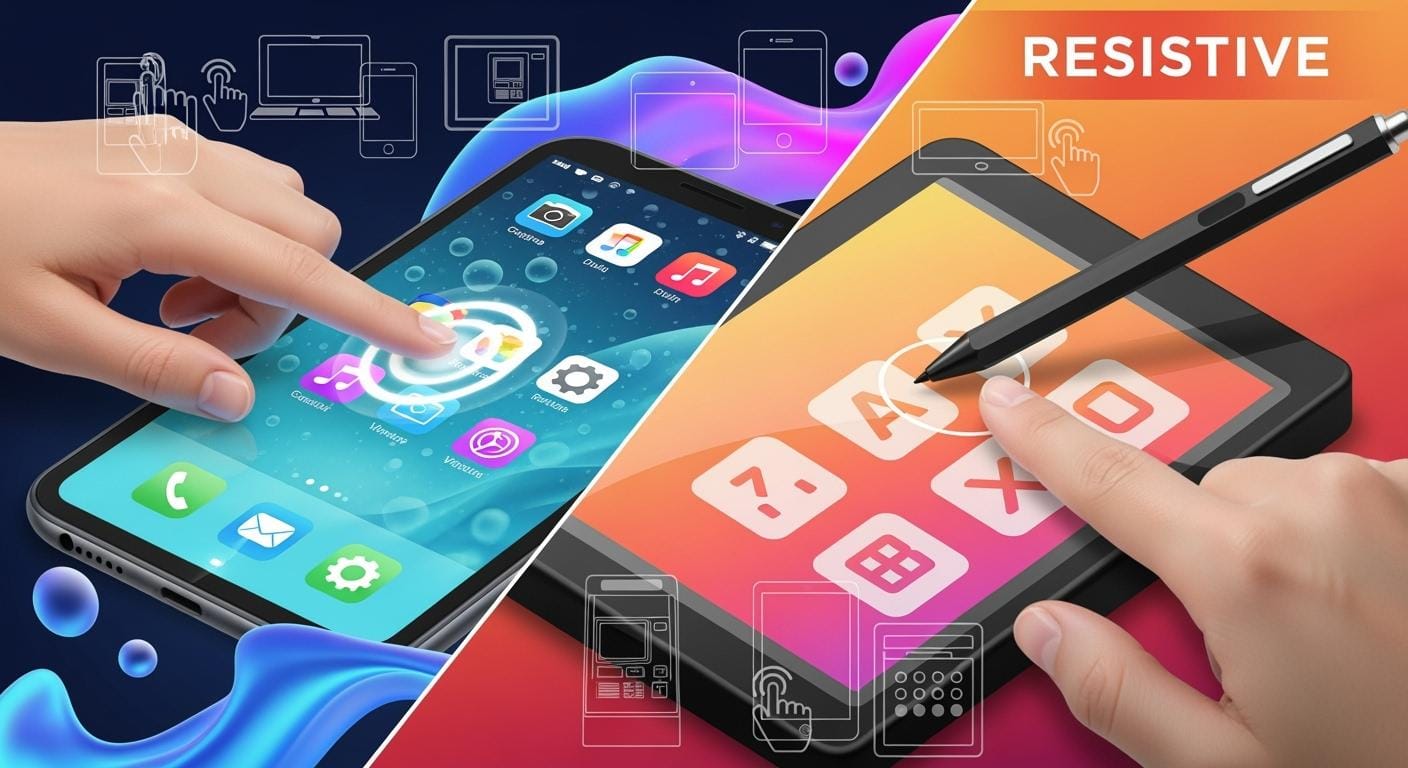

In 2025, selecting the best touch panels for your needs is crucial. Most companies are now opting for capacitive touch screens, which dominate over 70% of the market. While resistive screens still perform well in outdoor jobs and factories, it’s essential to match the right technology to your specific environment. The table below illustrates how each screen type functions for various applications, including indoor, outdoor, glove use, and water resistance.
| Technology | Indoor Use | Outdoor Use | Glove Use | Water Resistance | Best For |
|---|---|---|---|---|---|
| Capacitive | Yes | Sometimes | Yes | Sometimes | Consumer devices |
| Resistive | Yes | Yes | Yes | Yes | Factories, outdoor jobs |
SOUSHINE stands at the forefront of producing advanced touch panels, utilizing projected capacitive technology to ensure exceptional performance. Consider your requirements carefully before deciding between capacitive vs resistive touch screens to find the ideal solution for your application.
Table of Contents
Key Takeaways
- Capacitive touch screens are very popular today. They feel modern and let you use more than one finger at once. This makes them great for things like smartphones and tablets.
- Resistive touch screens work better outside or in factories. You can use them with gloves and in tough places.
- Think about where you will use the screen. Capacitive screens are best indoors. Resistive screens work well in dirty, wet, or rough places.
- Price matters a lot. Resistive screens usually cost less. This makes them good for people who want to save money.
- If you need to be fast and exact, pick capacitive screens. Resistive screens are strong and good for hard jobs.
- Think about what you need. If people will wear gloves or use pens, resistive screens are more useful.
- Taking care of your screen helps it last longer. Clean both types gently so they keep working well.
- SOUSHINE makes strong touch panels that work well. They are a smart pick for many kinds of businesses.
Capacitive vs Resistive Touch Screen: Quick Guide
Application Summary Table
You might ask which touch screen is best for you. The table below lets you quickly compare capacitive and resistive touch screens in 2025. It points out the main features and helps you pick the right one for your needs.
| Feature | Capacitive Touch Screens | Resistive Touch Screens |
|---|---|---|
| Input Detection | Detects inputs using electrical currents | Detects inputs using pressure |
| Multitouch Support | Yes, supports multitouch gestures | No, limited to single touch |
| Surface Material | Glass, less prone to scratches | Plastic, can scratch more easily |
| Usability with Gloves | Does not work with thick gloves | Works with styluses and heavy gloves |
| Cost | Generally more expensive | Generally cheaper |
| Ideal Use Cases | Precision and flexible interaction | Cost and reliability-focused environments |
This table helps you see the differences side by side. It shows how each screen reacts to different touches, how tough the surface is, and which jobs each type fits best.
Fast Decision Points
Picking between capacitive and resistive touch screens depends on what you need. Here are some quick tips to help you choose:
- If you want a smooth and modern feel, capacitive screens are fast and let you use gestures like swiping or pinching.
- If you need to use gloves or a stylus, resistive screens work with many input types, even heavy gloves and styluses.
- If you care about saving money, resistive screens usually cost less and work well in rough places.
- If you plan to use the screen outside or where there is water or dust, resistive screens handle these better.
- If you want a screen for a phone or tablet, capacitive screens look better and are easier for people to learn.
- If you need a screen for a factory or industrial job, resistive screens are flexible and reliable for these uses.
Tip: For public kiosks, retail checkouts, or smart devices, capacitive technology gives the best experience. For warehouses, outdoor terminals, or places where gloves and toughness matter, resistive technology might be better for you.
This guide helps you match the right touch screen to your needs. Think about where and how you will use it. This way, you can make the best choice for your project.
How Capacitive Touch Screen and Resistive Touch Screen Work
Capacitive Touch Screen Technology
A capacitive touch screen has a smooth glass top. This glass has a clear coating called ITO. The screen makes an electric field on the glass. When your finger gets close or touches it, the field changes. The screen senses this change and finds your touch spot.
You get many good things with this technology:
- It is very sensitive, so you can tap or swipe with a light touch.
- The glass stays bright and clear, so pictures and videos look great.
- The screen does not scratch easily and is simple to clean, so it looks new longer.
SOUSHINE uses advanced projected capacitive technology in its panels. This lets you use more than one finger at once, like zooming or turning things. These panels answer fast and work smoothly on phones, tablets, or kiosks.
Note: Capacitive touch screens work best with bare fingers or thin gloves. They feel modern and quick, which is great for most devices people use.
Resistive Touch Screen Technology
Resistive touch screens are different. They have two thin plastic layers with a small space between them. When you press down, the top layer bends and touches the bottom one. This makes an electric signal that tells the device where you pressed.
You can use many things to touch a resistive screen. Your finger, a stylus, or a gloved hand all work. This makes resistive screens good for many places.
Resistive screens also work well in tough spots. Their design keeps out dust and water, so you can use them in factories or outside. Many resistive screens work with different systems and connect with USB ports.
If you need a screen for dirty, wet, or rough places, resistive screens work well. You will not lose touch accuracy, even in hard conditions.
Tip: When you compare capacitive and resistive touch screens, think about where and how you will use your device. Each type has special strengths for different jobs.
Capacitive vs Resistive Touch Screen Comparison
Sensitivity and Input Methods
Capacitive and resistive touch screens work in different ways. Capacitive screens sense changes in an electric field. You only need a gentle tap or swipe. This makes them great for phones, tablets, and kiosks. You can move through menus quickly and use smooth gestures. Cars also use capacitive screens for fast controls.
Resistive screens need you to press down to work. You can use your finger, a stylus, or gloves. This is helpful in tough places like factories. Medical devices use resistive screens when exact control is needed.
Here is a simple table to show what each type can do:
| Touch Screen Type | Supported Input Methods | Usability Environment |
|---|---|---|
| Capacitive | Conductive objects (fingers) | Controlled environments |
| Resistive | Any object applying pressure (gloves, styluses, fingers) | Rugged or industrial applications |
Tip: Pick capacitive screens if you want quick and smooth touches. Choose resistive screens if you need to use gloves or a stylus.
Durability and Environmental Resistance
Durability is important when you pick a touch screen. Capacitive screens protect against dirt and chemicals. They are made to resist water and strong cleaners. These screens work well inside and sometimes outside.
Resistive screens are tough in hard places. They work in dusty, wet, and hot spots. You see them in factories and outdoor controls. Medical devices also use them. Resistive screens handle lots of use and rough treatment. You can touch them with gloves, styluses, or anything.
Here is a table that shows how each type handles tough conditions:
| Aspect | Capacitive Touchscreens | Resistive Touchscreens |
|---|---|---|
| Mechanical Durability | Sensors can wear out from dirt or stress. | Pressing a lot can make them work less well. |
| Environmental Sealing | Keeps sensors safe from water and chemicals. | Works well in dusty, wet, and hot places. |
| Temperature Range Performance | Works from -20°C to +70°C, some up to -40°C to +85°C. | Handles many temperatures, but range is not always listed. |
| Humidity and Moisture Resistance | Stops water drops and rust. | Works well in wet places. |
| Chemical Resistance | Handles strong cleaners and chemicals. | Not as good with harsh chemicals. |
Note: For factories or outdoor jobs, resistive screens are more flexible and reliable.
Cost and Market Trends 2025
Cost matters when you choose a touch screen. Resistive screens cost less because they are simpler. Many companies use them in machines and medical tools. You save money and still get good results.
Capacitive screens cost more but have better features and clearer pictures. More people want capacitive screens for smooth gestures and bright displays. The market for capacitive screens could reach $35-40 billion by 2028. This is because of more automation and changes in stores.
Resistive screens are also growing. The market may go from $1.2 billion in 2024 to $2.5 billion by 2033. Countries that need cheap and glove-friendly screens help this growth. Factories and medical devices also need resistive screens.
Here is a table showing how fast each type may grow:
| Touch Screen Type | Projected CAGR (2025-2032) | Key Factors Driving Growth |
|---|---|---|
| Capacitive Touch Screens | 10.2% | New technology and more people want them |
| Resistive Touch Screens | 9.3% | Lower cost, easy to make, and simple design |
Tip: If you want the clearest screen and cool features, pick capacitive. If you need a cheaper screen for tough jobs, resistive screens are a smart choice.
Multi-Touch and Gestures
Today, you do more than just tap your device. Many devices now let you use more than one finger at once. This is called multi-touch and gesture support. Capacitive touch screens are the best for this. You can zoom, swipe, or turn pictures with two or more fingers. These moves make using your device feel easy and fun.
- Capacitive screens have a glass top that looks very clear.
- You get smart and easy-to-use menus, especially on gadgets.
- Multi-touch lets you pinch, swipe, or turn things on the screen.
- The glass top is strong, so these screens last in busy places.
Here is a simple table to compare multi-touch and gesture features:
| Feature | Capacitive Touch Screens | Resistive Touch Screens |
|---|---|---|
| Touch Sensitivity | Feels light touches and many fingers | Needs a hard press, only one touch |
| Multi-Touch Capability | Lets you use moves like pinch-to-zoom | Usually only one touch at a time |
| Surface Material | Hard glass or plastic for strength | Often uses bendy plastic |
You can see capacitive screens are better for gestures and look clearer. Resistive screens mostly let you touch one spot at a time. If you want a device that is smart and simple, pick capacitive screens.
Glove and Stylus Use
Sometimes you need to use your device with gloves or a stylus. This happens a lot in factories, hospitals, or outside. People often talk about this when picking between capacitive and resistive screens.
- Capacitive screens with special tech can work with some gloves. You can keep your hands safe and still use your device.
- Resistive screens work well with gloves that do not carry electricity. They are good for tough places where you do not touch the screen directly.
- In hospitals, resistive screens help keep things clean. You can use them with gloves and stop germs from spreading.
If you must wear gloves at work, resistive screens work well every time. Capacitive screens can work with some gloves, but you should check before you buy.
Maintenance and Longevity
You want your touch screen to work well for a long time. Taking care of it is important, especially if many people use it.
| Screen Type | Lifespan (Touch Cycles) | Maintenance Needs |
|---|---|---|
| Capacitive | Over 200 million | Needs less care, works well for longer |
| Resistive | 35 to 50 million | Needs recalibration, may stop working in spots |
To keep your screen nice, follow these tips:
- Clean your screen every week, or every day if many people use it.
- Use a soft cloth to wipe it.
- Do not use cleaners with ammonia or rough pads.
- Use rubbing alcohol (70–90%) to disinfect.
- Spray cleaner on the cloth, not on the screen.
- Keep water away from the screen when cleaning.
Capacitive screens usually last longer and need less fixing. Resistive screens might need to be reset after a while. Both types stay better with regular cleaning and care.
Industrial Applications: Resistive Touch Screen vs Capacitive
Manufacturing and Automation
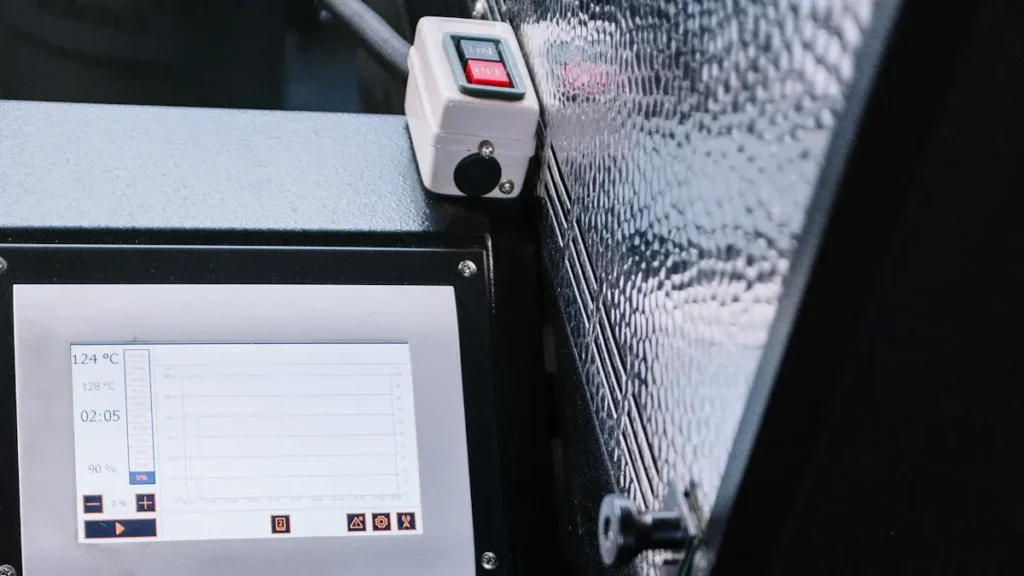
Factories need touch screens that always work. People often wear gloves or work where there is dust and water. In these places, resistive touch screens are best. You can use anything to touch the screen, even thick gloves. Dirt or water will not stop the screen from working.
- Resistive screens work well in tough places. They keep working if there is dust or water.
- Many factories use them for machines and control panels. You also see them in hospitals and outside jobs.
- These screens use less power and cost less to make. This helps you save money.
- You can use your finger, a stylus, or gloves. This makes them good for many jobs.
- These screens help stop mistakes from random touches. They work well in busy places.
Glove and Harsh Environment Use
People often wear gloves in factories. Resistive touch screens let you keep your gloves on. You do not need special gloves or tools. The screen works when you press it, so almost anything can be used. This keeps your hands safe and your work easy.
SOUSHINE Industrial Touch Panels
SOUSHINE makes touch panels for factories. These panels use new technology for fast and accurate control. The panels do not scratch easily and resist chemicals. You can clean them easily, which is good for hospitals or food jobs. SOUSHINE panels work in hot or cold places. You get a strong and reliable screen for your needs.
Transportation and Logistics
You see touch screens in trucks, trains, and warehouses. These screens must work outside and in moving vehicles. Capacitive touch screens have many good features for these jobs.
| Benefit | Description |
|---|---|
| Durability | These screens can handle rough use and bad weather. |
| Ease of Use | You can pick options quickly and easily. |
| Enhanced Visibility | The glass gives you clear and sharp images. |
| Easy to Clean | The surface does not hold dirt or grease, so cleaning is easy. |
| Multi-Touch Sensing | You can use moves like pinch and zoom for fast control. |
| Cost Reduction | Faster use saves time and lowers costs. |
| Customization | You can pick the size and features you need. |
Outdoor and Vehicle Devices
You need screens that work in sun and rain. Capacitive touch screens show clear images, even outside. The glass stays bright and easy to see. You can clean the screen fast, which helps in busy places. These screens let you zoom in on maps or lists with more than one finger. SOUSHINE panels have these features, so they are a smart pick for transport and logistics.
Healthcare: Capacitive vs Resistive Touch Screens
Medical Equipment and Monitors
Touch screens are used a lot in hospitals today. You see them on carts, monitors, and other medical tools. Capacitive screens react fast and look very clear. This helps doctors and nurses make quick choices. You can tap, swipe, or pinch to use these devices. These screens are good for jobs that need careful touches, like changing monitor settings or typing during surgery.
Resistive screens are also found in healthcare. They are used for check-in systems or tools that do not need perfect accuracy. Staff can use gloves or a stylus with these screens. This is helpful in busy or rough places. Touch screens save space because you do not need a mouse or keyboard. You can clean them quickly, so the equipment is ready to use.
Hygiene and Sterilization
Keeping things clean is very important in healthcare. You need to clean screens often to stop germs from spreading. Capacitive screens have smooth glass tops that do not scratch easily. You can wipe them with alcohol or special cleaners. This makes them great for surgery rooms and ICUs.
Resistive screens have plastic layers. You can clean them with gentle cleaners. They work well where staff wear gloves all day. Always check the cleaning guide for each device to keep screens working well.
Tip: Spray cleaner on a cloth, not right on the screen. This keeps the electronics safe and helps your touch screens last longer.
SOUSHINE Medical Touch Panels
SOUSHINE makes special touch panels for hospitals. These panels use projected capacitive technology for fast and accurate touches. The glass top is strong and can be cleaned many times with strong cleaners. You can use more than one finger to zoom or scroll through records.
SOUSHINE designs panels that fit easily into carts, monitors, and other medical tools. You get screens that work well and are easy to care for. These panels help make hospitals safer and more efficient.
Patient-Facing Devices
Patients use touch screens to check in, use kiosks, or at their beds. Capacitive screens give patients a clear and quick experience. They can pick choices, sign forms, or ask for help with a simple touch. The bright screen and smooth top make them easy for everyone to use.
Resistive screens are good for kiosks in busy waiting rooms. Patients can use a stylus or gloves to enter their info. These screens can handle lots of use and still work if there are spills or dust.
| Device Type | Preferred Screen Type | Main Benefit |
|---|---|---|
| Medical Monitors | Capacitive | Clarity and precision |
| Patient Check-In | Resistive | Glove and stylus use |
| Bedside Terminals | Capacitive | Easy interaction |
Pick the screen type that matches your needs. Capacitive screens are clear and fast for important jobs. Resistive screens are flexible for busy or tough places.
Enterprise and Retail: Capacitive Touch Screens
POS Systems and Kiosks
High-Traffic and Reliability
Capacitive touch screens are in many stores and restaurants. You use them to pay at the register or order food at a kiosk. These screens work fast and last a long time. The glass does not scratch easily, so it stays clear. You can clean the screen quickly, which helps stop germs from spreading.
You can swipe or tap on these screens. This makes them simple for anyone to use. Even if it is your first time, you will not have trouble. In busy places, you need a screen that always works. Capacitive technology gives you that trust.
SOUSHINE POS Touch Panels
SOUSHINE makes special touch panels for stores and businesses. These panels use projected capacitive technology for quick and exact touches. The glass is strong and can handle lots of use. You can count on them in busy stores, restaurants, and kiosks.
SOUSHINE designs panels that are easy to clean and last a long time. You can wipe them fast, which is good when many people use them. The screens show bright pictures and clear words. This helps customers and workers see what they need.
Office and Meeting Devices
In offices today, people use touch screens for meetings and teamwork. Capacitive screens make these jobs easy and smooth. You can move slides, write notes, or zoom in with your fingers.
Here is a table that shows why capacitive touch screens are good for offices:
| Feature | Benefit |
|---|---|
| Multi-touch capabilities | Lets you use more than one finger for advanced tasks. |
| Enhanced durability | The glass surface resists scratches and bumps. |
| Optical clarity | Keeps images sharp and colors true for presentations. |
| Touch accuracy | Gives you precise control, which helps with detailed work. |
| Environmental resistance | Works well even if the room is dusty or humid. |
| Advanced integration options | Connects easily with modern office systems. |
You see your work clearly because the screen stays sharp. The tough glass means you do not worry about breaking it in meetings. These screens keep up with your busy office life.
Tip: Pick capacitive touch screens for your office if you want easy teamwork, clear pictures, and simple cleaning.
Consumer Electronics: Capacitive Touch Screens
Smartphones and Tablets
You use your smartphone or tablet all the time. In 2025, almost every phone and tablet uses projected capacitive touch screens. These screens react fast to your fingers. You can use more than one finger at once for moves like pinch and zoom. Swiping, tapping, and scrolling are easy to do. The screen shows bright colors and sharp pictures, so videos and games look awesome.
- Capacitive sensors are stronger and more sensitive than old ones.
- You can touch more accurately, which helps with typing and games.
- Most new devices have smart features, like AI, that work well with touch.
- Many brands now make eco-friendly devices, which are better for the planet.
Your phone or tablet feels quicker and lasts longer. The screen stays clear and simple to use, even after a lot of use.
Wearables and Smart Home
Wearables, like smartwatches and fitness bands, use capacitive touch screens to help you every day. You can swipe or tap to read messages, count steps, or play music. These screens work with glass or plastic, so designers can make cool and flexible gadgets.
- Multi-touch lets you use more than one finger for different things.
- The screens last long and do not scratch easily.
- You see clear pictures, even on tiny screens.
- Capacitive sensors can feel both touch and pressure, which is good for smartwatches.
- Some wearables use stretchy touch panels, so they fit better and feel nice.
Smart home devices, like thermostats and smart speakers, use this technology too. You can control your home with a tap or swipe, making chores faster and more fun.
Tip: Capacitive touch screens help connect your digital world to your real life. They make every touch smooth and fun.
Gaming and Entertainment
You want your games and movies to look and feel great. Capacitive touch screens are very sensitive and react quickly, so every move happens right away. You can use many fingers at once, which is great for fast games.
Here is a table showing why these screens are good for gaming and fun:
| Advantage | Description |
|---|---|
| High Sensitivity | Feels even light touches for good control. |
| Multi-Touch Capability | Lets you use moves like pinch and swipe. |
| Clarity | Shows sharp pictures with less glare, great for clear screens. |
| Durability | Strong glass does not scratch or crack easily. |
| Easy to Use | Simple for everyone to use. |
| No Pressure Required | Comfortable for long game times. |
| Faster Response Times | Makes games and videos feel smooth and quick. |
You get a better time with every game, movie, or app. The screen stays strong and clear, even if you use it every day.
Outdoor and Specialized: Resistive Touch Screens
Kiosks and ATMs
Kiosks and ATMs are often outside in busy places. These machines need screens that work in any weather. A resistive touch screen works well, even in rain or snow. You can use gloves or any object to touch the screen. This helps when it is cold or dirty outside.
Here is a table that shows why these screens are good for outdoor kiosks and ATMs:
| Feature | Description |
|---|---|
| Wide Operating Temperature | Works from -35°C to +80°C, so you can use it anytime. |
| Pressure-Activated Operation | Lets you use gloves, which is great for outdoor use. |
| Waterproof Design | You can touch the screen underwater and it still works. |
| Scratch and Chemical Resistance | The glass does not scratch or get ruined by chemicals, so it stays safe. |
- These screens are made for hard jobs in places like stores, factories, and the military.
- You can trust them to work in bad weather or when security is important.
Tip: If you need a screen for an outdoor ATM or ticket machine, pick a resistive touch screen for the best results.
Public Displays
Public displays help people find directions, buy tickets, or read news. These screens must work well and stay accurate. Resistive touch screens are very accurate, so even a soft press works. You can use your finger, a stylus, or gloves, which makes them easy for everyone.
| Benefit | Description |
|---|---|
| High Accuracy | Senses even light touches, so you get exact input. |
| Versatility | Works with anything, like styluses and gloves. |
| Durability | Handles weather and lots of use, so it is good for public places. |
| Cost-Effectiveness | Costs less for big screens, so you save money on large setups. |
- You get exact touch every time, which is important for tickets or maps.
- These screens last a long time, even when many people use them.
- You can put them in bus stations, airports, or malls.
Note: Public displays need screens that work for everyone. Resistive touch screens make sure no one is left out.
Marine and Military
Marine and military places need screens that work in tough spots. You might use a device on a ship or in a military truck. Rain, saltwater, and changing temperatures can break other screens. Resistive touch screens keep working, even with gloves or when wet.
- Military screens work in rain and hot or cold weather.
- You can use gloves, which keeps you safe and comfortable.
- These screens work well with other equipment because they block interference.
- You can put them in strong cases for extra safety.
- On ships, you can touch the screen with wet hands or gloves and it still works.
Tip: For ships, submarines, or military vehicles, resistive touch screens give you the reliability you need.
You can trust these screens anywhere. They help you stay safe and finish your work, no matter the weather or place.
Decision Guide: Choosing Your Touch Screen
Application Checklist
You want to pick the right touch screen for your project. Start by making a checklist. This helps you see what matters most for your application.
- Where will you use the screen? Indoors, outdoors, or in a moving vehicle?
- Will users wear gloves or need to use a stylus?
- Does your environment have dust, water, or chemicals?
- How many people will use the screen each day?
- Do you need multi-touch features for zooming or swiping?
- What is your budget for the display?
- Do you need the screen to work with special software?
Use this checklist to compare your needs with the features of capacitive and resistive screens. This makes your decision easier and helps you avoid mistakes.
Key Questions to Ask
Before you choose a touch screen, ask yourself some key questions. These questions guide you to the best choice.
Think about how and where you will use the screen. This helps you find the right fit.
Here are important questions:
- Will the screen face harsh conditions like heat, cold, or moisture?
- Do you need a screen that works with gloves or styluses?
- Is easy cleaning and maintenance important for your application?
- Does your software work with the screen you want?
- Will users need training to use the touch features?
- How much support and service do you need after installation?
You should also consider ergonomics and placement. Make sure the screen sits at a comfortable height and angle. This reduces strain and makes the device easier to use.
| Factor | Description |
|---|---|
| Ergonomics and Placement | Place the screen where users can reach it easily and use it without strain. |
| Durability and Environmental Factors | Pick a screen that matches your environment, especially for tough jobs. |
| Software Compatibility | Check if the screen works with your current systems. |
| User Training | Plan for basic training so everyone can use the touch features. |
| Maintenance and Support | Choose a screen that is easy to clean and comes with good support. |
When to Choose SOUSHINE
You want a touch solution that fits your needs and lasts a long time. SOUSHINE offers advanced touch panels for many industries. You should choose SOUSHINE when you need:
- Fast and accurate touch response for smooth user experience.
- Strong and scratch-resistant glass for busy places.
- Easy cleaning for healthcare, retail, or food service.
- Multi-touch support for modern gestures and controls.
- Custom designs to match your project’s look and function.
- Reliable support and quick installation to save time.
SOUSHINE panels work well in factories, hospitals, stores, and smart devices. You get a screen that meets your needs and keeps working, even in tough environments.
Tip: If you want a touch panel that combines durability, speed, and easy integration, SOUSHINE is a smart choice for your next project.
Future Trends: Touch Screen Technology 2025+
Innovations and Hybrids
Touch screens are changing a lot in 2025 and after. Companies are making new designs with smarter features. Foldable and dual-screen devices are getting popular. You can open them like a book or use two screens together. This helps you do more things at once.
OLED and AMOLED displays make screens brighter and colors stronger. You can see sharp pictures, even outside in sunlight. Flexible materials let screens bend or curve. Designers use these for wearables and car displays.
Touch screens now have haptics and fingerprint sensors. You feel a vibration when you tap. You can unlock your device with a touch. AI helps screens learn what you like and answer faster.
5G technology lets you connect quickly and use better apps. Hybrid touch screens mix capacitive and resistive features. You get good results in many places.
Tip: Try to find devices with smaller borders and clearer screens. These look bigger and more stylish.
Sustainability and Longevity
You want devices that last longer and help the planet. Companies use eco-friendly materials and save energy. Touch screens now use recycled glass and plastic. This cuts down on waste.
Many touch panels use less power. Your device works longer before you need to charge it. Screens are tougher and do not scratch or crack easily. Strong glass and better seals keep out water and dust.
Here is a table showing how new screens help you and the planet:
| Feature | Benefit for You |
|---|---|
| Recycled Materials | Less waste, greener devices |
| Energy Efficiency | Longer battery life |
| Enhanced Durability | Fewer repairs, longer use |
| Improved Sealing | Better protection outdoors |
Future touch screens will last longer and work well in hard places. These changes save you money and help the earth.
Note: Picking green touch screens helps the planet and gives you devices that last a long time.
You should pick a screen that fits your job and where you use it. Capacitive screens are great for phones, tablets, and stores. Resistive screens are better for outside, factories, or when you wear gloves.
- Think about what you need before you choose.
- You can ask SOUSHINE for help with special screens.
New touch technology in the future might give you more choices and make screens work even better.
FAQ
What is the main difference between capacitive and resistive touch screens?
Capacitive screens feel your touch with electric signals. Resistive screens work when you press down. You use your finger for capacitive screens. For resistive screens, you can use a finger, stylus, or glove.
Can I use gloves with a capacitive touch screen?
Most normal gloves do not work with regular capacitive screens. Some special gloves can work. If you wear thick gloves, resistive screens work better.
Which touch screen works best outdoors?
Resistive touch screens are best for outdoor use. They handle rain, dust, and sunlight well. You can use gloves or a stylus with them. Capacitive screens may not work well in wet or bright places.
How do I clean my touch screen safely?
Use a soft cloth that does not leave lint. Spray cleaner on the cloth, not on the screen. Wipe the screen gently. For tough spots, use rubbing alcohol. Do not use strong chemicals or rough pads. This keeps your screen clear and working.
Do both types support multi-touch gestures?
Capacitive screens let you use moves like pinch and zoom. Resistive screens usually only sense one touch at a time. If you want to use gestures, pick a capacitive screen.
Are capacitive touch screens more expensive?
Yes, capacitive screens cost more money. They look clearer and have more features. Resistive screens cost less and work well for simple or tough jobs.
When should I choose SOUSHINE touch panels?
Pick SOUSHINE if you want fast response, strong glass, and easy cleaning. SOUSHINE panels work well in stores, hospitals, factories, and smart devices. You get good performance and help for your project.
Can I use a stylus with both types of touch screens?
You can use a stylus easily with resistive screens. Some capacitive screens work with special styluses. For regular styluses, resistive screens are the best choice.