

Call us: +86-137-2353-4866
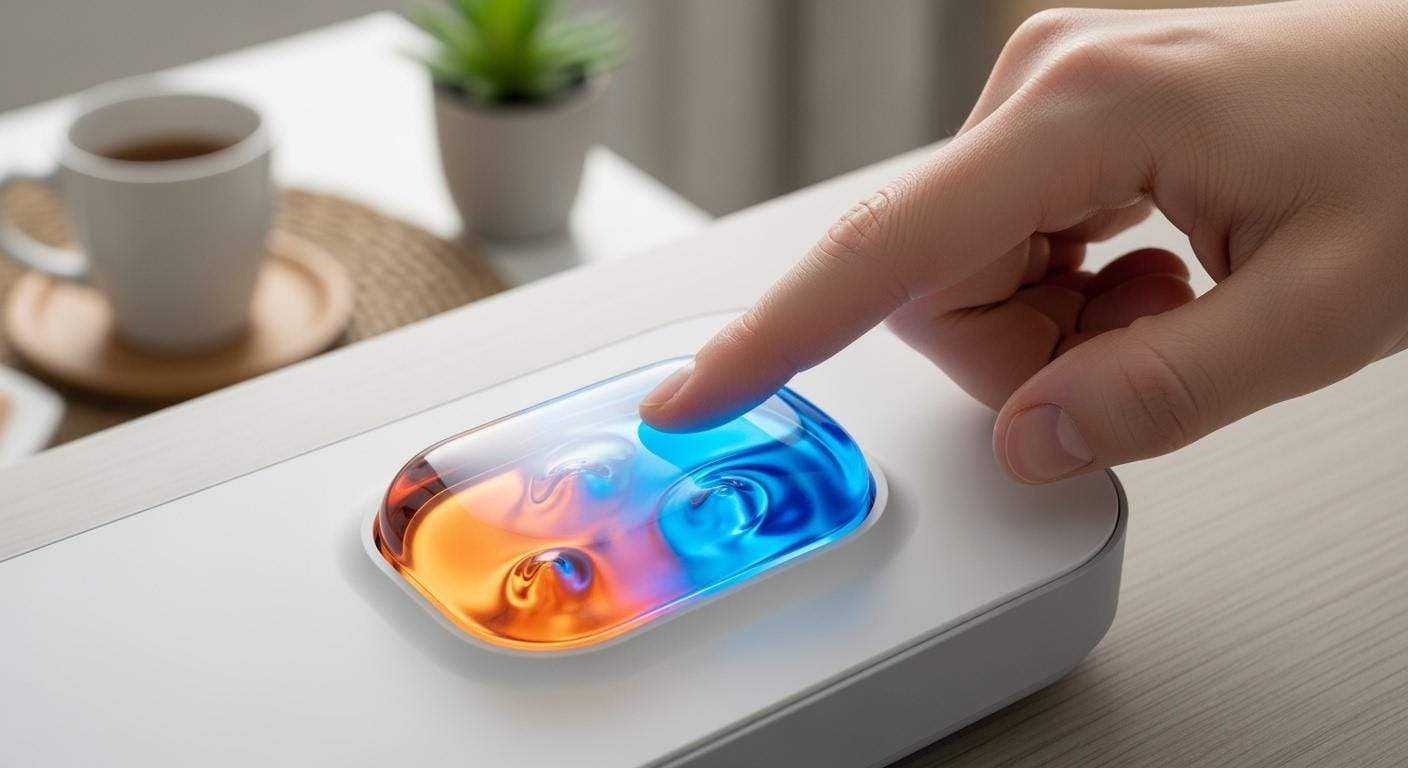

Imagine you press a membrane button on your favorite device. Maybe you use a SOUSHINE membrane switch at the doctor’s office. You might also use one when you change TV channels at home. You notice that user-friendly interfaces make devices easy and nice to use. You feel the buttons respond with a soft touch. This gives you a good feeling. Many people say that tactile feedback and reliability are important. You might compare membrane buttons to other types. You may wonder which one you like best.
Have you ever thought about how these buttons affect your daily tech? Let’s see what real users say.
Table of Contents
Key Takeaways
Membrane buttons feel soft to touch, so they are comfy to use for a long time. They are quiet when pressed, so they work well in quiet places like hospitals and offices. The clear graphic overlays help people see what each button does. People can pick tactile or non-tactile feedback, so everyone can choose what feels best. Membrane buttons are simple to clean, so they are good for places that need to stay very clean. Their design keeps out dust and water, so they last longer in many places. SOUSHINE lets people pick colors, shapes, and features to match their style. Membrane buttons are easy for everyone to use, even for people who do not have strong hands, because they are big and flat.
User Impressions of Membrane Buttons
When you use membrane buttons, people react in different ways. Some like the soft touch and how quiet they are. Others want stronger feedback or worry about how long buttons last. Let’s see what users say and how SOUSHINE’s designs help with different needs.
Positive Feedback
Soft Touch
Membrane buttons feel gentle under your fingers. Many users say the soft touch is comfortable. This helps people who use devices for a long time. The thin and flexible surface makes your hands less tired. You can press the buttons easily. This makes them simple for everyone.
- You get better comfort.
- The flexible layers fit slim devices.
- The soft surface feels good after many presses.
Quiet Use
Do you notice how quiet your device is? Membrane buttons help keep noise low. You can use them in quiet places like hospitals or offices. They do not disturb anyone. Parents like them for family devices. Kids can use them without making noise. The quietness comes from the way the layers bend and work without a loud click.
“I love that my remote does not wake up the house when I change the channel at night.”
Intuitive Feel
You want your device to be easy to use. Membrane buttons often have clear pictures and simple layouts. This makes using them easy and natural. You can see what each button does right away. SOUSHINE lets you have custom overlays. Every button matches its job. You do not need to guess or read a manual.
- Clear graphic overlays help you.
- Easy use with features like LED backlighting.
Negative Feedback
Tactile Response
Some users want stronger feedback. You might want to feel a clear “click” when you press a button. In medical devices, feedback helps doctors and nurses know they pressed the right key. SOUSHINE gives both tactile and non-tactile choices. You can pick what feels best for you.
Here is a quick look at feedback types:
| Feedback Type | Key Features | Common Applications |
|---|---|---|
| Tactile Feedback | Fast response, clear click | Medical devices, industrial panels |
| Non-Tactile Feedback | Quiet, smooth, lasts longer | Consumer electronics, office, automotive |
Durability Concerns
You may wonder how long membrane buttons last. Some users say they need to replace them more often than mechanical switches. SOUSHINE makes membrane switches strong. The average life for membrane keyboards is 1–3 years. Mechanical switches last much longer. Membrane buttons are cheaper for many devices. They are good when you want a thin, flexible design.
| Feature | Mechanical Keyboards | Membrane Keyboards |
|---|---|---|
| Average Lifespan | 10–15 years | 1–2 years |
| Durability | Many more clicks | Basic click rating |
| Repairability | Replaceable parts | Full replacement |
Responsiveness
Some membrane buttons feel less responsive than mechanical ones. This happens if feedback is too soft or the button wears out. People who need fast, precise input want a firmer response. SOUSHINE lets you pick the feedback you like.
“I like how thin and flexible the keypad is, but I wish the buttons had a stronger response.”
What Users Value Most
- Many users like the thin and flexible design.
- Some want a soft, quiet touch. Others want clear feedback.
- You can choose the feedback you need with SOUSHINE’s options.
- The user experience depends on how you use your device and what you want.
Membrane buttons make technology easier for everyone. You get a gentle, quiet, and simple experience. You can pick the feedback you like. SOUSHINE’s flexible designs help you find the right fit.
Benefits of Membrane Buttons
Accessibility
Easy for All Users
Everyone should be able to use technology. Membrane buttons help make this happen. The buttons are big and flat, so you have more space to press. You do not need to aim perfectly or have strong hands. If your fingers do not move well, these buttons are much easier than tiny or hard switches. You can change how much force is needed to press. This lets people with different strengths use the same device easily.
Gentle on Hands
Membrane buttons are soft and flexible. They feel gentle even after lots of use. You do not need to push hard. This helps if you use your device for a long time. It also helps if your hands get tired quickly. Many people say these buttons keep their fingers from hurting. You get comfort every time you touch them.
Cleaning & Maintenance
Simple to Clean
You want your devices to stay clean. This is important in places like kitchens, hospitals, or workshops. Membrane buttons are easy to clean. The smooth surface keeps out crumbs, dust, and spills. You can wipe them with a cloth. Dirt does not get inside or under the buttons. This saves you time and keeps your device looking new.
- Membrane keypads are easier to clean because their design keeps out dust and debris.
- You can clean them faster than mechanical keypads.
- Sealing a membrane keypad is much simpler.
Dust & Moisture Protection
Devices need to work everywhere. Membrane buttons protect your tech from dust and moisture. They even block chemicals. The graphic overlay acts like a shield. It keeps the inside safe from damage. You do not have to worry about spills or dust. This protection helps your device last longer.
- The overlay blocks dust, moisture, and UV rays.
- Your device stays safe from everyday risks.
Tip: If you use your device in a tough place, membrane buttons help you worry less. Your tech can handle messes.
SOUSHINE’s Durability and Design Freedom
SOUSHINE membrane switches are strong and let you choose your design. You get a product that lasts and looks good. Here is what makes SOUSHINE special:
| Feature | Description |
|---|---|
| Unmatched Durability | Completely sealed and resistant to environmental hazards, ideal for demanding applications. |
| Environmental Resistance | Sealed, multi-layer design protects against dust, moisture, chemicals, and contaminants. |
| Enhanced Durability | Built from strong materials to handle repeated use, vibrations, and impact. Graphics stay sharp and clear. |
| Ease of Cleaning | Smooth, seamless surface lets you clean and disinfect easily, perfect for high cleanliness needs. |
SOUSHINE gives you lots of choices. You can pick the look and feel you want. Here is how SOUSHINE compares to others:
| Feature | SOUSHINE | Other Manufacturers |
|---|---|---|
| Customizable Overlays | Yes | Limited |
| Button Shape Freedom | Complete | Restricted |
| Color Options | Extensive | Moderate |
| Iconography Flexibility | High | Low |
You can match your device to your brand or needs. You do not have to pick boring designs. SOUSHINE lets you make a device that stands out and works well.
Membrane buttons give you comfort, protection, and style. You get easy cleaning, gentle use, and strong protection. SOUSHINE adds more with great durability and many design choices. You can trust your device to work well and look good anywhere.
SOUSHINE Membrane Switches
If you want a reliable membrane switch, SOUSHINE stands out. These switches have advanced features and strong build. They give you a smooth experience. Let’s look at what makes SOUSHINE switches special.
Product Features
Tactile & Non-Tactile Options
You can pick how your switch feels. Some people like a click when pressing a button. Others want a soft, quiet touch. SOUSHINE switches offer both tactile and non-tactile feedback. Tactile switches use dome-shaped contacts. When you press, you feel a snap. This shows your input worked. These are good for medical or industrial devices. Non-tactile switches feel softer. They work well for simple electronics.
Here’s a quick look at your choices:
| Feedback Type | Description | Use Cases |
|---|---|---|
| Tactile | Clear click, confirms input | Medical, industrial |
| Non-tactile | Smooth, quiet, no click | Consumer electronics, automotive |
LED Backlighting
You can find the right button in the dark. SOUSHINE switches can have LED backlighting. This lights up each button. It helps you use your device at night or in low light. Many users say this makes their devices safer and easier.
EMI/RFI Shielding
You want your device to work without problems. SOUSHINE switches have EMI/RFI shielding. This protects your device from electromagnetic and radio noise. Your controls work well, even in busy places like hospitals or factories.
Here’s a table showing what makes SOUSHINE switches different:
| Feature | Description |
|---|---|
| Durability | Scratch-resistant, lasts through heavy use |
| Protective Qualities | Shields against dust, water, and hazards |
| Branding Capabilities | Lets you print logos and info on the surface |
| Unique Design Features | Light-up buttons and touch sensors |
User Experience
Customizable Feedback
You can make your switch fit your needs. SOUSHINE gives you many choices. Pick the overlay material, color, shape, and graphics. You can add backlighting or special labels. If you want a certain feedback, you can choose that too. This helps you create a device that feels right.
“I needed a keypad for my lab. SOUSHINE let me pick the button shape and feedback. Now, my team never misses a key press, even with gloves.”
Application Versatility
You can use SOUSHINE switches almost anywhere. Medical devices, industrial machines, and electronics all use these features. Hospitals like easy cleaning and strong protection. Factories trust the durability and feedback. Home users enjoy the slim design and bright buttons.
| Industry | Reported Benefits |
|---|---|
| Medical Devices | Durable, easy to clean, flexible, shields from interference |
| Industrial Equipment | Long-lasting, low profile, flexible, easy to clean, tactile feedback |
“We switched to SOUSHINE switches for our line. The machines run smoother, and cleaning is much easier now.”
SOUSHINE switches give you design freedom, the features you want, and the reliability you need. You get a switch that fits your style and your work.
Membrane Buttons vs. Mechanical

User Preferences
Tactile Feel
When you press a button, you want to feel it. Some people like the strong click from mechanical switches. Gamers and people who type a lot say this helps them type faster. They also say it helps them make fewer mistakes. Membrane buttons feel softer and are much quieter. Many people in hospitals or offices like this gentle touch. They say it makes using devices easier and more comfortable.
Here’s a quick look at what different groups like:
| User Group | Preference | Reasons |
|---|---|---|
| Industrial/Medical Fields | Membrane Switches | Cost-effectiveness, environmental sealing |
| Gamers/Typing Enthusiasts | Mechanical Keyboards | Superior tactile feedback, durability under high-frequency use |
| General Applications | Membrane Switches | Cost efficiency and integration flexibility in appliances |
| Premium Products | Mechanical Keyboards | Better performance and feel for low-volume, premium products |
Typing Experience
You might wonder how typing feels on each type. Mechanical keyboards give a crisp response every time you press a key. You can hear and feel each keystroke. This makes them popular for long typing sessions. Membrane buttons are smoother and much quieter. You can type without making much noise. This is good for bedrooms or shared spaces where silence matters.
Tip: If you want a quiet place, membrane buttons help keep things peaceful. You will not bother others while you work or play.
Best Use Cases
Household Devices
You use buttons at home every day. Membrane buttons work well in many home devices. They fit slim designs and keep things simple. You see them on remote controls, phones, and kitchen appliances. They help you set timers, change temperature, and pick modes easily.
Here’s how membrane buttons help in your home:
| Use Case | Advantages |
|---|---|
| Mobile Phones | Sleek design, reliable input for power, volume, and screen lock functions. |
| Remote Controls | Efficient for channel selection and navigation. |
| Home Appliances | Versatile for temperature control, timers, and mode selection. |
| Home Automation Systems | Control lighting, security, and climate effectively. |
| Kitchen Appliances | Commonly used in ovens, microwaves, and coffee makers for user-friendly operation. |
Membrane switches are quiet. They use a rubber dome that absorbs impact. You hear almost nothing when you press a button. This makes them great for homes where you want less noise.
Industrial & Medical
You see membrane buttons in hospitals and factories. They work well in tough places. Medical equipment needs buttons that are easy to clean and safe from germs. Membrane switches have sealed surfaces. You can wipe them down fast. They also keep out dust, moisture, and chemicals.
- Medical equipment uses membrane switches for easy cleaning and safety.
- Automotive interfaces need buttons that last and resist harsh conditions.
- Harsh environments require sealed buttons that keep out dirt and water.
Mechanical switches are used where you need strong durability, like gaming keyboards or big machines. Still, membrane switches have graphic overlays you can see from any angle. This helps doctors and nurses use devices without mistakes.
SOUSHINE works for many industries. You get switches that fit schools, jobs, and changing needs. Their design is flexible and reliable, so your device works well anywhere.
Note: If you need a button that works in many places, SOUSHINE membrane switches let you pick what fits best.
Real User Stories
Positive Experiences
Accessibility Wins
You might know someone who finds small buttons hard to press. One parent shared how their child, who has limited hand strength, uses a SOUSHINE membrane switch on a home medical device. The large, flat buttons make it easy for the child to press without help. The soft touch means less strain on little fingers. You can see how this design opens up technology for everyone, no matter their ability.
A nurse in a busy clinic also talked about her daily routine. She said, “I use SOUSHINE keypads all day. I never worry about missing a button, even when I wear gloves.” The clear graphics and gentle feedback help her work faster and with more confidence.
Family-Friendly Devices
You probably want devices that work for the whole family. One family replaced their old remote with a SOUSHINE membrane switch model. The kids love the quiet buttons during movie night. The parents appreciate how easy it is to wipe off sticky fingerprints. Even grandparents find the large, labeled buttons simple to use. Everyone enjoys a better experience together.
“Our new remote is so easy. No more loud clicks or confusion about which button does what!”
Overcoming Challenges
Adapting to Feedback
Sometimes you need to get used to a new feel. One user switched from a mechanical keyboard to a SOUSHINE membrane keypad at work. At first, he missed the strong click. After a week, he noticed his hands felt less tired. He liked the quiet typing and smooth surface. He said, “Now I don’t want to go back. My fingers thank me every day.”
If you want a certain feedback, SOUSHINE lets you pick the style that fits you best. You can choose a tactile snap or a soft press. This helps you adapt quickly and enjoy your device more.
Maintenance Tips
You want your devices to last. Many experienced users share simple ways to keep membrane buttons working well:
- Clean your keypad often to stop dust and crumbs from building up.
- Use a gentle touch when pressing buttons. This helps them last longer.
- Try a protective cover to keep out spills and dirt.
- Pick a high-quality keypad, like SOUSHINE, for better durability.
- If you type a lot, look for key rollover features. This spreads out the wear.
Tip: A little care goes a long way. You can enjoy your device for years with these habits.
You can see how real people use SOUSHINE membrane switches every day. They find ways to make tech easier, cleaner, and more comfortable for everyone.
You can tell membrane buttons help make tech simple for all. SOUSHINE switches let you clean your device fast. You can use them safely, even if you wear gloves. Tactile feedback and LED backlighting make things easier. These features help you use your device without trouble.
- Easy controls help you feel sure about what you do.
- Designs you know make you feel at ease.
- Tactile feedback lets you know you pressed a button.
Have you ever used membrane buttons? Tell us your story below!
FAQ
What is a membrane button?
A membrane button is a flat, flexible switch you press to control a device. You find them on remotes, microwaves, and medical equipment. They use thin layers to register your touch.
How do I clean membrane buttons?
You can wipe membrane buttons with a soft, damp cloth. The smooth surface keeps out dirt and crumbs. Avoid harsh cleaners. For sticky spots, use a little mild soap and water.
Are membrane buttons waterproof?
Most membrane buttons resist water and spills. The sealed design keeps out moisture. You can use them in kitchens or hospitals without worry. Always check your device’s manual for details.
Can I customize the look of my membrane buttons?
Yes! You can pick colors, shapes, and even add your own icons. SOUSHINE lets you design overlays that match your brand or style. You get a keypad that fits your needs.
Do membrane buttons wear out quickly?
Membrane buttons last a long time with normal use. You can press them thousands of times. If you clean them and use a gentle touch, they stay in good shape.
Why do some people prefer membrane buttons over mechanical ones?
You might like membrane buttons because they feel soft and quiet. They fit slim devices and are easy to clean. Many people choose them for home, medical, or office use.
Can I use membrane buttons with gloves?
Yes, you can! The large, flat surface makes it easy to press, even with gloves on. Nurses and factory workers often use them for this reason.
What devices use SOUSHINE membrane switches?
You find SOUSHINE membrane switches in medical devices, industrial machines, home appliances, and automotive controls. They work well in many places because they are tough and easy to use.