

Call us: +86-137-2353-4866
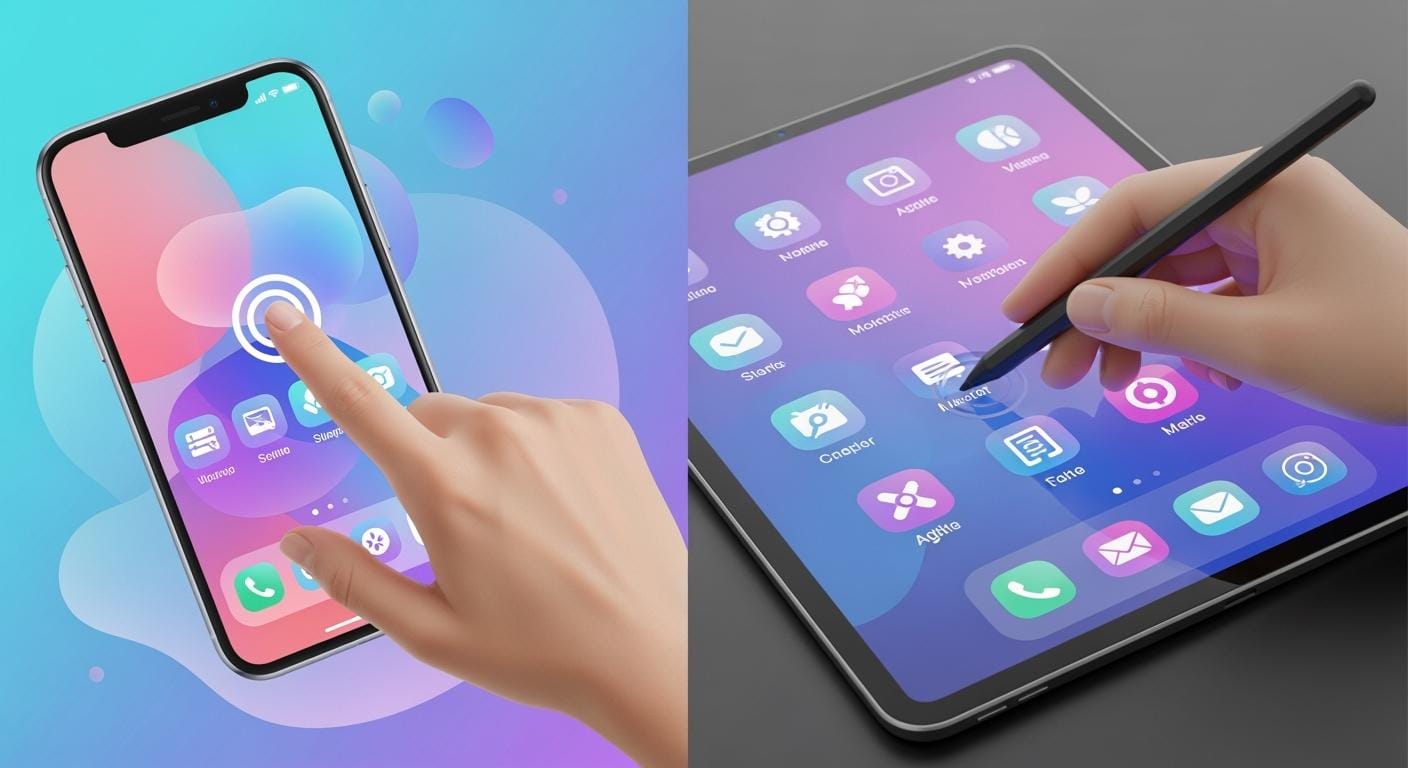

You want the best when you use a touch panel. Today, the capacitive touch screen leads the way. Most people agree—over 70% of users choose it because it feels faster, lasts longer, and works well in many places. You get quick response and a smooth experience every time you use modern touchscreens. This technology fits your needs, whether at home, at work, or in public spaces.
Table of Contents
Key Takeaways
More than 70% of people like capacitive touch screens. They are fast and feel smooth to use. Capacitive screens work with light touches. Resistive screens need you to press harder to work. Capacitive screens can use multi-touch. This means you can pinch and zoom. It makes using the screen more fun. Capacitive screens look clearer and brighter. They have fewer layers, so pictures and words are easy to see. Capacitive screens last longer. They use strong materials like Gorilla Glass. This helps stop scratches. Resistive screens are good for factories. You can use gloves or tools to touch them. Capacitive screens cost more at first. But they need less fixing, so you save money later. SOUSHINE touch panels use smart technology and are tough. They work well in many places.
Capacitive vs Resistive: Key Differences
How Capacitive Touch Screens Work
You interact with a capacitive touch screen by simply touching it with your finger. This type of screen uses a special glass layer with a grid of tiny wires. When your finger gets close, it changes the electric field. The screen senses this change and knows exactly where you touched. You do not need to press down. The screen responds quickly and can even track more than one finger at a time. SOUSHINE uses projected capacitive (PCAP) technology in its touch panels. This gives you fast, accurate, and smooth control, just like you expect from your favorite smartphone.
How Resistive Touch Screens Work
A resistive touch screen works in a different way. It has several thin layers stacked together. When you press down, the top layer touches the one below it. This pressure creates a signal that tells the device where you touched. You can use almost anything to press—a finger, a stylus, or even a gloved hand. These screens work well in places where you might wear gloves or use tools. They do not need your finger to be bare or conductive.
Here is a quick comparison to help you see the main differences:
| Function | Resistive Touch Screen | Capacitive Touch Screen |
|---|---|---|
| Touch Method | Pressure | Electric field (no pressure) |
| Input | Finger, stylus, glove | Bare finger, special stylus |
| Multi-Touch | No | Yes |
| Durability | Medium | High |
| Clarity | Lower | Higher |
| Calibration | Needed | Factory set |
User Experience Differences
You will notice the difference right away when you use these two types of touchscreens. Capacitive touch screens feel smooth and fast. You can swipe, pinch, and zoom with more than one finger. The screen looks bright and clear because it lets more light through. You do not need to press hard, so it feels easy on your hands.
Resistive touch screens need a firm press. You can use them with gloves or any object, which helps in tough work settings. They do not support multi-touch, so you cannot pinch or zoom. The display may look a bit dimmer because of the extra layers.
Tip: If you want a screen that feels natural and responds to every tap or swipe, go with a capacitive touch screen like the ones from SOUSHINE. These panels give you the speed and clarity you need for modern devices.
Capacitive Touch Screen Performance
Responsiveness and Sensitivity
Speed of Response
You want your device to react fast when you touch it. Capacitive touch screens give you instant feedback. When you tap or swipe, the screen reacts right away. You do not need to press hard at all. The screen senses your finger and responds quickly. This makes using your device feel smooth and easy. You can tell the difference if you try a resistive touch screen. Those need a firm press and take longer to react.
- Capacitive screens react quickly to gentle touches.
- They might pick up touches if your hands are wet.
- Resistive screens work with gloves but need more pressure.
Touch Sensitivity
You can use soft taps and swipes on capacitive touch screens. The screen detects the signal from your finger. You do not have to push down hard. This makes it easy to use for a long time. You can move through menus and apps with simple moves. Resistive touch screens need a strong press, which can slow you down.
| Feature | Capacitive Touch Screens | Resistive Touch Screens |
|---|---|---|
| Sensitivity | Responds to light touches | Needs firm pressure |
| Multi-Touch Support | Yes | No |
| User Experience | Feels natural, like a smartphone | Less quick, needs more effort |
| Environmental Handling | Sensitive to water | Works with gloves, less sensitive to water |
Multi-Touch and Gestures
Pinch, Zoom, and Swipes
You use pinch, zoom, and swipe gestures every day. Capacitive touch screens let you do these actions easily. You can zoom in on photos, swipe pages, and pinch to change maps. The screen can track more than one finger at once. This makes your device feel smart and simple to use. Resistive touch screens do not support these gestures. You cannot pinch or zoom, so you have fewer options.
| Touch Screen Type | Gesture Recognition Capability | Multi-Touch Support | Sensitivity |
|---|---|---|---|
| Capacitive | High (97.9% accuracy) | Yes | High |
| Resistive | Limited | No | Moderate |
Single vs Multi-Touch
Capacitive touch screens let you use two or more fingers at once. You can play games, draw, or use apps that need multi-touch. The screen knows where each finger is and reacts to every move. Resistive touch screens only track one touch at a time. You cannot use advanced gestures or controls with more than one finger.
Accuracy and Clarity
Finger and Stylus Input
You get very good control with capacitive touch screens. The screen tracks your finger and knows where you touch. You can use special styluses for drawing or writing. Resistive touch screens work with any object, but they are not as accurate. You might notice missed taps or slow response.
Display Brightness
You see bright and clear images on capacitive touch screens. The screen lets more light through, so colors look sharp and bright. You can read text and see pictures even in bright rooms. Resistive touch screens have extra layers, so the display can look dimmer.
| Touchscreen Type | Brightness | Clarity |
|---|---|---|
| Capacitive | Superior | High |
| Resistive | Lower | Good |
Tip: If you want a screen that reacts fast, supports multi-touch, and shows bright images, choose a capacitive touch screen. SOUSHINE touch panels use advanced technology to give you the best experience in modern devices.
Durability and Reliability
Build Quality
Cover Glass Strength
You want your touch panel to last a long time. Most capacitive touch screens use tough glass, like Gorilla Glass. This glass does not scratch easily and stays clear. You can tap and swipe without worrying about marks or cracks. The glass also keeps the sensor safe inside. Your screen will work well for many years.
Here’s a quick look at common materials and how they help your screen last:
| Material Type | Effect on Durability |
|---|---|
| Indium Tin Oxide (ITO) | Makes a grid for touch, helps the screen react fast. |
| Gorilla Glass | Stops scratches, keeps the screen clear. |
| Self-healing materials | Fixes small damage, helps the screen last longer. |
| Diamond-like carbon coatings | Adds extra protection, keeps the screen working well. |
| Advanced glass technologies | Makes the surface stronger, gives good protection for less money. |
Scratch Resistance
You use your device every day. Scratches make it hard to see the screen. Capacitive touch screens often use glass that resists scratches. This keeps your screen looking new. Resistive touch screens use plastic layers that scratch more easily. Glass gives you better protection.
Environmental Resistance
Water and Dust Protection
You might use your device where there is water or dust. Capacitive touch screens need good seals to keep out moisture. If sealed well, they work in wet or dusty places. Resistive touch screens work better in dirty or wet spots. You can use them in kitchens, factories, or outside.
| Touch Screen Type | Performance in High Humidity | Performance in Dusty Conditions |
|---|---|---|
| Capacitive | Needs good sealing to block water | Not great in dusty places |
| Resistive | Works in wet, oily, or dusty places | Keeps out dust and liquids |
Industrial Use
Resistive touch screens are used in tough jobs. They work well with oil, dirt, or gloves. Capacitive touch screens are best for clean, modern places. You see them in offices, stores, and smart homes. SOUSHINE touch panels use strong glass and good seals. You can trust them in many places.
Maintenance and Longevity
Cleaning and Upkeep
You want a screen that is easy to clean. Use a soft cloth and safe cleaner. Capacitive touch screens need gentle care. Do not use sharp things or harsh chemicals. Resistive touch screens may need more cleaning in dirty places. Both types work best if you clean them often.
- Wipe with a soft cloth
- Use safe cleaners
- Do not use sharp things
- Keep away from very hot or cold places
Failure Rates
You want your device to last a long time. Capacitive touch screens do not fail often. Some work for three years with no problems, even in hard jobs. Resistive touch screens may break more often. About 25% can fail each year if used a lot.
| Type of Touch Screen | Typical Lifespan (Years) | Touch Cycles |
|---|---|---|
| Capacitive | 5 to 10 (up to 10+ for tough jobs) | Over 200 million |
| Resistive | 3 to 5 (up to 5-7 for light use) | N/A |
Tip: If you want a screen that lasts, is easy to clean, and does not scratch, a capacitive touch screen is a good pick. SOUSHINE touch panels have strong glass and work well for many years.
Cost and Value
Initial Cost
Budget vs Premium
When you look at touchscreens, you might notice a price difference right away. A resistive touch screen usually costs less at the start. You can get one for a lower price, which helps if you have a tight budget or need many screens for a project. A capacitive touch screen often costs more upfront. You pay extra for the advanced technology and smooth user experience. This higher price gives you better performance and a modern feel. If you want a premium device, you will likely choose capacitive.
Long-Term Value
Repairs and Replacements
You want to know how much you will spend over time. The cost does not stop after you buy the screen. You need to think about repairs and replacements. Here is what you can expect over five years:
- Capacitive touch screens cost more at first but need fewer repairs.
- Resistive touch screens save money at the start but break down more often.
- You will spend less on maintenance with capacitive technology.
- Over three to five years, capacitive screens often save you money because they last longer.
Total Ownership Cost
You also need to think about energy use and the total cost of running your screens. Here is a quick look at how much power each type uses:
| Touch Screen Type | Controller Power Consumption (W) | Annual Energy Cost (24/7, $0.12/kWh) |
|---|---|---|
| Resistive | 0.1 – 0.5 | $31.54 |
| Capacitive | 0.5 – 2.0 | Higher depending on efficiency |
Energy costs can add up, especially if you use many screens. For example:
- If you run a 30W monitor all day, every day, you will spend about $157.70 on energy over five years.
- If you have 100 monitors, your yearly energy bill could reach $3,154.
- In large projects, these costs matter a lot.
When you look at the big picture, a capacitive touch screen gives you more value. You pay more at first, but you save on repairs and replacements. You also get a better user experience. If you want a screen that lasts and keeps costs low over time, capacitive is the smart choice.
Tip: Think about both the price you pay today and what you will spend over the years. The right choice saves you money and trouble in the long run.
Best Use Cases
Consumer Devices
Smartphones and Tablets
You use touchscreens on your phone or tablet every day. Most phones, tablets, and many laptops have capacitive touch screens. These screens let you tap, swipe, and zoom with your fingers. You do not need to press hard. The screen reacts fast and feels smooth. You see bright colors and clear images. This makes games, videos, and apps fun and easy to use.
- Smartphones
- Tablets
- Laptops
These devices use capacitive touch screens for a better experience. You can use more than one finger at once. The screen stays bright and clear, even after lots of use.
Why Capacitive Leads
You may wonder why capacitive touch screens are so popular. It is because of how they work and what they offer. Here is a quick look at how they compare to resistive touch screens:
| Advantage | Capacitive Touch Screens | Resistive Touch Screens |
|---|---|---|
| Sensitivity | Respond quickly to light touches | Requires more pressure |
| Multi-Touch Capability | Can register multiple touches simultaneously | Limited to single touch |
| Display Clarity | Better clarity due to fewer layers | Generally less clear |
You get a screen that feels easy and natural to use. You can play games, draw, or scroll through photos with simple moves. The screen looks sharp and responds to every tap.
Industrial and Outdoor
Glove and Stylus Use
In factories or outside, you often wear gloves or use tools. Resistive touch screens work well because you can use almost anything to touch them. But new capacitive touch screens, like SOUSHINE’s, let you use gloves too. The screen can sense your touch, even with gloves, by changing the electric field. This means you get the speed and clarity of a capacitive screen, even in tough jobs.
SOUSHINE Touch Panels in Industry
You need a screen that can handle dust, water, and heavy use. SOUSHINE touch panels use strong glass that resists scratches and is easy to clean. They can be sealed to keep out dust and water, so you can use them in harsh places. The panels work well with gloves and block noise, so you get reliable performance every time.
| Feature | Description |
|---|---|
| Durability | Built with chemically strengthened cover glass, making them scratch-resistant and easy to clean. |
| IP Ratings | Can be sealed to achieve high IP ratings against dust and water, suitable for harsh environments. |
| Glove Operability | Touch operations possible while wearing gloves due to adjustable electric field for detection. |
| Noise Suppression | Advanced technology reduces sensitivity to noise, enhancing reliability in industrial applications. |
You can trust SOUSHINE touch panels in factories, warehouses, and outdoor kiosks. They keep working, even when the job gets tough.
Retail and Kiosks
Durability Needs
Retail stores and kiosks get used a lot every day. You need a screen that can handle many touches and keep working. Strong materials like tempered glass help the screen last longer and need less fixing. The screen must also handle changes in temperature, moisture, and sunlight.
| Factor | Description |
|---|---|
| Material Quality | High-quality materials like tempered glass enhance durability and reduce maintenance needs. |
| Environmental Conditions | Touchscreens must withstand moisture, temperature changes, and UV exposure to maintain functionality. |
| Usage Frequency | High-traffic areas require screens that can endure constant use, such as capacitive or infrared types. |
| Maintenance Practices | Regular cleaning and prompt repairs extend the lifespan of touchscreens. |
Cost Considerations
When you pick a screen for a public place, you think about cost and how it will be used. Resistive touch screens cost less at first and work with gloves or a stylus. Capacitive touch screens cost more but look better and respond faster. They give you a modern look and feel, which matters in places where people expect the best.
| Feature | Resistive Touchscreens | Capacitive Touchscreens |
|---|---|---|
| Cost | Generally more affordable | Higher due to specialized components |
| Input Methods | Can be operated with gloves, stylus, or bare hands | Limited to bare fingers, struggles with gloves |
| Environmental Suitability | Suitable for dirty or moist environments | Less suitable for rugged conditions |
| Design and Responsiveness | Less sleek, but functional | Sleek design with high responsiveness |
| Customization | Easy and affordable custom overlays available | Requires specialized integration |
You get more value from capacitive touch screens in places where you want a modern look and fast response. SOUSHINE panels work well in busy stores and kiosks, giving you a reliable and attractive solution.
Medical and Specialized
Hygiene and Cleaning
You know how important cleanliness is in medical settings. Hospitals, clinics, and labs need equipment that you can clean quickly and often. Touch screens in these places must handle frequent wiping with disinfectants. You want a screen that stands up to strong cleaners and does not lose function after many cleanings.
Capacitive touch screens, like SOUSHINE’s, use a solid glass surface. This surface does not have seams or gaps where germs can hide. You can wipe it down with alcohol or hospital-grade wipes. The glass stays clear and smooth, even after many cleanings. You do not need to worry about the screen wearing out from regular disinfection.
Here’s why capacitive touch screens work well for hygiene:
- You can clean the glass surface with most hospital disinfectants.
- The screen does not have edges or crevices that trap dirt.
- You get a smooth, sealed surface that blocks out liquids and dust.
Tip: If you want a touch panel that stays clean and safe, choose one with a strong glass cover. SOUSHINE touch panels make cleaning easy and help you keep your workspace hygienic.
Precision Needs
In medical and specialized fields, you often need to select small buttons or enter detailed data. You want a touch screen that reacts to every tap and swipe. Precision matters when you work with patient records, lab results, or medical devices.
Capacitive touch screens give you high accuracy. The screen detects even the lightest touch. You can use a special stylus for tasks that need extra care, like drawing on X-rays or signing digital forms. The display stays bright and clear, so you see every detail.
Let’s compare what you get with capacitive touch screens:
| Feature | Benefit for Medical Use |
|---|---|
| High Sensitivity | Easy to select small icons |
| Bright Display | Clear images for diagnosis |
| Stylus Support | Precise input for charts |
| Fast Response | No delay in urgent situations |
You can trust SOUSHINE touch panels for medical and specialized work. The panels give you the control and clarity you need. You get a reliable tool that helps you focus on your job, not on the equipment.
Note: In places where hygiene and accuracy matter, a capacitive touch screen gives you the best results. SOUSHINE panels help you work faster and safer every day.
Future Trends
Capacitive Innovations
You see new ideas in capacitive technology every year. These changes make your experience better and easier. Here are some ways capacitive touch screens keep getting better:
- You can use simple touches to control devices. No need for lots of buttons.
- The screens react fast. You get high precision and sensitivity, so every tap counts.
- You see real-time data right on the screen. This helps you check important information quickly.
Manufacturers work hard to make sure you get a smooth and quick response. You notice this when you use your phone, tablet, or even a smart home device. The screen feels natural and easy to use.
Resistive Improvements
Resistive screens have also changed. You might think they stay the same, but they do not. Here are some ways they have improved:
- They last longer now. New materials make them stronger.
- You see clearer images. The screens look brighter and sharper.
- Some resistive screens now let you use more than one finger at a time.
- Better ITO films help these screens handle more touches and last longer.
You can use resistive screens in places where you need tough equipment. They work well in factories, kitchens, and outdoor spots. You get a screen that stands up to heavy use.
Hybrid Solutions
You may want the best of both worlds. Hybrid touchscreens give you that. These screens mix the good parts of capacitive and resistive types:
- You get the quick response and multi-touch features from capacitive screens.
- You also get the strength and flexibility of resistive screens.
Hybrid solutions work well in places where you need both speed and toughness. You see them in medical tools, public kiosks, and some industrial machines. These screens help you work faster and keep your equipment running longer.
Tip: Watch for more hybrid options in the future. You will see screens that fit your needs, no matter where you use them.
You want your touchscreen to work really well. Capacitive touch screens are fast and clear. They let you use more than one finger at once. Think about where you will use your screen. Also, think about how you will touch it and if you want bright pictures. If you need something strong and modern, SOUSHINE touch panels are a good pick. Choose the type that fits your place, but most people like capacitive best.
FAQ
What is the main difference between capacitive and resistive touch screens?
You touch a capacitive screen with your finger. It senses your touch using an electric field. A resistive screen needs you to press down. It works by sensing pressure.
Can I use gloves with a capacitive touch screen?
You can use some gloves with capacitive screens, especially if they are designed for touch. SOUSHINE touch panels support glove use in many cases. Regular gloves may not always work.
Do capacitive touch screens support multi-touch?
Yes, you can use more than one finger at a time. You can pinch, zoom, and swipe. This makes your device feel smart and easy to use.
Are capacitive touch screens easy to clean?
You can clean them with a soft cloth and safe cleaner. The glass surface does not trap dirt. You can wipe it down often, which helps in places like hospitals.
Which touch screen lasts longer?
Capacitive touch screens usually last longer. The glass surface resists scratches and damage. You get more years of use before you need a replacement.
Can I use a stylus on a capacitive touch screen?
You can use a special stylus made for capacitive screens. Regular pens or plastic sticks will not work. Some SOUSHINE panels support stylus input for drawing or writing.
Where do I see resistive touch screens used today?
You find resistive screens in factories, kitchens, and outdoor machines. They work well when you need to use gloves or tools.
Why should I choose SOUSHINE touch panels?
You get fast response, strong glass, and easy cleaning. SOUSHINE panels work in many places, from homes to factories. You can trust them for reliable performance.