

Call us: +86-137-2353-4866
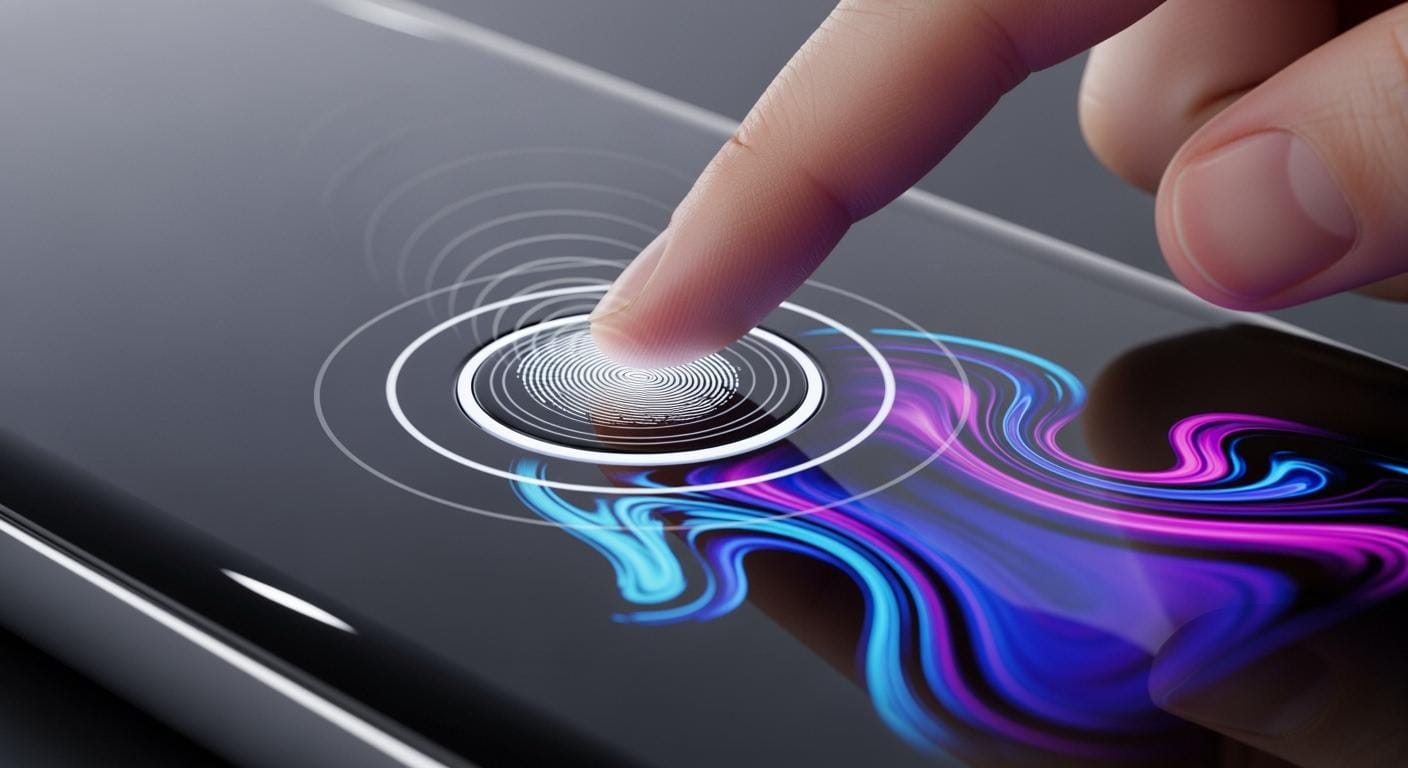

You use capacitive buttons when you touch their surface. These buttons can sense your touch by noticing changes in capacitance. Capacitive touch technology is different from mechanical switches. It gives you a smooth and flat surface. This surface looks modern and feels clean. Capacitive touch sensors react fast and need just a gentle touch. Many devices use this technology, even ones with a membrane switch. It helps them have interfaces that work well and look nice.
Table of Contents
Key Takeaways
Capacitive buttons work by sensing touch with changes in capacitance. This lets them have a smooth and modern look. These buttons need just a light touch to work. They are faster and easier to use than mechanical switches. Capacitive buttons last a long time because they do not have moving parts. No moving parts means they do not wear out easily. The flat surface of these buttons is simple to clean. This makes them good for places that must stay clean, like kitchens and hospitals. Capacitive buttons can work even if you wear thin gloves. This helps people in medical and industrial jobs use them better. Their design can be many shapes and sizes. This lets companies make cool and stylish devices. Capacitive buttons give quick feedback to users. This makes them better for electronics, medical tools, and cars. But sometimes, these buttons turn on by accident. This can happen because of things in the environment.
What Are Capacitive Buttons
Definition
You use capacitive buttons by touching their surface. These buttons sense your touch with capacitive touch technology. The surface is flat and smooth, so it is easy to clean. This also makes devices look modern. You do not have to push hard. Your finger changes the electrical field on the button. This tells the button you want it to do something. Capacitive buttons are in many devices. You see them on smartphones, home appliances, control panels, screens, and cars.
Key Components
Capacitive buttons need a few main parts to work. Each part helps the button sense your touch and send signals.
| Component | Description |
|---|---|
| Conductive Layer | Made from indium tin oxide (ITO), it makes the electric field on the touchscreen. |
| Glass Substrate | Gives support and strength, and has the ITO layer on top. |
| Touch Sensors | Notice changes in capacitance from your touch, set up in a grid for more than one touch. |
| Controller | Watches the electrostatic field and figures out where you touched. |
| Display Panel | Shows what you see and works with the touchscreen for interaction. |
Tip: ITO is special because it lets electricity move but stays clear, so you can see the screen.
All the parts work together. The conductive layer and sensors notice your finger. The controller finds out where you touched. The display panel shows what happens next.
Capacitive Touch Switch Overview
Capacitive touch switches work like capacitive buttons. When your finger gets close, you change the capacitance. The switch reacts fast, so you do not need to press. You just touch or hover your finger near the button. This makes capacitive touch switches quicker than mechanical switches.
- Capacitive touch switches sense your touch without pressing.
- Mechanical switches need you to push down, which takes more effort.
You can see how these switches are different. Capacitive touch switches answer faster and last longer. They do not wear out from pressing many times. You find them in new devices where speed and reliability are important.
How Do Capacitive Buttons Work
Capacitance Principle
Capacitive buttons sense your touch using capacitance. Capacitance means something can hold electric charge. These buttons have two conductive materials with an insulator between them. When your finger gets close, you add more capacitance to the sensor.
Electric Field Changes
Your finger changes the button’s electric field. The sensor makes an electric field with a conductive layer. When you touch or get near, your body acts like a conductor. This changes the electric field, and the sensor notices it.
- Capacitive touch sensors check for changes in capacitance.
- Self-capacitive systems see changes compared to ground. Your touch makes the capacitance go up.
- Mutual-capacitive systems use two electrodes. Your finger changes how they connect.
Note: The electric field reacts right away to your touch, so capacitive touch technology is very sensitive.
Sensing Electrode Function
The sensing electrode is under the button’s surface. It waits for changes in the electric field. When you touch the button, the electrode finds the new capacitance. The sensor sends this to the controller.
| Electrode Type | Function |
|---|---|
| Self-capacitive | Measures capacitance between electrode & ground |
| Mutual-capacitive | Measures capacitance between two electrodes |
Human Touch Detection
Capacitive touch switches need your body to change the sensor’s capacitance. Your finger works as a conductor. When you touch the button, you make a capacitor between you and the device.
Capacitance Variation
Your body’s capacitance changes with your surroundings. If you touch something grounded, your capacitance goes up. The sensor sees this change. The circuit senses the extra capacitance and knows you touched the button.
Tip: The human body adds parallel capacitance, which capacitive touch circuits can spot easily.
Signal Processing
The sensor checks for changes in capacitance at certain spots. When you touch the electrode, the circuit finds this change. The control circuit handles the signal and turns it into an electrical response. This step helps the device react fast and correctly to your touch.
Output Response
After the sensor finds your touch, the controller picks what to do. The system turns the change in capacitance into a digital signal. You see the result as a light, a screen change, or a device starting. The output happens almost right away, so you get quick feedback.
- You touch the button.
- The sensor finds the change in capacitance.
- The controller handles the signal.
- The device does what you want.
Capacitive touch technology makes everything smooth and dependable. You get fast responses with just a light touch. The capacitive touch switch works without moving parts, so it lasts longer and feels new.
Capacitive Touch Switch Operation
How Does a Capacitive Touch Switch Work
You might wonder how a capacitive touch switch works when you touch it. The answer is in how the switch senses changes in capacitance. This process has three main steps:
- Touch Detection: The circuit always checks the capacitance on the sensing pads. When your finger gets close, the capacitance changes.
- Signal Triggering: The controller sees this change and sends a signal.
- Activation: The output signal can turn on a light, start a device, or control something else.
This all happens very fast. You do not need to press hard or use much force. The capacitive touch switch reacts to even a soft touch. You get quick and steady feedback every time.
Sensing and Activation
When you touch the surface, the switch senses your finger right away. Your body acts like a conductor. The switch notices the change in the electric field. The controller then handles this signal and picks what to do. You might see a light turn on, hear a beep, or see a device start.
Capacitive buttons work the same way. They sense your touch by the change in capacitance. You do not need to move any parts. This makes the system more reliable and less likely to break. The sensing happens under the surface, so the button stays clean and safe.
Tip: Capacitive touch switches work well even if you use them many times each day. You do not have to worry about them breaking quickly.
Comparison with Mechanical Switches
You may want to know how a capacitive touch switch is different from a mechanical switch. The table below shows the main differences:
| Feature | Capacitive Switches | Mechanical Switches |
|---|---|---|
| Lifespan | Longer because there are no moving parts | Shorter because parts wear out |
| Response Mechanism | Works by sensing changes in capacitance | Works by connecting contacts physically |
| Reliability | Very durable and less likely to fail | Reliable but can get worse over time |
Capacitive touch switches last longer because they do not have moving parts. You get a quick response because the switch senses your touch right away. Mechanical switches need you to press down, which can wear out the parts. Capacitive touch technology gives you a modern, smooth, and reliable way to control your devices.
Unique Features of Capacitive Buttons
Sensitivity
Capacitive touch keys react to even a gentle touch. They use capacitive touch to sense your finger. You do not need to push hard at all. The system finds small changes in the electric field. This happens when your finger gets close. These keys are very sensitive and work fast. They are great for devices that need quick and soft input. You can use them on phones, kitchen tools, or control panels. The fast reaction helps you finish tasks faster and with less effort.
Tip: Capacitive touch keys can work through thin gloves or covers. This is helpful in medical, factory, or outdoor places.
Durability
Capacitive touch keys last a long time because they have no moving parts. You do not need to worry about buttons breaking or wearing out. The flat surface keeps dust, water, and spills away from the inside. You can clean the surface easily with a cloth. This makes these buttons good for places where cleanliness is important, like hospitals or kitchens. The sealed design also blocks chemicals and dirt, so the keys work well in tough places.
Here is a quick comparison:
| Feature | Capacitive Touch Keys | Mechanical Buttons |
|---|---|---|
| Moving Parts | None | Yes |
| Cleaning Ease | Very easy | Can be difficult |
| Lifespan | Very long | Shorter |
You get steady performance every day. Capacitive touch keys keep working after thousands of touches.
Design Flexibility
You can make capacitive touch keys in many shapes and sizes. The flat surface lets you design smooth, modern devices. You can add icons, lights, or change the layout to fit your needs. Many designers use these keys to make products look cool and new. You can put the keys under glass, plastic, or other materials. This gives you more ways to match your brand or product needs.
- You can add lights to use in the dark.
- You can mix capacitive touch keys with a capacitive touch switch for more features.
- You can set up the keys in special patterns.
Note: Capacitive touch keys help you make devices that look special and are easy to use.
You will see that capacitive buttons give you sensitivity, durability, and design freedom. These features make them a great pick for new devices.
Advantages and Disadvantages
Benefits
Easy Cleaning
Capacitive buttons are easy to clean with a soft cloth. The flat surface does not let dust or dirt get stuck. Many electronics use this smooth design, so cleaning is simple. You do not need special cleaners or tools. Just wipe away fingerprints and smudges fast.
Tip: The sealed surface keeps water and spills out. This helps keep things clean in kitchens or hospitals.
Aesthetic Appeal
Devices with capacitive touch look modern and stylish. Designers pick these buttons for their smooth and sleek look. The flat surface fits today’s trends in gadgets and cars. More products now have flush surfaces with no raised buttons. This makes your device look fancy and slim.
- Capacitive switches make touch screens feel better.
- You can change the design to keep your device looking cool.
- Switching from mechanical to capacitive touch makes devices look and feel nicer.
Longevity
Capacitive buttons last longer than mechanical ones. There are no moving parts that can break. The solid-state design gives you steady performance for years. Many reviews say these buttons are very tough. You can see some benefits in the table below:
| Benefit Type | Description |
|---|---|
| Compact Design | Devices are lighter and easier to hold with capacitive buttons. |
| Durability | No moving parts means the button works well for a long time. |
| User Experience | Fast response helps stop mistakes, which is good for games and quick tasks. |
Your device stays quick and reliable, even if you use it a lot.
Drawbacks
False Activation
Sometimes, capacitive touch buttons react when you do not mean to touch them. If you brush the surface or wear gloves, the button might turn on by mistake. The sensor looks for changes, so it can pick up wrong signals. Designers try to fix this, but you should know it can happen.
Note: Water drops or static can also make the button turn on by accident.
Environmental Factors
Capacitive touch switches can have problems in tough places. Hot weather can make them wear out faster. Cold can make the parts crack. Humidity can cause water drops or rust, which hurts how they work. Shaking or bumps can break the sensor or change how it works. You should think about these things if you use devices outside, in cars, or in factories.
- High heat makes them work less well.
- Humidity can cause rust.
- Shaking or bumps can break the sensor.
- Low air pressure can lower how strong the voltage is.
Capacitive touch has many good points, but you should know the limits. Knowing both sides helps you pick the best technology for you.
Applications

Consumer Electronics
You use capacitive touch buttons in many electronics. Phones, tablets, and smart home gadgets have these buttons. They give you a smooth and modern way to control things. You can swipe, tap, or press softly to use your device. The flat surface is easy to clean and keeps your device looking nice. Designers pick capacitive touch because it looks cool and works fast. You get quick feedback when you use your phone or tablet. Many smart appliances, like ovens and washing machines, use these buttons. They make controls simple and stylish. These buttons last a long time and work well.
Tip: Capacitive touch buttons let you use devices even if your hands are wet or dirty. You do not need to press hard, so your device does not wear out.
Medical Devices
Capacitive touch technology is in many medical devices. Hospitals and clinics use these buttons to keep things clean and safe. The smooth surface stops germs from hiding in cracks. You can clean the buttons fast, which helps keep patients safe. Medical staff can use these buttons with gloves, so they do not need to take them off. The buttons work with strong cleaners and do not break. You see clear lights on the buttons, which help you find the right one in the dark. You feel a small bump when you press a button, so you know you made a choice.
Here is a table that shows how capacitive touch buttons help in medical devices:
| Feature | Benefit |
|---|---|
| Smooth, Non-Porous Surfaces | Stop germs and make cleaning easy |
| Chemical Resilience | Work with strong cleaners without breaking |
| Glove-Friendly Operation | Let you use devices with gloves on |
| Intuitive Interfaces | Make devices safer and easier to use |
Smart systems stop wrong touches, so you control devices better.
- Lights on buttons help you in dark rooms.
- You feel a bump when you pick something.
- Smart sensors help stop mistakes.
Industrial Controls
Factories and control panels use capacitive touch buttons. These buttons react fast, even to a soft touch. You do not need to worry about parts breaking because there are no moving pieces. The thin design looks good and feels nice, so you can use the controls for a long time without getting tired. You can clean the surface easily, which helps keep the workspace safe. The buttons last a long time, even in tough places. You get steady performance every day.
- Fast controls help you work quicker.
- No moving parts means less chance of breaking.
- Comfortable design helps you work longer.
Note: Capacitive touch buttons help keep factory equipment working safely and smoothly.
Automotive Systems
You find capacitive buttons in many new cars. Car makers use this technology for dashboards and controls. The surfaces are smooth and the displays are bright. These features come from capacitive touch technology. You can tap or swipe to control music, climate, or maps. You do not need to press hard or look for tiny buttons.
Capacitive touch screens work like your smartphone. You use taps and swipes to control the car’s system. This makes driving easier and safer. You do not get confused by tricky controls. Many cars have haptic feedback. You feel a small buzz or click when you touch a button. This lets you know your touch worked, so you keep your eyes on the road.
You get many benefits from capacitive buttons in cars:
- Intuitive Interface: You use simple gestures to control the dashboard. The system reacts quickly to your touch.
- Sleek and Modern Design: The dashboard looks neat and clean. There are fewer physical buttons, so the car feels fancy.
- Customization and Flexibility: Makers can change the look for each model. You get a special experience in every car.
- Multi-Functionality: One screen controls many things. You change the radio, climate, and maps from one place.
- Improved Durability: The surfaces do not scratch or break easily. You do not worry about buttons wearing out.
Capacitive buttons make driving safer and more fun. The controls react fast and the design looks cool. You clean the surfaces easily, so your car stays nice. The technology helps makers build dashboards that match each car’s style.
You see capacitive buttons in fancy and regular cars. The technology works for many needs. You find it on touch screens, steering wheels, and door panels. The sealed surfaces keep dust and water out. You get steady performance in all weather.
Car systems keep getting better. More cars have advanced touch controls every year. Capacitive buttons help you drive safely, enjoy your trip, and use your car in new ways.
Capacitive buttons let you control things quickly and easily. They use special materials and smart designs. You can use them in many places. They work even if you wear gloves or if the surface is wet. Many new devices have these buttons because they look nice and are easy to clean. SOUSHINE makes strong capacitive panels and digital glass. These help you use devices well, even in tough places.
| Benefit | What You Get |
|---|---|
| Fast Response | Quick touch feedback |
| Durability | Works in harsh environments |
| Easy Cleaning | Simple to keep spotless |
Pick capacitive buttons if you want your device to look good, last long, and work smoothly.
FAQ
What is the main difference between capacitive and mechanical buttons?
Capacitive buttons work with a gentle touch. Mechanical buttons need you to push down. Capacitive buttons sense your finger by noticing capacitance changes. Mechanical buttons use moving parts to make contact.
Can you use capacitive buttons with gloves?
Some capacitive buttons work with thin gloves. Special designs or settings help them work better with gloves. Thick gloves might not work well. Always check your device’s instructions before using gloves.
Do capacitive buttons wear out over time?
Capacitive buttons last for many years. They do not have moving parts, so they do not wear out like mechanical buttons. You get steady performance after thousands of touches.
Are capacitive buttons waterproof?
Many capacitive buttons have sealed surfaces. This keeps water and dust out. Check your device’s rating to see how much water it can handle.
Why do some devices use membrane switches instead of capacitive buttons?
Membrane switches give tactile feedback and strong sealing. You get a reliable interface that works well in tough places. They also allow custom designs and are easy to clean.
Can capacitive buttons detect more than one touch at a time?
Yes, many capacitive buttons support multi-touch. You can use two or more fingers at once. This helps with gestures like zooming or rotating on touchscreens.
How do you clean capacitive buttons?
Use a soft, damp cloth to clean capacitive buttons. The flat surface makes it easy to wipe away dirt and fingerprints. Do not use harsh chemicals unless your device says it is safe.
Do environmental factors affect capacitive button performance?
Extreme heat, cold, or moisture can change how capacitive buttons work. Most devices have protection, but you should use them in the right conditions for best results.