

Call us: +86-137-2353-4866
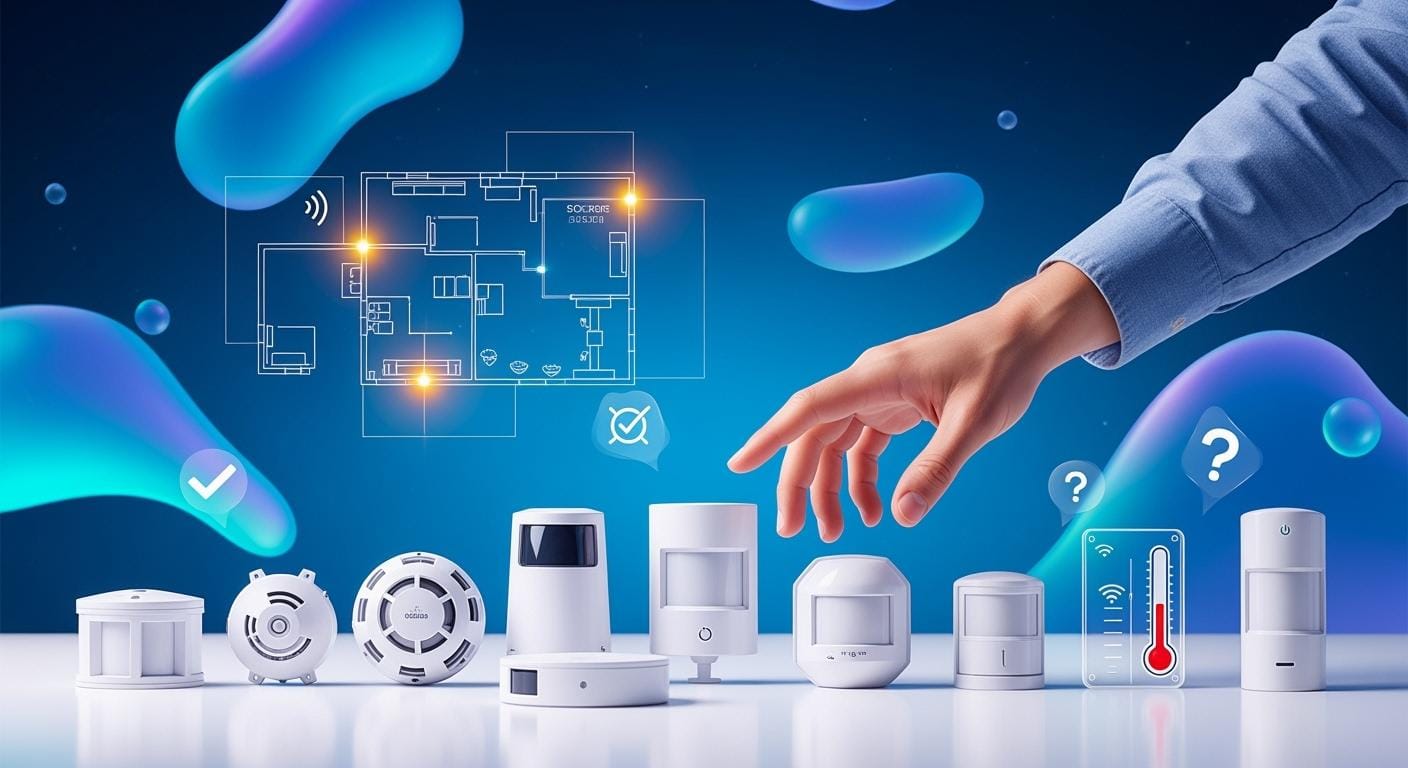

Imagine you run a busy place. You might wonder if your sensors work well enough. Good sensors help your work go smoothly and keep people safe. Picking the right system sensor means you choose one that fits your needs and space. The right sensor is very important for safety. It also helps you save energy and money. If a sensor makes a small mistake, energy use can go up by over 8.5%. This means you pay more and waste more. High-quality sensors give you good data. They also last longer and need fewer replacements. You may need a sensor for fire, gas, or force sensing. You might need a force sensing resistor for exact pressure checks. Your choice affects both safety and how much you save.
Table of Contents
Key Takeaways
- Decide if your sensor will be inside or outside. This choice changes how well it works and how long it lasts.
- Think about things like heat, wetness, and dangers when picking a sensor.
- Know what you want your sensor to do, like find fire, gas, or check pressure, so it fits your needs.
- Follow the rules and standards for your industry to keep things safe and legal when picking a sensor.
- Pick sensors that last long and work well, especially in tough places, to save money on repairs.
- Find sensors that are simple to connect with your current systems for easy use.
- Check both the first price and future costs to get a sensor that saves money over time.
- Ask experts for help if you have special needs or big projects to make sure you pick the right sensor.
Assess Application Needs
Define Environment
Indoor vs. Outdoor
You need to pick if your sensor goes inside or outside. Indoor places usually have steady temperature and humidity. Outdoor places can change fast. You might see rain, wind, or bright sun. These things change how sensors work. If you use temperature sensors outside, check their range. Some sensors work better in cold or hot weather. Make sure your space stays safe and comfortable.
Environmental Factors
Sensors deal with many things. You should look at temperature, humidity, and other dangers. The table below lists common things that affect sensors in factories:
| Environmental Condition | Description |
|---|---|
| Temperature Extremes | Sensors work in certain temperature ranges. If it gets too hot or cold, sensors may not work right. |
| Humidity | High humidity can hurt sensors. Coin cell and AA sensors do not work well in wet places. |
| Corrosive Environments | Coin cell and AA sensors do not work with corrosive gases or vapors. These can break the sensors. |
| Electromagnetic Interference | Machines that make EMI can mess up wireless signals. This can make sensors less reliable. |
Check if your temperature and humidity sensors can handle these things. If your space has chemicals or strong machines, pick sensors that do not get damaged.
Identify Sensing Purpose
Fire, Smoke, Gas Detection
You need to know what your sensor should do. Many sensors help keep people safe. Some find fire, smoke, or gas. These sensors warn you about danger. Gas and chemical sensors find leaks in factories. They measure air pollution and gas levels. You use them to protect workers and equipment. Some sensors check air quality, humidity, and temperature. They help stop damage and make things safer.
Force and Pressure Sensing
You may need sensors to measure force or pressure. These sensors help machines and robots work well. They check if equipment is working right. Force sensing resistors show changes in pressure. You use them in healthcare, robots, and cars. They help you see changes and keep systems working.
Review Compliance
Codes and Standards
You must follow rules when you pick a sensor. Some codes say what sensors you need for safety. For fire and gas detection, look for these standards:
- UL 2075: Makes sure gas detectors are safe and strong, like CO and NO₂ detectors.
- ULC-S588: Checks if gas detectors are accurate and work well.
- International Building Code: Needs UL 2075 CO monitors in all U.S. states.
- International Mechanical Code: Needs UL 2075 CO and NO₂ monitors in parking garages.
Industry Regulations
Some jobs have extra rules. You may need sensors that meet special standards. For example:
- 60079-29-1: Sets rules for detectors of flammable gases in factories and big buildings.
Write down your sensor goals and any rules you must follow. This helps you pick the best system sensor for your needs.
System Sensor Types and Uses

There are many kinds of sensors in buildings. Each sensor does a special job. The table below lists some common sensors and what they do:
| Sensor Type | Description |
|---|---|
| Light Sensors | Measure light levels to adjust artificial lighting based on natural light availability. |
| Water Flow Sensors | Monitor water usage, detect leaks, and prevent water damage in plumbing systems. |
| Smoke and Fire Sensors | Crucial for fire safety, installed in various locations throughout a building. |
| Current Sensors | Measure electrical current to track energy usage of equipment. |
| Temperature Sensors | Measure ambient temperature for HVAC control and comfort. |
| Occupancy Sensors | Detect whether a space is occupied to adjust lighting and HVAC settings for energy conservation. |
| Air Quality Sensors | Monitor pollutants in the air to enable better ventilation control and healthier environments. |
Smoke and Fire Detectors
Smoke and fire detectors help keep people safe. These sensors find fires early.
Photoelectric
Photoelectric detectors use a light beam inside. When smoke gets in, it scatters the light. This sets off the alarm. These detectors work best for slow-burning fires. They respond fast to smoldering fires. They do not give many false alarms from cooking smoke.
Ionization
Ionization detectors have an electric current in a chamber. Smoke breaks this current and starts the alarm. These detectors react faster to flaming fires. They may give more false alarms near kitchens.
| Feature | Photoelectric Detectors | Ionization Detectors |
|---|---|---|
| Fire Type Detected | Smoldering fires | Flaming fires |
| Response Time | Faster for smoldering | Faster for flaming |
| False Alarms | Less likely | More likely |
| Energy Efficiency | High | Moderate |
Gas and CO Detectors
Gas and CO detectors help keep air safe. These sensors warn you about dangerous gases.
CO Sensors
CO sensors protect you from carbon monoxide. You use them in places with fuel-burning appliances. These places include restaurants, hotels, and offices. These sensors give early warnings. You can leave or air out the space before CO gets too high.
Multi-Gas
Multi-gas detectors check for more than one gas. You use them in factories and parking garages. These places have many gas risks. These sensors help keep workers and equipment safe.
Force Sensing Resistors (FSRs)
Force sensing resistors measure pressure and force. These sensors help in healthcare, robotics, and cars.
SOUSHINE FSR Features
SOUSHINE’s FSRs are better than other industrial sensors. The table below shows how they compare:
| Feature | SOUSHINE’s FSRs | Competitors’ FSRs |
|---|---|---|
| Accuracy | Superior | Varies |
| Durability | High | Moderate |
| Customization | Extensive | Limited |
| Low Power Consumption | Yes | Varies |
| Ease of Integration | Simple | Complex |
You can pick SOUSHINE FSRs for high accuracy and strong durability. They are easy to use and offer many options.
FSR Applications
FSRs are used in many places:
- Medical devices for patient monitoring
- Robotics for touch and grip sensing
- Cars for seat and safety controls
- Consumer electronics for touch buttons
- Industrial automation for pressure sensors and level sensors
- Proximity sensors in smart devices
You can use different sensors for your needs. Each system sensor helps keep your space safe, efficient, and smart.
Specialty Sensors
Duct and Beam
Specialty sensors help in big buildings and tricky spaces. Duct detectors and beam detectors find smoke and fire early. These sensors work where normal detectors cannot reach. Duct detectors go inside air ducts. They watch for smoke in heating and cooling systems. You can find fire before it spreads. This keeps people and equipment safe. Duct detectors help keep the air clean. You see them in schools, hospitals, and offices. Beam detectors use a light beam to look for smoke or flames. You put them in large open places like warehouses or malls. If smoke blocks the beam, the detector sends a warning. Beam detectors cover big areas. You need fewer detectors for large spaces.
Here is a table that shows how beam detectors and spot smoke detectors are different:
| Detector Type | Coverage Area | Replacement Efficiency |
|---|---|---|
| Beam Detectors | 330 ft. x 60 ft. | Can replace 20+ spot detectors |
| Spot Smoke Detectors | 30 ft. x 30 ft. | N/A |
Beam detectors cover much more space than spot detectors. You save time and money by using fewer units. Maintenance is also easier.
You use duct and beam detectors for these reasons:
- Duct detectors watch air ducts for smoke and fire. You get early warnings in HVAC systems.
- Beam detectors use light to find smoke or flames in big open spaces. They work well where normal detectors do not.
Combination Sensors
Combination sensors do more than one job in one device. You use them to save space and make your system simple. These sensors can find smoke, heat, and carbon monoxide at once. You need fewer devices and less wiring.
You see combination sensors in hotels, apartments, and big buildings. They give faster alerts because they check for many dangers. You make things safer and easier to take care of.
You pick combination sensors when you want:
- Fewer devices on the ceiling or wall
- Faster alerts for fire, smoke, or gas
- Easy setup and less wiring
Combination sensors help you follow safety rules. You keep your building safe and running well. You also make your system easier to use.
Right Sensor Selection Criteria
Accuracy & Sensitivity
Application Match
You must pick a sensor that fits your job. Accuracy is very important for safety and saving energy. If you use a sensor in a risky place, check its accuracy and sensitivity. These ratings help you get good data. You want a sensor that reacts fast and gives correct numbers. The right sensor helps you see changes and act quickly.
| Criteria | Description |
|---|---|
| Performance Requirements | Accuracy, resolution, response time, and range matter for sensors to work well. |
| Application-Specific Considerations | Following rules and using past data helps you choose the best sensor. |
Pick a sensor that matches what you need to watch. If you need to collect data and control things, choose one with high accuracy and quick response.
False Alarm Reduction
False alarms can mess up your work and waste time. You want a sensor that stops false alarms. High sensitivity finds real problems, but too much can cause fake alerts. Pick a sensor with settings you can change. This lets you set the right level for your space. Checking and adjusting sensors often keeps them working well and stops false alarms.
Tip: Check and adjust sensors often to keep them accurate and stop false alarms. Look at sensors a lot, especially in important places.
Durability & Reliability
Environmental Resistance
Durability matters for sensors to last a long time. You need sensors that work in hard places. Outdoor sensors use tough materials and covers. These sensors fight dust, water, and rust. Look for IP64, IP65, or IP67 ratings. These ratings mean the sensor can handle rough weather. Strong sensors keep working in hot, wet, or sunny places.
Maintenance
Good sensors need regular care. You should look at sensors and batteries often. Change old parts before they break. Checking sensors helps you find problems early. Updating software keeps sensors working their best. Taking care of sensors is important for safety. Pick sensors that are easy to fix and have clear guides.
| Aspect | Description |
|---|---|
| Routine Inspections | Helps you find worn parts that can make sensors stop working. |
| Sensor and Battery Checks | Checking and changing batteries stops problems and keeps sensors safe. |
| Software Updates | Updating software helps sensors work better and fixes issues. |
Output & Integration
System Compatibility
You need sensors that work with your other devices. System compatibility makes setup and use easy. Pick sensors that connect to what you already have. This makes watching and controlling things simple. The right sensor lets you get data and control things without extra work.
Communication Protocols
Sensors talk to other devices in different ways. Pick a sensor that uses the same way your system does. Some common ways are BACnet, Modbus, and LonWorks. These help sensors share data with other devices.
| Protocol | Description |
|---|---|
| BACnet | An open protocol that lets devices from different brands talk to each other. |
| Modbus | A simple way for devices to share data in factories and other places. |
| LonWorks | Lets devices talk to each other without needing a main server. |
Check which way your system uses before you pick a sensor. This helps you avoid problems when you set up and use the sensor.
Note: Picking the right sensor helps you stay safe, save money, and work better. Focus on accuracy, strength, and easy setup for the best results.
Cost & Value
Upfront vs. Long-Term
When you choose a sensor, you need to look at both the price you pay at the start and the money you spend over time. The first cost is only part of the story. You also pay for maintenance, repairs, and parts as you use the sensor. In large systems, these ongoing costs can add up fast.
- Maintenance, labor, and part-replacement costs can reach $1–2 million each year for a power station boiler system.
- Over 20–30 years, fuel and operational expenses make up 60–70% of the total cost.
- The sensor you pick can help lower these costs if it works well and lasts a long time.
You save money in the long run by choosing a sensor that needs less upkeep and works well for many years. Always think about how much you will spend to keep the sensor running, not just the price tag when you buy it.
Customization Options
You may need a sensor that fits your unique job. Many companies offer ways to change the sensor to match your needs. You can adjust the size, shape, and features so the sensor works best for you.
| Customization Aspect | Description |
|---|---|
| Size | Change the sensor’s physical dimensions. |
| Housings and Protective Covers | Pick outer cases for tough places or special looks. |
| Display Layout | Set up how you see numbers or lights on the sensor. |
| Indicators and Alerts | Choose the types of warnings or signals you want. |
| Configuration Options | Adjust settings for your job. |
| Measurement Ranges | Pick the range that fits your needs. |
| Integrations | Make sure the sensor works with your other devices. |
| Calibrations | Get the sensor set for your exact job. |
| Product Maintenance | Get help to change the design as your needs grow. |
You start by talking with engineers about what you need. You work together to build a sensor that fits your job. You test the sensor to make sure it works. You can change the design if you find something that needs fixing. Some sensors let you pick the sensing area size, pressure range, and temperature range. For example, you can get a sensing area from 1.86 mm to 402.56 mm, a pressure range up to 10,000 psi, and an operating temperature up to 200°C (400°F). This helps you get a sensor that matches your exact needs.
Special Requirements
Wireless
You may want a wireless sensor for places that are hard to reach. Wireless sensors help you watch things from far away. When you pick a wireless sensor, you need to think about:
- Temperature changes
- Corrosive chemicals
- Electromagnetic interference
- Obstacles and distance
You also need to check if the sensor can talk to your other devices. Some wireless sensors use LoRaWAN for long range and low power. Others use Zigbee for local networks or cellular for wide areas. You must look at power use, range, and what you want to watch.
Other things to check:
- Communication protocol compatibility
- Data security
- Bandwidth
- System growth
- Link availability
- Hazardous location rating
- Power options
- Ease of use
- Integration with control systems
- Risk of wasted investment
Pick a wireless sensor that matches your site and your needs.
Size & Aesthetics
Sometimes you need a sensor that fits in a small space or looks good in a room. You can pick a sensor with a special size or shape. You can also choose a sensor with a cover that matches your building. This helps the sensor blend in and not stand out. You can ask for a sensor that fits your design and still does its job well.
Tip: Always check if you can change the sensor’s look or size before you buy. This helps you get the right fit for your space.
Compare System Sensor Products and Brands
System Sensor Product Line
Key Models
There are many models in the system sensor line. Each model does a different job. Some models find smoke. Others sense heat or gas. You might see the i3 Series for smoke. The CO1224T model checks for carbon monoxide. These models use different ways to sense things. Some use photoelectric sensors. Others use ionization or heat sensors. Pick a model that fits your building’s needs.
Application Fit
Match the sensor model to your space. Use smoke detectors in offices and schools. Put heat detectors in kitchens or boiler rooms. Gas detectors work well in parking garages or factories. Some models work better in dusty or wet places. You can ask experts for help to pick the right model.
SOUSHINE FSRs vs. Other Brands
SOUSHINE Highlights
SOUSHINE makes force sensing resistors for pressure and force. You can use these sensors in cars, robots, and medical devices. SOUSHINE FSRs give accurate readings. They last a long time. You can choose from many shapes and sizes. These sensors use little power. They fit into small spaces. SOUSHINE helps you with custom designs. Their team supports you from start to finish.
Brand Comparison
You may want to compare SOUSHINE FSRs with other brands. Some brands focus on smoke or gas detection. Others make sensors for special jobs. SOUSHINE is known for force and pressure sensing. Other brands may have different features or support. Look at what each brand does best. Use the table below to compare:
| Feature | SOUSHINE FSRs | Other Brands |
|---|---|---|
| Force Sensing | Yes | Sometimes |
| Custom Sizes | Yes | Limited |
| Low Power Use | Yes | Varies |
| Application Support | Full | Varies |
| Sensor Types | Force/Pressure | Smoke, Gas, Others |
User Feedback
Reliability Ratings
Check what other users say about each brand. Many people want sensors that work every time. SOUSHINE FSRs get high marks for lasting a long time. Bosch and MultiTech also get good ratings for reliability. Read reviews or ask for references before you buy.
Support & Warranty
You want good support and a strong warranty. Leading brands offer different options:
- MultiTech gives up to five years of warranty with their Extended Warranty program.
- They offer technical support, help with installation, and troubleshooting.
- Overnight replacement is available for U.S. customers.
- Bosch products often come with a three-year or five-year warranty. Some cameras and parts have a five-year warranty. Batteries and some equipment have a one-year warranty.
- EMX does not cover third-party products under their warranty. They may change product designs without notice.
Check the warranty and support before you pick a sensor. Good support helps you fix problems fast. A strong warranty saves you money if something breaks.
Sensor Selection Guide: Step-by-Step
Choosing the right sensor does not need to feel overwhelming. You can follow a clear process to make the best choice for your space and needs. This sensor selection guide gives you a step-by-step path from planning to installation.
Checklist for Choosing the Right Sensor
Application Review
Start by writing down where you want to use the sensor. Think about the environment. Is it indoors or outdoors? Does the area get hot, cold, wet, or dusty? List any special conditions, such as strong machines or chemicals. Decide what you want the sensor to measure. Some sensors check for fire, smoke, or gas. Others measure force or pressure. Make sure you know the rules and codes for your building or industry. This helps you avoid mistakes and keeps people safe.
Feature Prioritization
Next, decide which features matter most for your job. Some sensors need to be very accurate. Others must react quickly. You may want a sensor that uses little power or fits in a small space. Make a list of your top needs. Use this list when you compare different models. You can use a table like the one below to help you rank features:
| Feature | Importance (High/Medium/Low) | Notes |
|---|---|---|
| Accuracy | ||
| Response Time | ||
| Durability | ||
| Size | ||
| Power Use | ||
| Custom Options |
Fill in the table with your needs. This helps you focus on what matters most.
Budget Planning
Plan your budget before you buy. You want to get the best value for your money. For large projects, you can use different strategies:
- Focus on the most important areas first. Place sensors where they matter most.
- Make sure you cover the minimum needed spaces at the lowest cost.
- Use a cost optimization model to keep costs low while still getting good coverage.
- Use a coverage optimization model to get the most coverage without going over your budget.
You can talk with your team to set limits and goals. This helps you avoid spending too much and missing key areas.
Expert Consultation
When to Seek Help
Sometimes you need help from an expert. If you have a big project or a special job, ask for advice. Experts can help you pick the right system sensor. They know the rules and the best products for your needs. You should also ask for help if you have trouble with codes or if you need a custom sensor.
Tip: If you feel unsure about your choice or face a unique challenge, reach out to a professional early in the process.
Resources
You can find help in many places. Manufacturers often have guides and support teams. You can read product manuals or watch videos online. Some companies offer live chat or phone support. You can also join online forums to ask questions and learn from others. If you use SOUSHINE FSRs, you can contact their team for design and integration support.
Installation & Testing
Pre-Install Checks
Before you install the sensor, check the space. Make sure the area is clean and ready. Look at the wiring and power supply. Read the instructions for your sensor. Test the sensor before you put it in place. This helps you find problems early.
Maintenance Tips
Keep your sensors working by checking them often. Clean them if they get dirty. Change batteries or parts when needed. Update the software if the maker gives new versions. Write down when you check or fix each sensor. This helps you spot problems before they get big.
Note: Regular checks and simple care keep your sensors working longer and help you avoid costly repairs.
By following this sensor selection guide, you can choose, install, and maintain the right sensor for your needs. You keep your space safe, efficient, and ready for the future.
You can choose the right sensor by following a clear process. Start by reviewing your needs and environment. Use the sensor selection guide and checklist to compare options. Make sure each sensor matches your application. If you need help, talk to an expert. Explore SOUSHINE and System Sensor products to find a sensor that fits your project.
FAQ
What is a system sensor?
A system sensor helps you detect things like smoke, gas, or force. You use it to keep people safe and equipment working. You pick the right sensor for your job.
How do I know which sensor type I need?
You look at your space and what you want to measure. Write down your needs. Check if you need to sense smoke, gas, or force. Match the sensor to your goal.
Can I use the same sensor indoors and outdoors?
No. You need to pick a sensor made for your space. Outdoor sensors handle rain, sun, and dust. Indoor sensors work best in steady conditions.
How often should I check or maintain my sensors?
Check your sensors every few months. Clean them and test if they work. Change batteries or parts when needed. Write down each check in a log.
What does “customization” mean for sensors?
Customization lets you change the sensor’s size, shape, or features. You can ask for a sensor that fits your space or job. Some brands offer many options.
Are SOUSHINE FSRs easy to install?
Yes. You can install SOUSHINE FSRs with simple steps. The design fits many spaces. You get support from the SOUSHINE team if you need help.
Do I need expert help to choose a sensor?
You can pick a sensor on your own for simple jobs. For big projects or special needs, ask an expert. Experts help you follow rules and pick the best sensor.
What should I do if my sensor gives false alarms?
First, check the sensor’s settings. Clean the sensor. Make sure nothing blocks it. If the problem stays, ask for help from the maker or an expert.