

Call us: +86-137-2353-4866
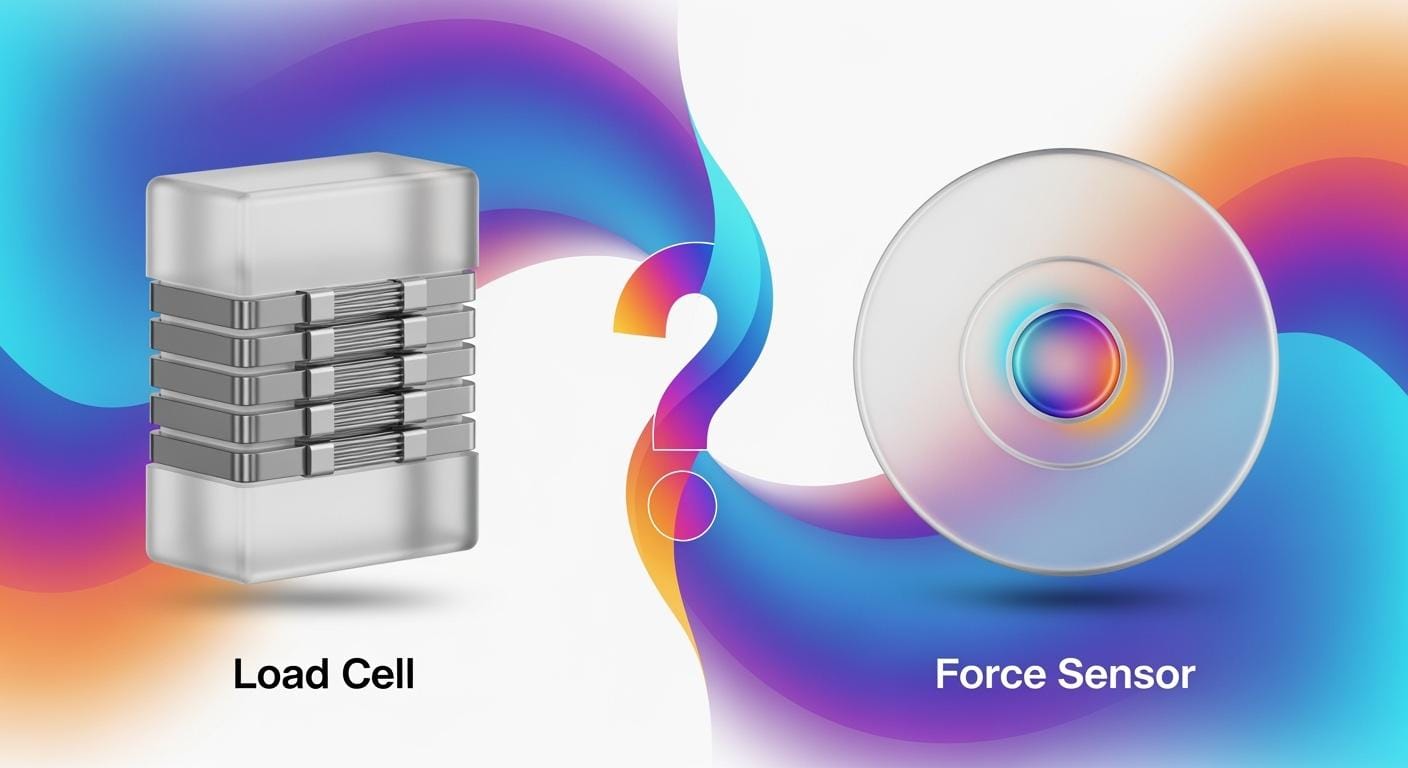

You need the right tool for your job. Load cells and force sensors are not the same. A load sensor tells you the exact weight. Force sensing helps you find moving or touch pressure. Many industries use these tools. For example, cars, hospitals, and factories need them for safety and good work. The table below shows where each type is used:
| Industry/Sector | Application/Use Case |
|---|---|
| Automotive | Safety, performance, seat detection |
| Healthcare | Medical device monitoring |
| Industrial Automation | Weighing, process control |
| Consumer Electronics | Robotics, dynamic force measurement |
SOUSHINE’s force sensing resistor works well in these areas. It gives you flexible and steady force detection.
Table of Contents
Key Takeaways
- Load cells measure weight and give exact numbers. Use them for still measurements in places like factories and hospitals.
- Force sensors find touch and pressure changes. They work well in robots, cars, and gadgets.
- Pick load cells if you need high accuracy and the same results each time. They are best for jobs that need very exact weight checks.
- Choose force sensors for jobs with lots of movement. They react fast to changes, so they are good for sensing touch or motion.
- Think about where you will use the sensor. Dust, water, and heat can affect both load cells and force sensors.
- Look at your budget and what you need the sensor to do. Load cells cost more but are very exact. Force sensors usually cost less.
- Setting up and caring for each sensor is different. Load cells need careful setup and checking often. Force sensors are easier to put in and take care of.
- Use the checklist to help you pick a sensor. Knowing what you need will help you choose the best tool for your job.
Load Cell vs Force Sensor: Definitions
What is a Load Cell?
A load cell helps you find out weight or force. You use it when you want to know how heavy something is. It also tells you how much force is on an object. Many devices need load cells for correct weight readings.
Principle of Operation
A load cell gets voltage from a power source. When you put force on it, it sends a small signal back. This signal shows the weight or force amount. Most load cells have strain gauges inside. The strain gauge changes resistance when you push on it. This gives you a clear and steady reading.
- A load cell checks weight or force on objects.
- You find load cells in electronic scales.
- You use load cells to set up testing machines.
Typical Applications
You see load cells in many places. They are in big weighing systems at factories. You find them in lab testing machines. Truck scales and packaging lines use them too. These tools need exact weight numbers.
What is a Force Sensor?
A force sensor checks force when you press or squeeze something. You use force sensors in robots, machines, and other areas. They help you notice changes in pressure or touch.
FSR Technology Overview
Force Sensing Resistors, or FSRs, are a kind of force sensor. SOUSHINE’s FSRs have a bendy base, a spacer, and a layer that carries electricity. When you press down, the resistance goes down. This change helps you measure force. FSRs give you force readings all the time. You use them to check moving or touch force.
SOUSHINE FSR Features
SOUSHINE’s FSRs come in many shapes and sizes. You can use them in lots of designs. They last long and do not use much power. They work well in hard places. SOUSHINE gives help and can make special ones for you.
Common Applications
You use force sensors in robots so they can feel touch. You use them in health tools to watch patients. You find them in cars for seat safety. You use them in gadgets for touch buttons.
Tip: SOUSHINE’s FSRs work in many fields. They help you get good force readings right away.
Here is a table that shows the main differences between a load cell and a force sensor:
| Feature | Force Sensor | Load Cell |
|---|---|---|
| Measurement Type | Measures tensile and compressive forces | Used for weighing applications |
| Calibration Units | Calibrated in newtons | Weighs in kilograms |
| Application | Common in robotics and automation | Used in weighing systems |
| Sensing Technology | Uses various technologies | Uses strain gauges |
You can see that load cells and force sensors are for different jobs. You pick load cells for weight. You pick force sensors for touch or moving force.
Key Differences: Load Cell vs Force Sensor
Measurement Type
You should know what you want to measure first. Load cells measure weight or force and make an electrical signal. You use load cells for things that do not move, like weighing items. Force sensors, like SOUSHINE’s FSRs, measure force in different ways. You use force sensors for things that change quickly, like touch or fast pressure.
Here is a table that shows how each device works in different jobs:
| Device Type | Measurement Type | Application Context |
|---|---|---|
| Load Cell | Converts force/weight to electrical signal | Used for weighing in factories, or research needing exact numbers |
| Force Sensor | Measures force/load using various technologies | Used for quick changes or touch in machines |
Load cells are used when you need exact weight. Force sensors are used when you need to sense fast changes or touch. Each one is good for a different job. Knowing these differences helps you choose the right tool.
Accuracy and Precision
Getting correct results is important. Load cells give very accurate and repeatable results. You use them when you need the exact weight or force every time. Force sensors, like SOUSHINE’s FSRs, also give good results, but you must read them carefully. The precision of force sensors can change, so you should check them often.
Here is a table that compares how accurate and precise both devices are:
| Feature | Load Cells | Force Sensing Resistors (FSRs) |
|---|---|---|
| Accuracy | Very accurate and reliable | Needs careful reading of results |
| Precision | Very precise, same result each time | Less precise, results can change |
You use load cells when you want the same answer every time. You use force sensors when you want to sense changes or touch, even if the answer is not always the same. Accuracy is important when picking between load cells and force sensors.
Durability and Environment
Think about where you will use your sensor. Both load cells and force sensors can have problems in tough places. Things like water, chemicals, dust, heat, electromagnetic interference, and shaking can hurt your sensor.
- Water can cause rust or short circuits.
- Chemicals can damage the sensor.
- Dust can block parts and make readings wrong.
- Heat or cold can change signals or break parts.
- Electromagnetic interference can give wrong readings.
- Shaking can wear out parts and break the sensor.
You can protect load cells by choosing ones with good protection. You can use coatings or strong materials to help them last longer. You can put load cells in boxes to keep out dust and water. Clean and check your sensors often to keep them working well.
Force sensors, like SOUSHINE’s FSRs, work in many places too. You can pick different force sensors for different jobs. Some force sensors work better in tough places than others. Always match your sensor to your environment for the best results.
Tip: Always look at where you will use your sensor. This helps you get the best results and makes your load cells and force sensors last longer.
Cost and Value
When you compare load cell vs force sensor, you see big differences in cost and value. You need to know your budget and what you want to measure. Load cells come in many types and prices. Some basic tension sensors cost less than a dollar. Specialized torque sensors can cost up to $3,500. Industrial-grade sensors often cost between $30 and $185. Here is a table to help you see the range:
| Load Cell Type | Price Range |
|---|---|
| Basic Tension Sensors | $0.90 |
| Specialized Torque Sensors | Up to $3,500 |
| Industrial-grade Sensors (C3) | $30 – $185 |
You also find different types of load cells for different jobs. S-Type load cells (2000 kg) cost $150 to $300. Shear beam load cells (2000 kg) cost $200 to $400. Single point load cells (2000 kg) cost $300 to $500. These prices show that load cells can fit many budgets and needs.
Force sensors, including SOUSHINE’s FSRs, often cost less than load cells. You use force sensors when you need to measure dynamic force or touch. Force sensors give you value in applications where you do not need high precision. You find force sensors in many products because they are affordable and easy to use.
When you look at cost and value, think about your application. If you need static measurements and high accuracy, load cells give you the best value. If you need to sense touch or quick changes, force sensors offer a good balance of price and function. Choosing between load cells and force sensors depends on your needs, your budget, and the type of force measurement you want.
Installation and Maintenance
You need to think about installation and maintenance before you pick a sensor. Load cells often need careful mounting. You may need a professional to install them. This helps you get the right readings. You must also calibrate load cells from time to time. This keeps your measurements correct. If you use load cell technology in your system, you should plan for regular checks.
Force sensors, like SOUSHINE’s FSRs, are easier to install. You can put them in many places without special tools. You do not need to calibrate them as often as load cells. This makes force sensors a good choice for projects where you want simple setup and less work later.
Here is a quick list to help you compare:
- Load cells need precise mounting and regular calibration.
- Force sensors need simple installation and less maintenance.
You should match your sensor to your skills and your project. If you want high accuracy and can handle more setup, load cells work well. If you want fast setup and easy care, force sensors fit better. Knowing these key differences helps you make the right choice for your applications.
Load Sensor Comparison Table
Performance Metrics
When you look at load cells and force sensors, you should check how they work. These numbers help you pick the right sensor for your job. You can find these numbers in datasheets. Here is a table with the main things to look at:
| Metric | Description |
|---|---|
| Static Error Band | Shows how much error there is for all points, centered on the best line, in %FS. |
| Non-repeatability | Tells you the biggest difference between repeated readings, in %RO. |
| Non-linearity | Measures how far the output is from a straight line, in %FS. |
| Hysteresis | Shows the difference between loading and unloading, in %F. |
Load cells are very accurate and give the same results many times. You use them when you need to know the exact weight. Force sensors, like SOUSHINE’s FSRs, react fast to changes. They are good for places where things move quickly. Here is another table to show the differences:
| Feature | Load Cells | Force Sensors |
|---|---|---|
| Response Time | Very accurate and steady for things that do not move | Fast reaction in places where things change |
| Repeatability | Great for long-term use when things stay the same | Good for sensing quick and changing forces |
Application Suitability
You should match the sensor to what you need it for. Load cells are best for measuring weight that does not change much. You see them in food factories, making things, and moving goods. These are places where load cells work well. Force sensors are better for sensing touch or quick changes. You find them in robots, car tests, and factory machines. Here is a table to show where each sensor is used:
| Application Area | Load Cells Use Case | Force Sensors Use Case |
|---|---|---|
| Food and Beverage | Check how much of each ingredient is used | N/A |
| Manufacturing | Watch weights during building things | N/A |
| Transportation | Check how heavy cargo is in trucks | N/A |
| Robotics | N/A | Help robot arms hold things carefully |
| Automotive Testing | N/A | Measure force in crash tests |
| Industrial Automation | N/A | Watch assembly lines to make them better |
You use load cells for steady and exact weight. You use force sensors for touch and fast force changes. These are good examples of how force sensors are used.
Pros and Cons
You should know what each sensor is good at and what it cannot do. Here is a table to help you compare:
| Feature | Load Cell | Force Sensitive Resistor (FSR) |
|---|---|---|
| Advantages | Very accurate (less than 0.1% off) | Thin and bendy design |
| Ready to use from the maker | Easy to put in new products | |
| Calibrated for you | Cheap electronics | |
| Good for important weight checks | Can be changed for many uses | |
| Great for making new things | ||
| Disadvantages | Big and stiff | Not as accurate (about ±5% off) |
| Needs expensive electronics | User must set it up right |
You pick load cells when you want very accurate and steady weight numbers. You pick force sensors when you want a thin, bendy sensor for touch or moving force. Each sensor is best for different jobs.
Tip: Always think about what you need before you choose a load sensor. This helps you get the best results.
SOUSHINE Product Examples
There are many force sensors you can buy. SOUSHINE’s Force Sensing Resistors are special because they are flexible and work well. If you need a force sensor, you can pick the SOUSHINE OEM Customized Large Force Sensitive Resistance FSR Pressure Sensor. This sensor is very accurate, with only a small error of ±0.1%. You can ask for different shapes or sizes to fit your project. This sensor works in many places where you need to check force or pressure.
The table below shows how SOUSHINE’s FSR is different from other force sensors. You can see the main features and how they help in different jobs.
| Specification | SOUSHINE FSR | Industry Standard |
|---|---|---|
| Sensitivity | High sensitivity to force changes | Comparable to leading FSRs |
| Durability | Robust in demanding environments | Meets or exceeds benchmarks |
| Versatility | Customizable shapes and sizes | Widely adaptable |
| Power Consumption | Low power requirements | Standard for similar devices |
| Application Areas | Automotive, Healthcare, Robotics, Consumer Electronics, Industrial, Aerospace & Defense | Common across industries |
You can use SOUSHINE force sensors in lots of ways. Here are some examples:
- Musical instruments: You can use them to control sound by pressing.
- Automotive industry: You can make cars safer with seat sensors and pressure checks.
- Robotics: You can help robots feel touch and hold things better.
- Medical devices: You can watch patients and help them get better.
- Consumer electronics: You can add touch buttons to smart gadgets.
- Industrial automation: You can help factories make things more exactly.
- Sporting goods: You can check how well someone plays using pressure sensors.
If you want to measure weight that does not move, you should use load cells. Load cells give you the exact weight or force. You find load cells in scales, test machines, and big factory systems. Load cells are best when you need very correct and repeatable numbers.
If you need to check moving force, touch, or want a sensor that can bend, you should use force sensors like SOUSHINE’s FSRs. You can use force sensors in many jobs, like in hospitals or robots. They work well and are easy to use.
You can pick the right sensor by thinking about what you need. If you want to know the exact weight, load cells are best. If you want to sense force or touch in places that change, force sensors are a good choice.
Tip: You can talk to SOUSHINE if you need help picking a force sensor. They can help you and make a sensor that fits your project.
Choosing the Right Force Sensor or Load Cell
Application Guide
Industrial Weighing
Factories need sensors that are very accurate. Load cells are best for weighing things in factories. You see them in platform scales and tank weighing. They also help watch silo levels. These sensors check weight in packaging plants and shipping docks. Load cells can track animal weight and crane loads too. There are different types of load cells. Single point load cells fit small systems. S-type load cells work for special jobs. Shear beam load cells are good for tough places. Miniature load cells fit tiny spaces.
- Platform scales use load cells to weigh fruit bins.
- Silo systems use load cells to keep track of supplies.
- Wireless tension link load cells help keep cranes safe.
- Sealed beam load cells weigh animals.
You pick load cells when you need exact weight. These sensors give steady results for a long time.
Robotics and Automation
Robots need to feel touch and movement. Force sensors help robots sense grip and react. SOUSHINE’s FSRs are good for this job. You use force sensors to control robot arms. They help robots notice bumps and measure grip strength. These sensors fit in small spaces and bend with moving parts. You can add force sensors to assembly lines. This helps make things safer and better. Robots use force sensors to pick up things gently.
- Robotic arms use force sensors to change grip.
- Assembly lines use force sensors to spot jams.
- Collaborative robots use force sensors to work safely with people.
Force sensors give quick feedback in busy places. You can use them in many automation jobs.
Healthcare Devices
Hospitals need sensors that are safe and sensitive. Force sensors, like SOUSHINE’s FSRs, watch patient movement. They measure pressure in beds and help with rehab. You use force sensors in smart medical tools. They track patient activity and help stop injuries. These sensors help in prosthetics and health monitors. Their small size makes them easy to add to medical devices.
- Patient beds use force sensors to stop bedsores.
- Rehab devices use force sensors to check progress.
- Prosthetic limbs use force sensors for better movement.
You pick force sensors for gentle, real-time force checks in healthcare.
Automotive Systems
Cars and trucks use both load cells and force sensors. Load cells check weight in car tests and safety systems. Force sensors, like SOUSHINE’s FSRs, spot if someone is in a seat. They help control airbags and measure brake pressure. These sensors make cars safer and more comfortable. You can put force sensors in steering wheels, pedals, and seats.
- Seat sensors use force sensing to find passengers.
- Brake systems use force sensors to check pressure.
- Crash tests use load cells to measure impact.
Pick the sensor for the job you need. Use load cells for weight checks. Use force sensors for pressure that changes.
Consumer Electronics
Smart devices use force sensors in many ways. SOUSHINE’s FSRs work in touch buttons and game controllers. They also fit musical instruments. These sensors let you add touch features to gadgets. Their thin shape fits in small devices. You can use force sensors in phones, tablets, and wearables for fun new features.
- Touchpads use force sensors for pressure input.
- Smart watches use force sensors to track movement.
- Musical instruments use force sensors to control sound.
Force sensors help you make cool features in electronics.
Research and Development
Labs need sensors that are flexible and reliable. Load cells help measure steady forces in tests. Force sensors, like SOUSHINE’s FSRs, help study moving forces and touch. You use these sensors in experiments and new designs. Their small size makes them great for testing ideas.
- Labs use load cells for testing materials.
- Prototypes use force sensors to check touch and movement.
- Universities use force sensors in engineering projects.
Pick the sensor that matches your research needs.
Quick-Reference Checklist
Before you pick a sensor, check this list:
- Look at the price and if you can get it.
- Decide if you need to measure steady or changing force.
- Check how you will mount the sensor.
- Think about where you will use the sensor.
- Set how accurate you need your sensor to be.
Tip: Use this list to help match your sensor to your project.
When to Choose a Load Cell
Pick a load cell when you need very exact measurements. Load cells are best for steady or slow-changing weight checks. You see them in scales and factory weighing systems. Labs use load cells for careful tests. Load cells are good for safety and quality checks.
| Factor | Load Cell Characteristics | Force Sensor Characteristics |
|---|---|---|
| Durability | Can break if used too roughly, like jumping on a scale. | Tougher, works well in rough places and shocks. |
| Environment | Sensitive to bad conditions; some are made stronger. | Sealed to keep out dust and water; works in hot or cold places. |
| Form Factor | Usually bigger, so not good for tiny devices. | Can be very small and bendy, great for wearable tech. |
| Repeatability | Results can change from one to another, which can hurt production. | More even results, so fewer broken units. |
| Sensitivity | Very exact, but not needed for every job. | Can sense many force levels, good for lots of uses. |
| Cost | More accuracy can mean higher price; not needed for all jobs. | Often cheaper for jobs that do not need perfect accuracy. |
Use load cells when you need to measure weight with high accuracy. These sensors help you trust your results for important jobs.
When to Choose a Force Sensor
You should use a force sensor for changing or small forces. Force sensors are good for touch, pressure, or quick movement. Many industries and devices use force sensors.
Force sensors help in these cases:
- Medical tools use force sensors during surgery or testing.
- Washing machines and touch controls use force sensors at home.
- Robots use force sensors in grippers to hold things.
- Cars use force sensors in safety systems and airbags.
- Touchscreens and buttons use force sensors in electronics.
- Factories use force sensors to watch small machine forces.
- Quality control uses force sensors to test tiny parts.
- Aerospace uses force sensors for small aircraft loads.
- Research labs use force sensors for small force tests.
- Virtual reality and gaming use force sensors for feedback.
SOUSHINE’s FSRs are great for tight spaces or bending parts. These sensors work well in robots, medical devices, and smart gadgets. You can use them for quick response and flexible design.
Tip: Use a force sensor if you need to sense touch, pressure, or fast changes. SOUSHINE’s FSRs give steady results in many jobs.
The table below shows when force sensors are better than load cells:
| Situation | Why Force Sensors Work Best |
|---|---|
| Measuring touch or grip | Fast response to changing pressure |
| Sensing small forces | Sensitive to light touches |
| Fitting in small or curved spaces | Flexible and thin design |
| Adding to smart devices | Easy to install and use |
| Monitoring quick changes | Reacts fast to movement |
Use force sensors if you want to sense force in places that change quickly or need a thin, bendy sensor. SOUSHINE’s FSRs help you get good results in many fields.
Practical Tips for Load Cell and Force Sensor Selection
Factors to Consider
When you pick a load cell or force sensor, you should think about a few key things. Here are the top five points to check:
- Understand your application needs. Know what you want to measure. Think about how you will use the sensor.
- Explore different sensor types. Each type works best for certain jobs. Pick the one that fits your task.
- Check capacity and size. Make sure the sensor can handle the force or weight you need.
- Look at accuracy. Some jobs need very exact numbers. Others just need fast answers.
- Think about the environment. Dust, water, heat, or cold can change how sensors work.
Tip: If you choose the right sensor for your job and where you use it, you get better results and your sensor lasts longer.
Installation Best Practices
You want your sensor to work well from the start. Good setup helps you get the right numbers and keeps your sensor safe. Try these best steps:
- Line up the sensor with the force. This stops side pushes and keeps readings right.
- Use the correct mounting parts. A steady mount stops shaking and holds the sensor in place.
- Keep the sensor safe from water, dust, and hot or cold air. Use covers or boxes if you need them.
- Push on the sensor the way the maker says. This gives you the best results.
- Do not bend or twist the sensor. Only push in the right direction.
- Build a strong base. This spreads out the force and keeps the sensor steady.
Note: Check your setup often so you can find mistakes early.
Maintenance and Troubleshooting
Sensors need care to keep working well. You can stop many problems with easy steps:
- Zero drift can happen from heat changes or loose parts. Check and set your sensor often.
- Moisture can cause problems with electricity. Use sealed sensors and plugs to keep water out.
- Cable and connector issues can make your sensor stop working. Look for broken wires and test them with a meter.
- Overload can break a sensor. Use stops or watch your load numbers to stop this.
- Misalignment can give wrong numbers. Check the sensor’s line during setup.
- Extreme temperatures can hurt sensors. Use covers and check seals to keep them safe.
- Routine maintenance means checking and setting your sensor often.
| Standard | Description |
|---|---|
| ISO 376 | Reference force transducers for calibration |
| ASTM E4, ISO 7500-1 | Calibration standards for materials testing |
| IEC 60079 | Equipment for explosive atmospheres |
| FM | Safety standards for hazardous locations |
| CSA | Canadian safety and performance standards |
| ATEX / IECEx | Certification for hazardous locations |
| NTEP / Handbook 44 | Trade-legal standards |
Tip: Follow a regular care plan and use sensors that are certified for your job. This helps you avoid problems and keeps your measurements correct.
You need to pick a load cell or a force sensor by thinking about your job, how exact you need the results, and how much money you can spend.
- Load cells are good when you want to measure something that does not move and you need very exact numbers.
- Force sensors are better for jobs where things move fast and you need quick answers.
Look at the table and checklist to help you choose.
If you want help or need something special, you can ask SOUSHINE.
Now you know how to pick the best sensor for your project.
FAQ
What is the main difference between a load cell and a force sensor?
You use a load cell to measure weight. You use a force sensor to detect touch or pressure. Load cells give you exact numbers. Force sensors help you sense changes.
Can I use SOUSHINE FSRs in wet or dusty places?
You can use SOUSHINE FSRs in many environments. They work well in places with dust or moisture. Always check the product details for your specific needs.
How do I choose the right sensor for my project?
First, decide what you want to measure. Next, check the accuracy you need. Then, look at your budget. Use the checklist in this blog to help you pick.
Do I need special tools to install a force sensor?
You do not need special tools for most force sensors. You can install SOUSHINE FSRs easily. Follow the instructions for best results.
How often should I calibrate my load cell?
You should check and calibrate your load cell regularly. This keeps your readings correct. Follow the manufacturer’s guide for the best schedule.
Can I use force sensors in small devices?
Yes, you can use force sensors in small or thin devices. SOUSHINE FSRs fit well in wearables, smart gadgets, and other compact products.
What industries use load cells and force sensors?
You find load cells in factories, labs, and shipping. You find force sensors in robotics, healthcare, cars, and electronics. Each sensor fits different jobs.
Where can I get help with sensor selection?
You can contact SOUSHINE for advice. Their team helps you pick the best sensor for your needs.