
Call us: +86-137-2353-4866
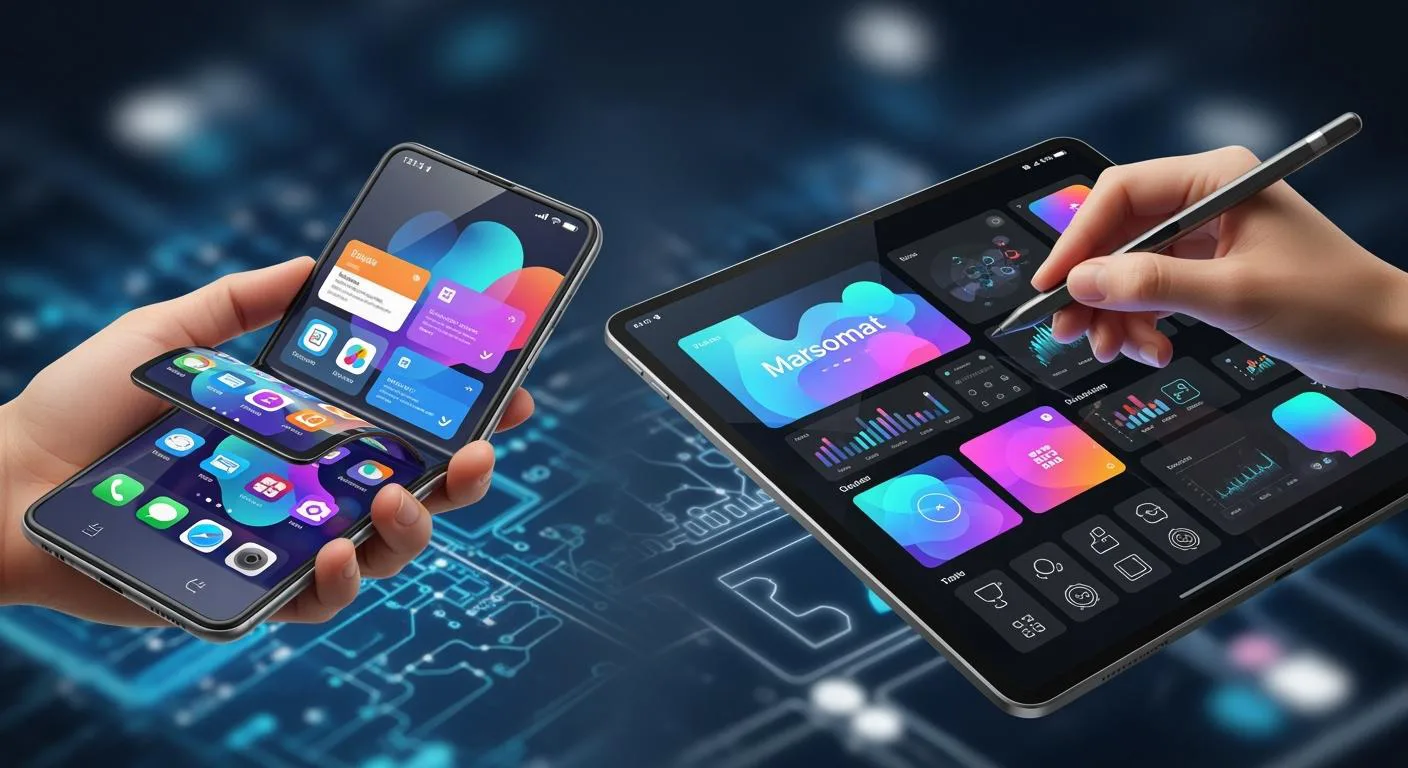

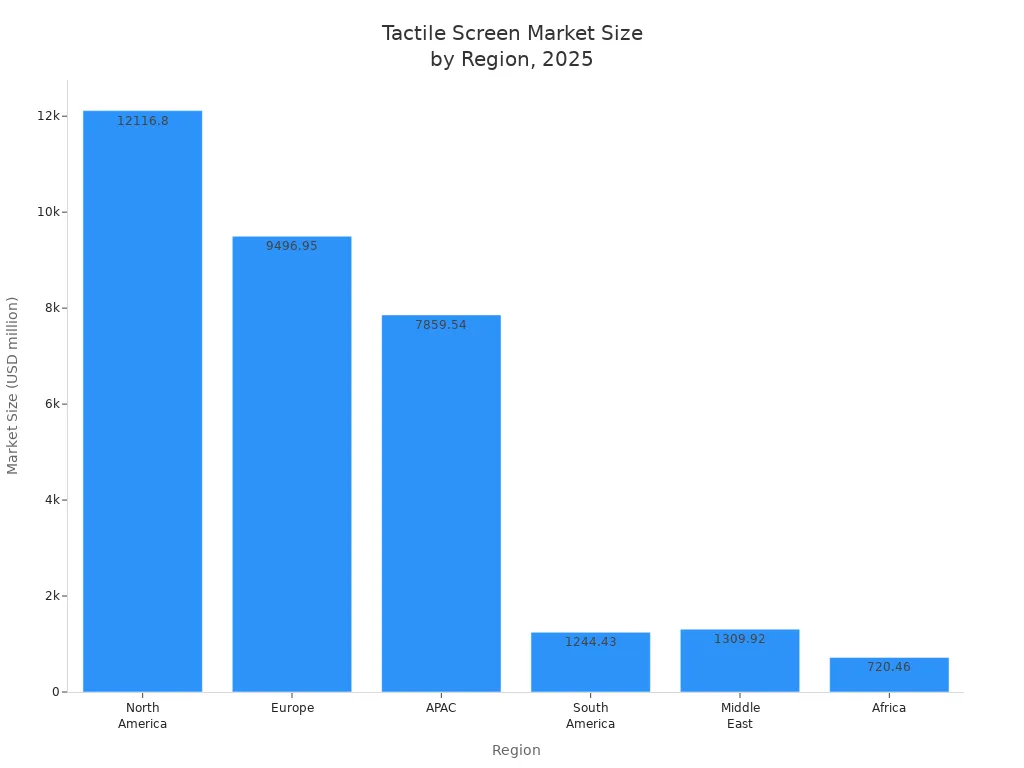
You see tactile screen technology everywhere in 2025. SOUSHINE’s PCAP touch panels lead the way in both consumer and industrial devices. Tactile screen demand keeps rising as people rely on touch to control machines, phones, and kiosks. The market grows fast, reaching over $74 billion by 2032. North America holds more than 40% of the market share.
You need the right tactile screen for your world. Compare touch options to find what fits best.
Table of Contents
Key Takeaways
- Tactile screens are very important in 2025. PCAP technology is the most popular because it is fast and can handle many touches at once.
- Touch screens help users by giving quick feedback. They make tasks easier and help people make fewer mistakes.
- Many industries use touch screens in different ways. Manufacturing and healthcare show how flexible these screens are.
- Resistive touch screens do not cost much. They work well in tough places, so they are good for factories.
- Infrared touch screens are very accurate and last a long time. They are great for kiosks and outdoor screens.
- InGlass touch screens let you write smoothly. They are best for digital whiteboards and high-end devices.
- The touch screen market will grow a lot. New technology and more people wanting touch screens help this growth.
- Picking the best touch screen depends on what you need. Think about speed, how long it lasts, and where you will use it.
Why Tactile Screens Matter in 2025
User Demands and Applications
You use touch screens all the time. These screens let you control things fast and easily. In busy places, touch screens give quick feedback. This helps you not make mistakes and check your choices. You can stay focused on your main job. Touch screens help people who cannot see well by making devices easier to use. The design helps you in dark or stressful times. In hospitals, touch screens keep you safe and help follow strict rules.
Touch screens are used in many fields. Here are some examples:
| Industry | Application Description |
|---|---|
| Manufacturing | Workers use touch screens to watch assembly lines, change machine settings, and fix problems. |
| Transportation | Touch screens in cars help with maps and checking systems, even when roads are rough or weather is bad. |
| Healthcare | Medical machines use touch screens for watching patients and taking pictures in tough places. |
| Agriculture & Food Processing | Touch screens control watering and food machines, making work faster. |
| Energy & Utilities | Strong screens help watch and control power plants and energy sites. |
Touch screens are important in factories and other jobs. Capacitive touch screens, like SOUSHINE’s, work fast and let you use more than one finger. Resistive screens are still used for special jobs. New things like mini-LED lights and better covers make screens work better.
Industry Growth and Trends
The touch screen business keeps getting bigger. By 2025, it will be worth about $25 billion. It grows by 5 to 7 percent every year. Many people use touch screens in phones, cars, hospitals, and factories. In the U.S., people want more touch devices. In Canada, stores and hospitals use more touch screens. Germany and the U.K. use them in cars and stores. New technology and easy-to-use screens help this growth.
Flexible and Foldable Displays
Flexible and foldable touch screens change how you use devices. These screens bend, so you can roll or fold them. This means screens do not have to be stiff anymore. You get new shapes and ways to use your devices. Foldable screens are used more as materials and making methods get better. Stronger covers and better battery use help these screens last longer. The flexible screen market will grow fast, reaching over $560 billion by 2035. Foldable phones will also grow, as more people want devices that fit their lives. New ideas in OLED and thin glass make these changes happen. You get more choices and better ways to use screens as the market grows.
Touch Screen Technology Overview
Main Types in 2025
There are many kinds of touch screen technology in 2025. Each kind works in its own way. You see these main types in devices now:
- Resistive
- Infrared
- InGlass
- PCAP (Projected Capacitive)
You can look at the table to see how each type works:
| Touch Panel Type | Working Principle |
|---|---|
| Resistive | Feels pressure when you press two layers together. |
| Infrared | Finds your finger by blocking light beams from LEDs in the frame. |
| InGlass | Uses sensors inside the glass to track your finger or stylus. |
| PCAP | Has a clear film that senses changes in current when you touch it, finding the x and y spot. |
You pick a type based on what you need. Some types work well with gloves. Others are fast and show clear pictures. Touch screen technology keeps getting better as people want new things.
How Touch Panels Work
Touch panels let you use your fingers to control devices. When you touch the screen, the panel feels your action. It sends your command to the device. You can tap, swipe, or pinch. The panel reads your move and gives feedback right away.
Most panels have a sensor, a display, and a cover glass. The sensor feels your touch. The display shows pictures and words. The cover glass keeps the screen safe. Some panels use special bonding so you can see the screen in bright light. You get a smooth and quick touch every time you use it.
SOUSHINE’s PCAP Touch Panels
SOUSHINE’s PCAP touch panels are very advanced. You get great multi-touch and no delay. The panels use strong cover glass. This makes them hard to scratch and easy to clean. You see sharp images because the glass is very clear.
You also see a smooth look. The glass goes from edge to edge and has custom borders. This gives your device a modern style. SOUSHINE helps you get the right fit. You can get special panels with sensors and displays bonded together. This makes the screen easier to read and fits your needs.
| Feature | Description |
|---|---|
| Superior User Experience | Great multi-touch, no delay, and very clear images. |
| Exceptional Durability | Strong cover glass, hard to scratch, easy to clean, and high IP ratings. |
| Seamless Aesthetics | Glass from edge to edge and custom borders for a modern look. |
| Expert Integration | Special panels with sensors and displays bonded together for better reading. |
You can use SOUSHINE’s panels in many places. They work well in electronics, cars, stores, factories, and buildings. You get touch screens you can trust now and in the future.
Resistive Touch Screens
How Resistive Works
You find resistive touch screens in many devices. These screens use two thin layers. When you press the top layer, it touches the bottom layer. The screen senses the pressure and locates your touch. You can use your finger, a stylus, or any object. The screen does not need your skin to work. You get a response when you press down. This method gives you basic touch sensitivity. You notice that the screen needs a firm press to register your action. The design makes it easy to use in places where gloves or tools are common.
Pros of Resistive
Resistive touch screens offer several benefits. You see these screens in places where cost and practicality matter most. You can use them with gloves, pens, or any object. This feature helps you in jobs where you need protection or work with tools. You also find that these screens work well in tough environments. Water, dust, and dirt do not stop them from working. You get reliable performance in factories, outdoors, or kitchens.
Here is a table showing the main advantages:
| Advantage | Description |
|---|---|
| Cost-effectiveness | You spend less on resistive touch screens. They fit budget projects and large orders. |
| Operability with gloves | You use these screens with gloves, styluses, or other objects. This helps in industrial settings. |
| Durability in harsh environments | You rely on resistive screens in places with water, dust, or dirt. They keep working in tough conditions. |
Tip: If you need a screen for a factory or outdoor job, resistive touch screens give you a strong and affordable choice.
Cost and Glove Use
You save money when you choose resistive touch screens. The price is lower than other types. You do not need special tools or bare fingers. You can wear gloves and still use the screen. This feature is important in cold weather or when you handle chemicals. You get high-quality touch screens for less money. You also find that these screens work with many objects, making them flexible for different tasks.
Cons of Resistive
Resistive touch screens have some limits. You notice that the screen needs a firm press. The sensitivity is lower than other types. You cannot use multi-touch gestures like pinch or zoom. The screen only reads one touch at a time. You may find the display dimmer because the layers block some light. The plastic surface can scratch easily. You need to clean and calibrate the screen often to keep good touch sensitivity.
Here is a table showing the main limitations:
| Limitation | Description |
|---|---|
| Limited Sensitivity | You must press harder to get a response. This can slow you down. |
| Durability Concerns | The screen wears out faster because of constant pressure. |
| Calibration Requirements | You need to adjust the screen often to keep it working well. |
| Lower Resolution | The screen shows fewer details. Images may look less clear. |
| Scratch Vulnerability | The plastic surface scratches more easily than glass. |
| Single Touch Input | You cannot use two fingers at once. Multi-touch gestures do not work. |
| Dim Display Quality | The screen looks darker in bright light. |
| Environmental Limitations | Heat and humidity can change how the screen responds. |
| Maintenance Needs | You must clean the screen often to keep good touch sensitivity. |
Limited Multi-Touch
You cannot use multi-touch on resistive screens. The screen only reads one touch at a time. You cannot pinch, zoom, or rotate with two fingers. This limit affects how you use apps and games. You may find it harder to work fast or do complex tasks. If you need high-quality touch screens with multi-touch, you may want to look at other options.
Best Uses for Resistive
Resistive touch screens work best in places where you need strong and reliable control. You see these screens in factories, food processing plants, and military vehicles. You can use them with gloves, tools, or any object. This makes them a good choice for jobs where safety and cleanliness matter.
Industrial and Harsh Environments
You find resistive touch screens in many tough settings. These screens handle dirt, grease, and water without trouble. You can use them in places where other touch screens might fail. In food processing, you must follow strict rules. Resistive screens do not have exposed glass, so you meet safety standards. You can clean them often and keep your workspace safe.
Workers in factories wear gloves to protect their hands. You can still use a resistive touch screen with gloves on. You do not need to remove your gloves to control machines. This saves time and keeps you safe. In military vehicles, you need screens that work in rough conditions. Resistive touch screens do not break easily. You can trust them to work in heat, cold, or rain.
Resistive touch screens also cost less than other types. You can buy many screens for a large project without spending too much. You get simple controls and strong performance. You do not worry about false touches from dirt or grease. The screen only responds when you press it.
Here is a table showing why industries choose resistive touch screens:
| Reason for Preference | Explanation |
|---|---|
| Affordability | You spend less because the screens use simple parts. |
| Ability to operate with gloves | You control machines even when you wear gloves. |
| Durability | You use screens that last in tough places like factories and military vehicles. |
| Compliance with regulations | You meet food safety rules because the screens do not have exposed glass. |
| Less sensitivity to contaminants | You avoid false touch inputs from dirt, grease, or water. |
Tip: If you work in a place with dust, water, or strict safety rules, resistive touch screens give you the control you need.
You see resistive touch screens in control panels, ticket machines, and outdoor kiosks. You can rely on them for simple tasks. You do not need fancy gestures. You just press and get a response. You get a screen that works every time, even in harsh conditions.
Infrared Touch Screens
How Infrared Works
You see infrared touch screens in many public places. These screens use a grid of invisible light beams across the surface. Small LEDs and sensors sit along the edges of the display. When you touch the screen, your finger breaks the light beams. The sensors detect the exact spot where you touch. You do not need to press hard. You can use your finger, a stylus, or even a gloved hand. The screen responds quickly to your touch. You get a smooth and accurate experience every time.
Pros of Infrared
Infrared touch screens offer several strong benefits. You find them in places where many people use the same device. These screens stand up to heavy use. They do not rely on a soft surface or thin film. The sensors and LEDs sit behind a strong glass panel. You do not worry about scratches or cracks from daily use. The display stays clear and bright because nothing covers the screen.
You also get high accuracy. The sensors pick up your touch exactly where you place your finger. You can use multi-touch gestures like pinch and zoom. This makes the screen easy to use for maps, games, or information kiosks. You can use the screen in wet conditions or while wearing gloves. The touch system does not depend on skin contact.
Here is a table that shows the main benefits of infrared touch screens:
| Benefit | Description |
|---|---|
| High Touch Accuracy and Precision | The screen detects your touch exactly where you place your finger. |
| Excellent Durability and Resistance | The glass surface resists scratches and cracks, even in busy public spaces. |
| Immunity to Environmental Factors | The screen works in wet conditions and with gloves, making it good for outdoor use. |
| Multi-touch Capabilities | You can use gestures like pinch-to-zoom for a better user experience. |
Note: If you need a touch screen for a kiosk or outdoor display, infrared technology gives you strong durability and clear visuals.
Durability and Clarity
You want a touch screen that lasts. Infrared screens use tough glass. The sensors do not wear out from repeated touch. The display stays bright and easy to read. You do not see scratches or dull spots. You get a clear view, even after years of use. The screen keeps working, even if many people touch it every day.
Cons of Infrared
Infrared touch screens have some limits. The sensors and LEDs sit around the edge of the screen. Dust, dirt, or water can block the light beams. If something covers the bezel, the touch system may not work right. You need to keep the edges clean for the best performance. Strong sunlight or other bright lights can also cause problems. The sensors may pick up false touches or lose accuracy.
Here is a table that lists the main drawbacks of infrared touch screens:
| Drawback | Description |
|---|---|
| Dust and Debris | Dirt or moisture on the bezel can block the light beams and affect touch. |
| Sensor Vulnerability | Damage to the LEDs or sensors can stop the touch system from working. |
| Ambient Light Interference | Bright sunlight can disrupt the sensors and cause false touches. |
Tip: You should check and clean the edges of your touch screen often, especially if you use it outside or in a busy place.
Environmental Sensitivity
You need to watch for dust and dirt on the bezel. If you use the screen outdoors, rain or mud can block the sensors. Bright sunlight can confuse the system. You may see the touch screen act strangely in these conditions. Regular cleaning helps keep your touch screen working well.
Best Uses for Infrared
Infrared touch screens work well in many places where you need strong and reliable performance. You often see these screens in public spaces and outdoor areas. They help you interact with machines and get information quickly. You do not need to press hard or use your bare finger. These screens sense your touch with high accuracy.
Kiosks and Outdoor
You find infrared touch screens in kiosks at airports, malls, and train stations. These kiosks help you check in, find directions, or buy tickets. The screens stand up to heavy use and keep working even when many people touch them each day. You also see them in outdoor kiosks. These kiosks give you information about buses, weather, or city maps. The screens work in rain, sun, or dust. You can use them with gloves or a stylus.
Here is a table that shows where you often use infrared touch screens:
| Use Case | Description |
|---|---|
| Public kiosks | You find these in airports and malls. They give travelers a strong and easy-to-use touch interface. |
| Outdoor kiosks | These stand outside and give you public information and services. |
| Industrial control panels | You use these in factories where dust, moisture, or impacts are common. |
| Interactive whiteboards | Schools use these for group learning and lessons. |
| Retail displays | Stores use these for product catalogs and self-checkout. |
| Public info boards | These show news or maps in public spaces. |
You can trust infrared touch screens in places where many people use the same device. The screens do not wear out fast. They keep their touch accuracy over time. You do not need to worry about scratches or damage from daily use.
Tip: If you need a screen for a busy place or outside, infrared touch screens give you a strong and easy way to interact.
You also see these screens in schools. Teachers use interactive whiteboards with infrared touch. Students can write, draw, or move objects on the board. This helps everyone learn together. In stores, you use touch screens to look up products or pay for items. The screens respond fast and make shopping easier.
In factories, workers use infrared touch screens to control machines. The screens work even if you wear gloves or if the air has dust. You do not lose touch accuracy in these tough places.
You get many benefits from using infrared touch screens in public and outdoor settings:
- You get fast and accurate touch response.
- You can use the screen with gloves or a stylus.
- You see clear images because nothing covers the display.
- You do not worry about scratches or heavy use.
Infrared touch screens help you in many ways. You find them in places where you need a strong, easy, and reliable way to interact with machines and information.
InGlass Touch Screens
How InGlass Works
You see InGlass touch screens in many new devices. These screens use sensors inside the glass to find your finger or stylus. When you touch the surface, the sensors read the exact spot. The system uses light waves that move through the glass. Your touch changes these waves. The sensors pick up this change and send the location to the device. You get fast feedback every time you touch the screen. You do not need to press hard. You can use your finger, a stylus, or even a glove. The screen responds quickly and gives you a smooth experience.
Pros of InGlass
InGlass touch screens give you many benefits. You notice clear images and sharp details. The screen does not have air gaps, so you see everything without blur. You get accurate touch detection. The sensors find your touch right away. You can use multi-touch gestures like pinch and zoom. The screen works well in bright rooms. You see less glare and fewer reflections. The bonding process makes the screen strong. You do not worry about scratches or damage.
Precision and Smoothness
You want a screen that feels smooth when you touch it. InGlass technology gives you this feeling. The sensors track your finger with high accuracy. You can draw, write, or move objects on the screen. The system reads every touch and gesture. You get a natural and easy experience. The screen does not miss your touch or make mistakes. You see your actions on the display right away.
Here is a table that shows the main advantages of InGlass touch screens:
| Advantage | Description |
|---|---|
| Exceptional clarity | Zero air gap for clear visuals |
| Highly accurate touch detection | Precision in touch response |
| Durable optical bonding process | Enhanced longevity and resilience |
| Reduced reflections and glare | Improved visibility in various lighting conditions |
Tip: If you need a screen for drawing or writing, InGlass touch screens give you the best results.
Cons of InGlass
You need to think about some limits of InGlass touch screens. These screens cost more than other types. The technology uses special sensors and bonding methods. You may not find InGlass screens in every store. Some devices do not offer this option. You see InGlass mostly in premium products and whiteboards. The price and limited supply make it harder to use in budget projects.
Cost and Availability
You pay more for InGlass touch screens. The advanced design and materials raise the price. You may need to order from special suppliers. Not every device supports InGlass technology. You see these screens in high-end tablets, smart whiteboards, and premium displays. If you want the best touch experience, you may need to spend more and look for specific brands.
Note: You should check your budget and needs before choosing InGlass touch screens.
Best Uses for InGlass
You find InGlass touch screens where you need top performance. These screens help you write and draw like on paper. You can work, learn, and share ideas in new ways. The screen reacts fast and feels smooth every time.
Whiteboards and Premium Devices
You mostly see InGlass touch screens in digital whiteboards and fancy devices. These screens let you write, draw, and move things easily. It feels different when you touch the screen. The screen knows where your finger or stylus is right away. You can use more than one finger at once. This helps you work with others and share ideas fast.
In classrooms, InGlass touch screens make lessons fun and interactive. Teachers and students write, draw, and solve problems together. You see your work show up right away. This makes learning easy to follow. In offices, people use digital whiteboards for meetings. You can write notes, draw charts, and move things on the screen. Everyone in the room can see and join in. You can also talk to people in other places. Hybrid meetings are easier with these screens.
In healthcare, InGlass touch screens help doctors and nurses share information. They show test results and explain treatments. Patients can touch the screen to ask questions or give feedback. This makes visits smoother and helps everyone understand what to do.
Stores use InGlass touch screens to help customers. You can touch the screen to see products, check prices, or get help. The screen reacts quickly and shows clear pictures. This makes shopping easier and more fun.
You also find InGlass touch screens in high-end devices. These devices use the best touch technology for a fast and smooth feel. Some screens have smart features that learn what you like. Some even let you use touchless controls, so you do not have to touch the screen. This keeps things clean and safe. Augmented reality lets you see more info or try things before you buy.
Here are some common ways people use InGlass touch screens in 2025:
- Digital whiteboards for schools and offices
- Fancy tablets and laptops
- Healthcare screens for talking with patients
- Store kiosks for shopping and product info
- Meeting rooms for hybrid work
| Application Area | How You Benefit with InGlass Touch |
|---|---|
| Education | Fun lessons and group work |
| Corporate | Easy whiteboarding and hybrid meetings |
| Healthcare | Better talks with patients and sharing info |
| Retail | Fast, clear shopping and help |
Tip: If you want writing that feels real and quick response, pick InGlass touch screens for your whiteboard or fancy device.
You get the best results with InGlass touch screens when you need clear pictures, fast touch, and easy teamwork.
PCAP Touch Screen Technology
How PCAP Works
You use capacitive touch screens almost every day. PCAP stands for projected capacitive. It uses special sensors to find your finger or stylus. The sensor makes an electric field on the glass. When you touch the glass, your finger changes the field. The sensor finds your touch spot right away. You do not need to push hard. The system reads your move fast and correctly.
Here is a table that shows what makes PCAP special in 2025:
| Feature | Description |
|---|---|
| Electromagnetic Sensing | Makes an electric field that finds touch by change, so it can sense exactly where you touch. |
| Multi-Touch Capability | Lets you use up to 10 fingers at once, so you can pinch and swipe. |
| Glove Compatibility | Works even if you wear gloves, so it is good for cold or tough jobs. |
| Optical Clarity | Shows bright and clear pictures, so you can see well in many places. |
| Durability | The glass does not scratch or break easily, so it works well in busy spots. |
| Waterproof Features | Stays working in wet places like outdoor kiosks or rough weather. |
You see capacitive touch screens in lots of places. These screens are used in stores, hospitals, cars, outdoor kiosks, and game consoles. Each sensor helps you get quick and steady results.
Pros of PCAP
Multi-Touch and Speed
Capacitive touch screens are fast and let you use many fingers. You can pinch, swipe, and zoom with ease. The sensor answers every touch quickly. You get feedback right away. This makes these screens great for games, maps, and art apps.
| Advantage | Description |
|---|---|
| High-speed response | Gives you quick actions and answers. |
| Supports multi-touch gestures | Lets you touch with more than one finger at once. |
| Durable surface | Does not scratch or wear out fast, so it lasts longer. |
You see that the sensors keep up with your moves. You do not have to wait for the screen. This speed helps you work and play better.
Sleek Design
Capacitive touch screens look smooth and modern. The glass goes from edge to edge. You see sharp images and bright colors. The sensor is under the glass, so nothing blocks your view. Devices with these screens look cool and feel nice to use. You find them in phones, tablets, and kiosks.
Cons of PCAP
Water Sensitivity
Capacitive touch screens do not work well when wet. If water gets on the glass, the sensor may get confused. The screen might act on its own or not work. This can happen in kitchens, outside, or near sinks. You need to keep the screen dry for best results.
Price
Capacitive touch screens cost more than some other types. The special sensor and glass make the price higher. If you want to save money, you may look at other choices. Still, many people pick capacitive touch for its speed, style, and trust.
Tip: If you want a fast, accurate, and stylish screen, capacitive touch is a good pick. You see these screens in many places, like stores and hospitals.
SOUSHINE Touch Panels
Features and Benefits
You want a screen that works every time. SOUSHINE touch panels are very reliable. These panels use projected capacitive technology. You get quick response and smooth control. The glass does not scratch easily. It can handle lots of use. You can clean the screen without trouble. This is good when many people use the same device.
You see clear pictures because the glass lets light through. The display stays bright and sharp. SOUSHINE panels let you use more than one finger. You can zoom, swipe, and move things. You do not need to press hard. A gentle touch works.
SOUSHINE panels are easy to install. You save time when setting them up. The panels fit many devices. You can pick different sizes and shapes. You can also choose custom borders and finishes. This helps your product look new and match your brand.
Here is a table with the main features and benefits:
| Feature | Benefit |
|---|---|
| Scratch-resistant glass | Lasts longer and stays clear |
| Multi-touch support | Lets you use more than one finger |
| Fast response | Gives you instant feedback |
| Easy to clean | Stays safe and looks good |
| Custom design options | Matches your product style |
Note: You get a touch panel that works well, looks nice, and lasts a long time.
Applications Across Sectors
You find SOUSHINE touch panels in lots of places. In electronics, you use them in tablets and smart home controls. They also work in gaming devices. The panels make every touch feel quick and easy. In cars, you control maps, music, and air with a touch. The panels work even if you wear gloves.
Stores use these panels in self-checkout machines and kiosks. You can check prices, pay, or get help with a touch. In factories, workers use touch screens to control machines and check data. The panels handle dust and heavy use.
Hospitals use SOUSHINE panels in medical devices. Nurses and doctors get fast and accurate control. The panels are easy to clean, which helps keep things safe. Building managers use touch panels to control lights, doors, and security.
You can see how SOUSHINE touch panels fit many needs:
- Consumer electronics: tablets, smart home devices, gaming
- Automotive: dashboards, navigation, climate control
- Retail: kiosks, self-checkout, digital signage
- Industrial: machine controls, monitoring systems
- Healthcare: medical equipment, patient check-in
- Building management: security, lighting, access control
Each area needs easy and reliable touch control. SOUSHINE panels give you this everywhere you use them.
Tactile Screen Comparison 2025
Performance and Responsiveness
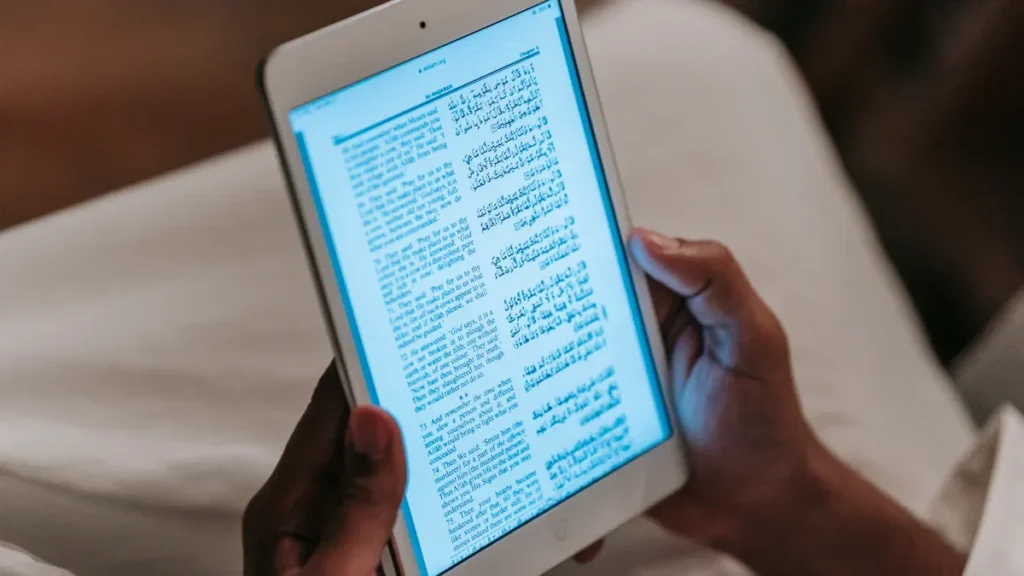
You want a screen that reacts quickly when you touch it. Fast screens help you work, play, and learn better. Capacitive touch screens are now the top choice for speed. These screens answer faster than older resistive ones. You can use up to ten fingers at once. This helps you play games and use apps that need many touches. Multi-touch makes your experience better and lets you do more.
You see IPS displays in lots of devices. IPS shows bright colors and lets you see from different sides. If you play games, you might use TN panels. TN panels react even faster. Every tap, swipe, or pinch feels smooth and quick. Good touch response makes your actions feel real and instant. You do not have to wait for the screen. You control your device fast and easily.
- Capacitive screens react quickly and accurately.
- Multi-touch lets you use gestures for games and tasks.
- IPS panels show bright colors and wide viewing angles.
- TN panels are fast for gaming.
Modern touch screens work better than old ones. You notice the difference when you compare them. Your experience gets better with each new screen.
Durability and Maintenance
You need a screen that lasts a long time and is easy to care for. Strong screens and easy cleaning help your device work longer. Premium capacitive touchscreens use tough glass. This glass does not scratch or break easily. You do not worry about marks from everyday use. Good sealing keeps out water, dust, and chemicals. Your touch sensors stay safe and last longer.
Here is a table that shows how each part helps your screen stay strong:
| Aspect | Details |
|---|---|
| Mechanical Resilience | Premium capacitive touchscreens use tough glass with Mohs hardness ratings of 6-7. This glass resists scratches very well. |
| Environmental Resistance | Good sealing keeps sensors safe from dirt, water, and chemicals. |
| Impact Resistance | Drop tests like IEC 60068-2-32 check if screens can handle drops. |
| Touch Sensitivity Longevity | Sensors can get weaker from dirt and age. You may need to recalibrate them after some time. |
| Service Life | Screens with strong glass often last five to ten years. |
You get a screen you can trust when you pick one with tough glass and good sealing. You spend less time fixing it. Your device stays ready to use. You know your screen will work in busy and rough places.
Cost and Value
You want to know if buying a touch screen is worth it. Cost and value depend on how much you use your device and what you need. The tactile sensors market will be worth $18.6 billion in 2025. By 2035, it will grow to $66.0 billion. The market grows by 13.5% every year. Touch screens get better and show up in more places.
Robotics, healthcare, and electronics help this market grow. You pay more for advanced screens, but you get better results. Your device becomes more useful and interactive. The price is fair because you get more from your device. Touch screens are everywhere, and you use them more.
- The tactile sensor market is growing fast.
- Robotics and healthcare use more touch screens.
- New features cost more, but you get better screens.
- Your displays work better and last longer.
You make a smart choice when you buy high-performance touch screens. You get a better experience and more trust. Your device stays quick and easy to use for years.
User Experience
You interact with screens every day. The way a screen responds to your touch changes how you feel about using a device. Some screens react fast and let you use many fingers at once. Others need a firm press or only work with one touch at a time.
Capacitive touchscreens give you a smooth and quick experience. You can swipe, tap, and pinch with several fingers. The screen reacts right away. You do not need to press hard. You see this technology in phones, tablets, and kiosks. The glass feels solid and clean. You get clear images and fast feedback.
Infrared touchscreens also give you good results. You can use your finger, a stylus, or even gloves. The screen senses your touch by breaking light beams. You do not need to worry about scratches because the glass stays strong. These screens work well for large displays and public kiosks.
Resistive touchscreens need more pressure. You can use any object to touch the screen. You may notice slower response and less accuracy. Multi-touch is not possible. These screens fit simple tasks and tough jobs.
InGlass touchscreens let you write and draw with high accuracy. You get a natural feel when you use a stylus or your finger. The screen shows your actions right away. You see this technology in whiteboards and premium devices.
Here is a table to help you compare user experience:
| Technology | Touch Response | Multi-Touch | Clarity | Ease of Use | Best For |
|---|---|---|---|---|---|
| Capacitive | Fast | Yes | High | Very easy | Phones, tablets, kiosks |
| Infrared | Quick | Yes | High | Easy | Large displays, kiosks |
| Resistive | Slow | No | Medium | Needs pressure | Factories, outdoor jobs |
| InGlass | Fast | Yes | High | Very easy | Whiteboards, premium |
Tip: If you want a screen that feels natural and responds quickly, choose capacitive or InGlass technology. For tough jobs, resistive screens work well.
Environmental Suitability
You use touchscreens in many places. Some screens work better in certain environments. You need to know which technology fits your needs.
Capacitive touchscreens handle daily use and resist scratches. You see them in phones, tablets, and kiosks. These screens work well indoors. Some models work with gloves and in wet conditions, but water can sometimes affect touch response.
Infrared touchscreens use a grid of light beams. You can use them outside and in public spaces. The glass stays strong and clear. Dust or water on the edges can block the sensors, so you need to keep the bezel clean. These screens fit outdoor kiosks and large displays.
Resistive touchscreens work in harsh places. You can use them with gloves, tools, or any object. Water, dust, and dirt do not stop them from working. You see these screens in factories and outdoor machines.
InGlass touchscreens fit indoor use. You get clear images and smooth touch. These screens work best in offices, schools, and stores.
Here is a table to help you compare environmental suitability:
| Technology | Indoor Use | Outdoor Use | Glove Use | Water Resistance | Best For |
|---|---|---|---|---|---|
| Capacitive | Yes | Sometimes | Yes | Sometimes | Consumer devices |
| Infrared | Yes | Yes | Yes | Needs clean bezel | Public kiosks, displays |
| Resistive | Yes | Yes | Yes | Yes | Factories, outdoor jobs |
| InGlass | Yes | No | Yes | No | Offices, schools |
Note: If you need a screen for outdoor or tough jobs, infrared and resistive touchscreens give you strong performance. For indoor use and best touch response, capacitive and InGlass screens work well.
Outlook for 2025 and Beyond
Market Growth
You see the touch screen market growing fast. More people want devices that respond to touch. Experts predict the market will reach new highs by 2032. You find touch screens in phones, cars, factories, and even homes. Companies invest in better materials and smarter designs. You notice more devices use touch panels every year. The demand for reliable and fast touch technology keeps rising. You can expect more jobs and new products in this field.
Note: The outlook for 2025 shows strong growth in touch technology. You will see more screens in daily life and work.
Future Trends in Touch Screens
You will notice new trends shaping the future of touch screens. Flexible OLED panels become more common. These screens bend and fold, giving you new ways to use devices. Transparent touch screens let you see through displays. You can use them in smart windows or heads-up displays in cars. Touch feedback improves, so you feel a response when you tap or swipe. You see more devices that work with gloves or in wet conditions. Companies focus on making touch screens last longer and use less power.
Here are some trends you should watch:
- Flexible and foldable screens in phones and tablets
- Transparent touch panels for smart glass and retail
- Better touch feedback for a real feel
- Touch screens that work in tough environments
SOUSHINE and other leaders adapt to these trends. You get panels that fit new shapes and uses. You see more options for custom designs and special features.
Flexible and Transparent Displays
Flexible displays change how you use touch screens. You can fold your phone or roll up a tablet. These screens fit in small spaces and open up when you need them. Transparent displays let you see both the screen and what is behind it. You find these in smart windows, car dashboards, and store displays. Touch sensors in these screens work fast and give you clear images.
| Feature | Benefit for You |
|---|---|
| Flexible screens | Easy to carry and store |
| Transparent displays | See information and your view |
| Fast touch response | Quick control and feedback |
SOUSHINE works on new touch panels for these displays. You get strong, clear, and reliable screens. The company tests new materials and designs to meet your needs. You will see more flexible and transparent touch screens in the next few years.
Tip: Watch for new devices with flexible and transparent touch screens. You will find more ways to use technology in your life.
Which Technology Wins?
Best Overall Choice
You want a screen that reacts fast and feels natural. In 2025, projected capacitive (PCAP) technology stands out as the best overall choice. You see PCAP in many devices because it gives you quick response and smooth multi-touch. You can swipe, tap, and zoom with ease. The glass surface stays clear and strong. You get a screen that lasts and looks modern.
PCAP screens work well in many places. You find them in phones, tablets, kiosks, and even cars. The technology supports up to ten fingers at once. You can use gloves on some models. You get bright images and a clean look. PCAP screens meet the needs of most users today.
If you want a screen that works for almost any job, PCAP gives you the best mix of speed, clarity, and durability.
Best by Application
You need to pick the right screen for your job. Each technology fits a different use. Here is how you can choose:
Consumer Devices
You use touch screens every day in your phone, tablet, or laptop. PCAP technology gives you fast response and clear images. You can play games, watch videos, and use apps with many fingers. The screen feels smooth and reacts to every move. You get a device that looks good and works well.
- PCAP screens lead in phones, tablets, and smart home devices.
- InGlass screens work well for drawing tablets and digital whiteboards.
- Resistive screens do not fit most consumer devices because they react slower and do not support multi-touch.
Industrial Use
You work in places where gloves, dust, or water are common. Resistive screens give you control when you need to use tools or gloves. These screens keep working in tough spots. You can press with any object and still get a response. Infrared screens also help in factories because they sense touch without pressure. You can use them with gloves or a stylus.
- Resistive screens fit factories, food processing, and outdoor machines.
- Infrared screens work in control panels and public machines.
- PCAP screens now offer glove support and strong glass, so you see them in some new industrial devices.
Public and Retail
You see touch screens in stores, kiosks, and ticket machines. PCAP screens give you fast and accurate touch for self-checkout and information kiosks. Infrared screens work well for large displays and outdoor kiosks. They sense touch from fingers, gloves, or styluses. You get a screen that stands up to heavy use.
- PCAP screens fit self-checkout, digital signage, and interactive kiosks.
- Infrared screens work for large public displays and outdoor info boards.
- InGlass screens appear in premium retail displays and meeting rooms.
| Application Area | Best Technology | Why It Fits |
|---|---|---|
| Consumer Devices | PCAP | Fast, multi-touch, clear images |
| Industrial Use | Resistive/Infrared | Works with gloves, tools, tough conditions |
| Public & Retail | PCAP/Infrared | Handles heavy use, supports many users |
Tip: Think about where you will use the screen. Pick the technology that matches your needs for speed, touch, and durability.
Final Recommendation
You want a screen that fits your world. PCAP technology gives you the best overall experience for most uses. You get fast touch, strong glass, and support for many fingers. You see PCAP in phones, tablets, kiosks, and even cars. If you work in a factory or need a screen for tough jobs, resistive or infrared screens may fit better.
When you choose a vendor, look at the evaluation criteria for touch screen vendors. You should check for speed, durability, clarity, and support for your needs. SOUSHINE’s PCAP panels meet high standards. You get a screen that works well, lasts long, and looks modern.
You can trust SOUSHINE to deliver touch panels that fit your needs now and in the future. Pick the right technology for your job, and you will get the best results every time.
You see touch screens everywhere in 2025. PCAP technology leads because you get fast touch response and strong performance. For daily devices, you want a touch screen that feels smooth and reacts quickly. In factories or outdoor jobs, you may need a touch screen that works with gloves. SOUSHINE gives you touch panels that fit many needs. You can trust these panels for clear touch, easy cleaning, and long life. As touch technology grows, you should pick the right touch solution for your world.
FAQ
What is a touch screen?
A touch screen lets you control a device by touching the display. You can tap, swipe, or pinch to give commands. Many phones, tablets, and kiosks use this technology.
How does PCAP touch technology work?
PCAP touch technology uses a grid of sensors under glass. When you touch the screen, the sensors detect your finger’s location. This method gives you fast and accurate control.
Can I use a touch screen with gloves?
You can use some touch screens with gloves. PCAP and infrared touch screens often support glove use. Resistive touch screens also work well with gloves or any object.
What makes SOUSHINE touch panels different?
SOUSHINE touch panels use strong glass and advanced sensors. You get quick response and clear images. These panels fit many devices in different industries.
Where do you see touch screens most in 2025?
You see touch screens in phones, cars, kiosks, factories, and hospitals. Many industries use touch screens for control and information.
How do I clean a touch screen?
Use a soft, dry cloth to wipe the screen. For tough spots, use a damp cloth. Avoid harsh chemicals. Clean your touch screen often to keep it working well.
What is multi-touch and why is it useful?
Multi-touch lets you use more than one finger at a time. You can zoom, rotate, or play games. This feature makes devices easier and faster to use.
Are touch screens safe for public use?
Touch screens are safe when you clean them often. Many public devices use tough glass and easy-to-clean surfaces. You should wash your hands after using public touch screens.